Meal Scan allows you to quickly log meals by simply taking a photo, providing instant nutritional analysis and saving time compared to manual entry.
For an in-depth look at how Meal Scan works and tips from our registered dietitian, check out our blog post: Understanding the Meal Scanner. This post dives deeper into the technology behind the feature and how to make the most of it for your tracking needs.
Key Features of Meal Scan
- Advanced Image Recognition: Identifies multiple food items within a single photo, including toppings and sauces.
- Portion Size Estimation: Estimates portion sizes with high accuracy.
- Comprehensive Nutrient Analysis: Calculates up to 108 nutrients using our extensive database of over 2 million verified foods.
How to Use Meal Scan
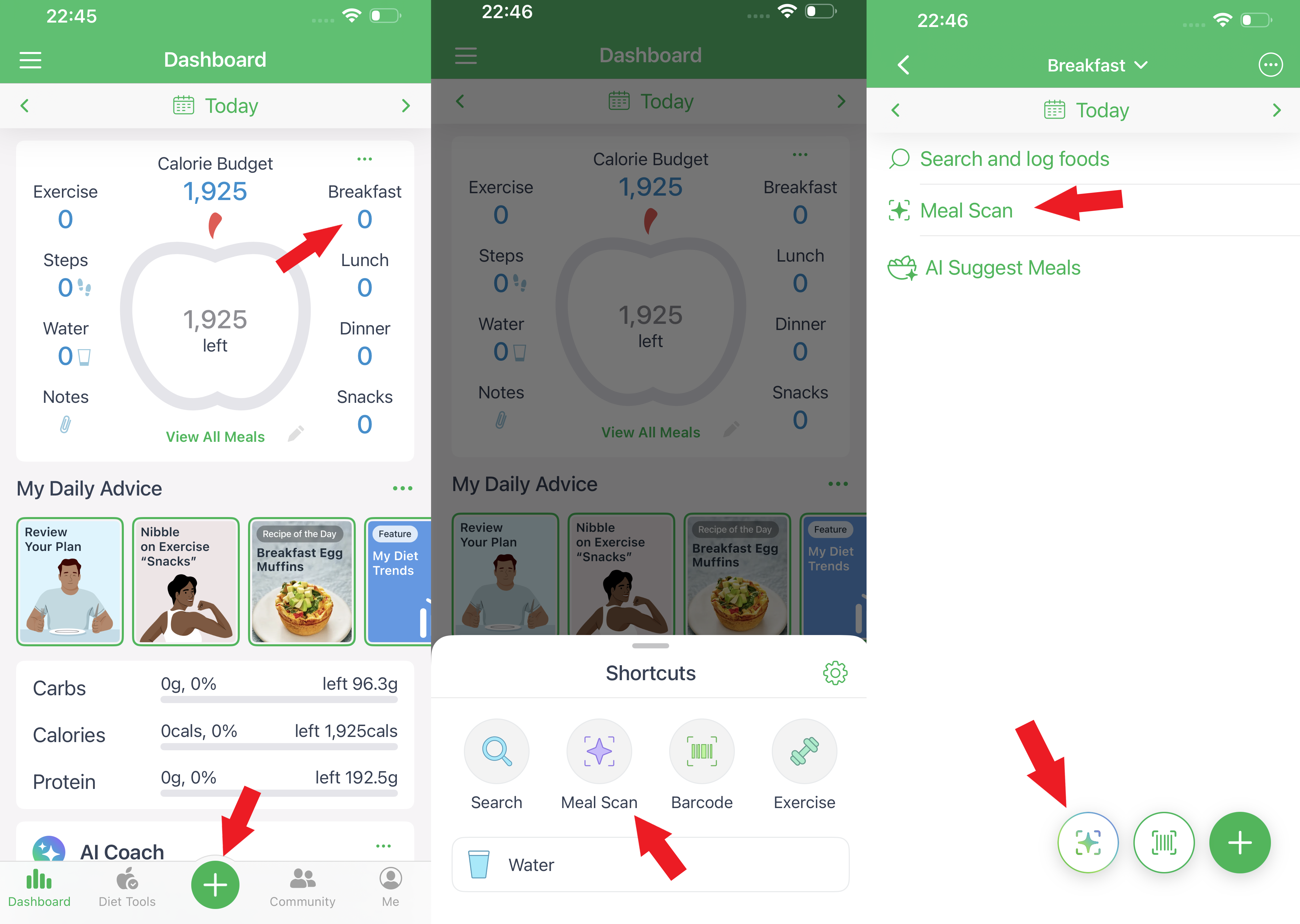
- Select Meal: Open the app and tap on the meal you wish to log (e.g., Breakfast, Lunch, Dinner).
- Access Meal Scan: Tap the "Meal Scan" option or the meal scan icon at the bottom of the screen.
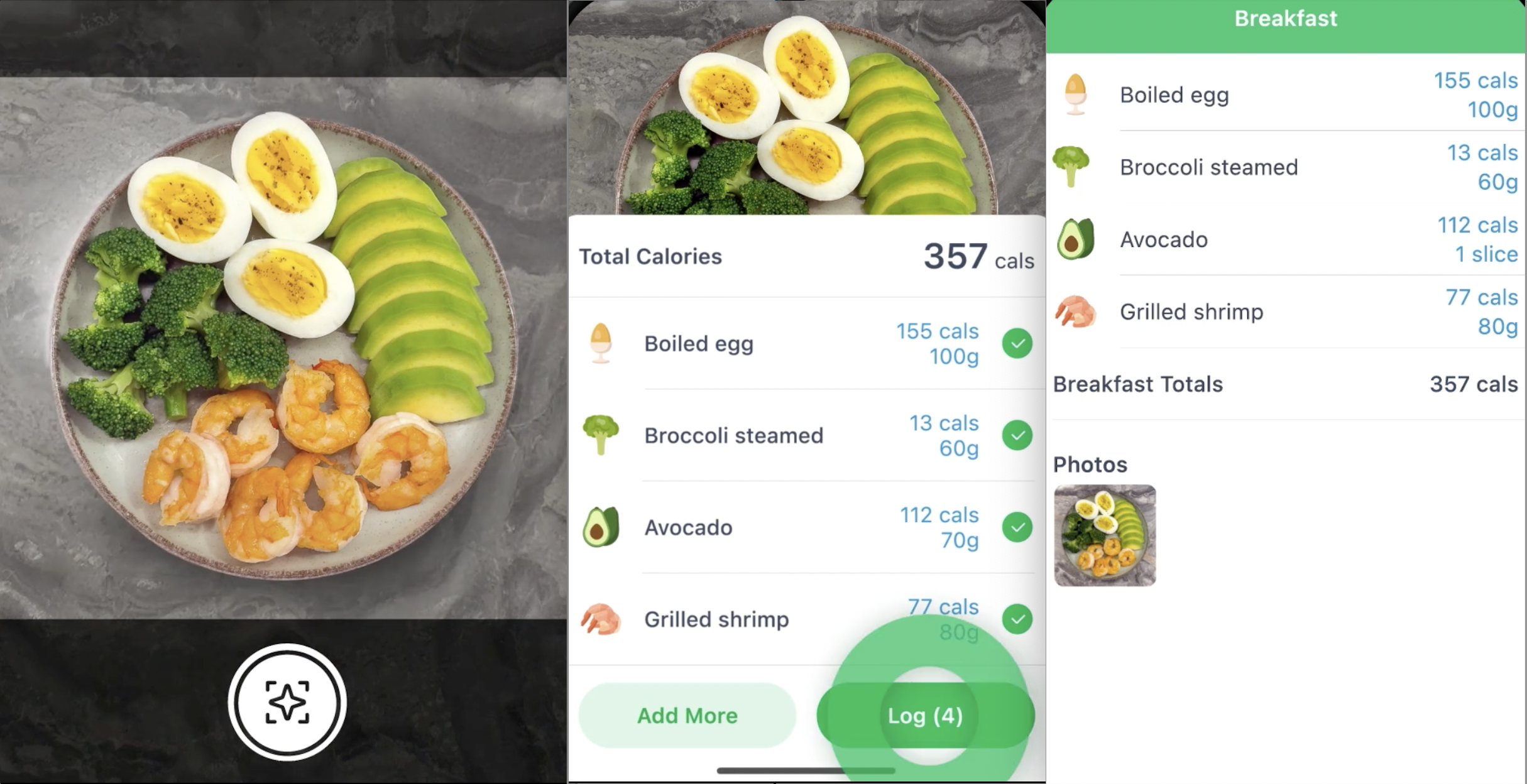
- Capture Photo: Take a clear photo of your meal. Ensure good lighting and a neutral background for optimal results.
- Review Identified Foods: The AI will process the image and display identified food items along with estimated portion sizes.
- Adjust as Necessary: Replace or add food items from the suggested alternatives and adjust portion sizes to match your meal.
- Log Meal: Once satisfied, tap "Log" to add the meal to your food record.
Tips for Accurate Scanning
- Lighting: Use good lighting and a neutral background to enhance image clarity.
- Food Arrangement: Arrange foods so individual items are visible and not overlapping.
- Reference Object: Include a utensil or object to help the AI estimate portion sizes.
- Photo Angle: For flat foods, take photos from above; for depth items, use a 45-degree angle.
- Image Quality: Ensure the photo is sharp and in focus.
When to Use Other Logging Methods
Use other logging methods for:
- Packaged Foods: Use the barcode scanner for packaged items.
- Restaurant Meals: Manually search for specific restaurant dishes for accuracy.
Availability
Meal Scan is available with a subscription. Without a subscription, the following apps offer limited test-drive access for trying out a few scans: Calorie Counter MyNetDiary (iOS and Android), Keto Diet App - Carb Genius (iOS), and Diabetes Tracker by MyNetDiary, as well as PlateAI.(iOS).
Using Meal Scan helps users log meals faster and more accurately, making it easier to stay on track with their health goals.