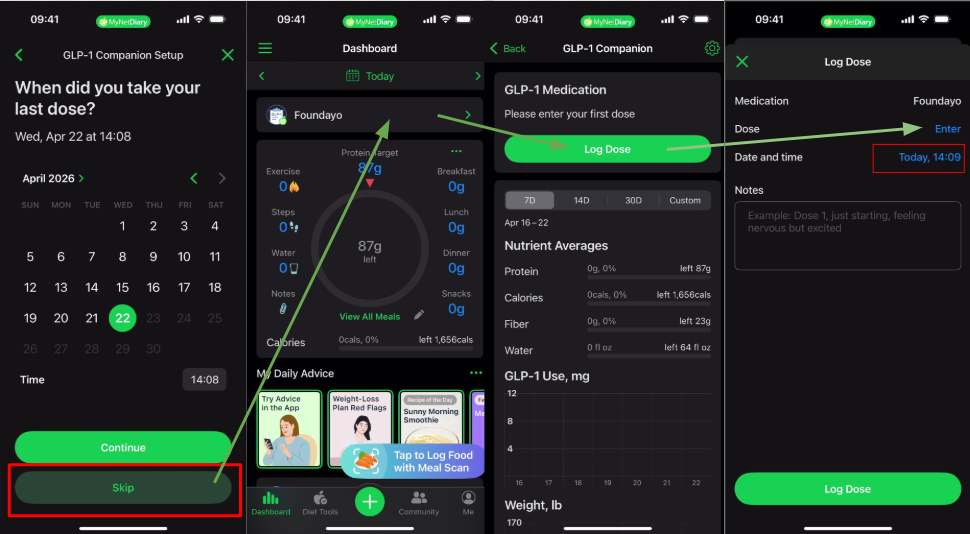
GLP-1 Companion / Diet Plan can be activated during the onboarding process or later in Diet Tools or App Settings. When the user replies affirmatively to the question during the initial Sign Up, a new tab called Set Up GLP-1 Companion will appear on the dashboard.
User will then go through the regular Premium Diet setup process.
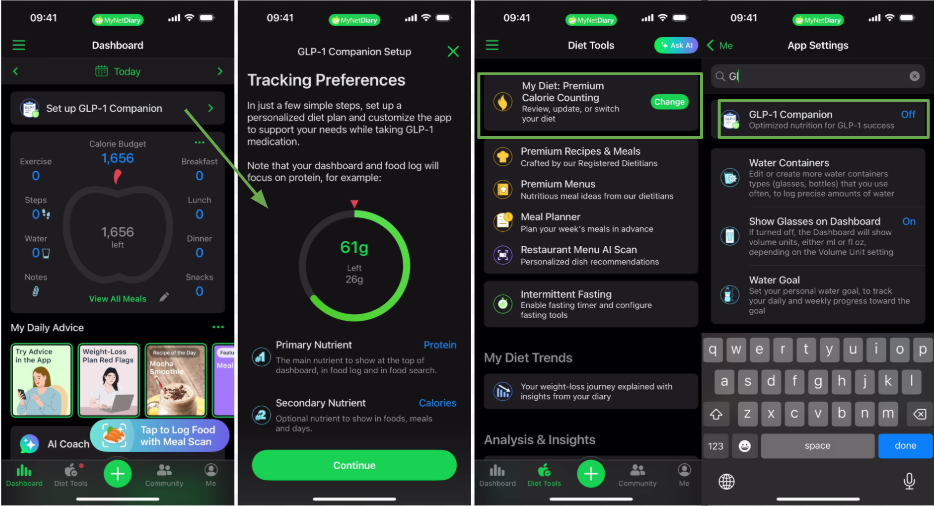
Please note the GLP-1 Premium Diet is only available to 18+ users and won't be activated when your Target Weight is higher than your Current Weight.
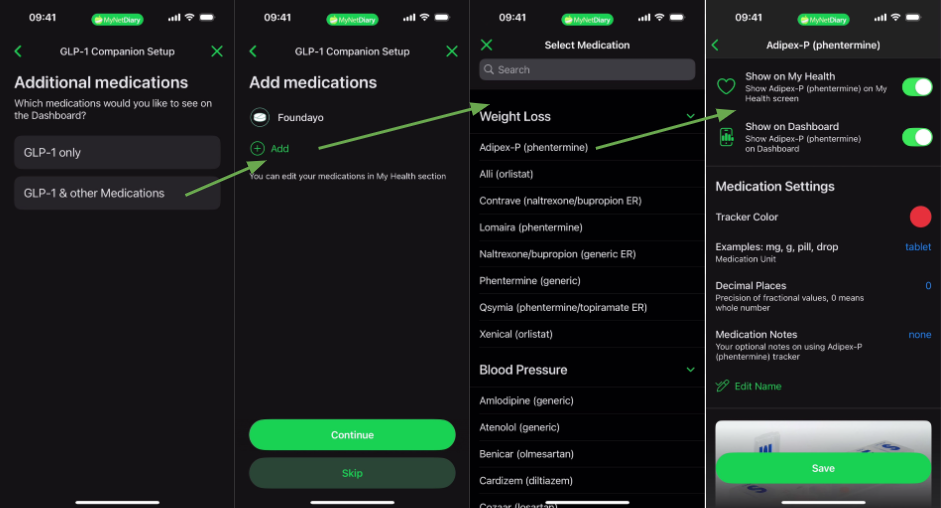
GLP-1 Companion that will be present on your dashboard afterward will focus on your Protein intake as the main nutrient, and tracking your medication doses. You can also add more medications to track if you are using more than one.
It is important to track the date and time of each dose and GLP-1 Companion will allow you to set-up reminders under it's Settings screen. For doses in injection form, you will also be able to specify the injection site and view your Nutrient Averages for both injection and tablet doses.
Please note your Nutrient Averages will only be available for your completed days. They may not display if they day isn't considered complete.