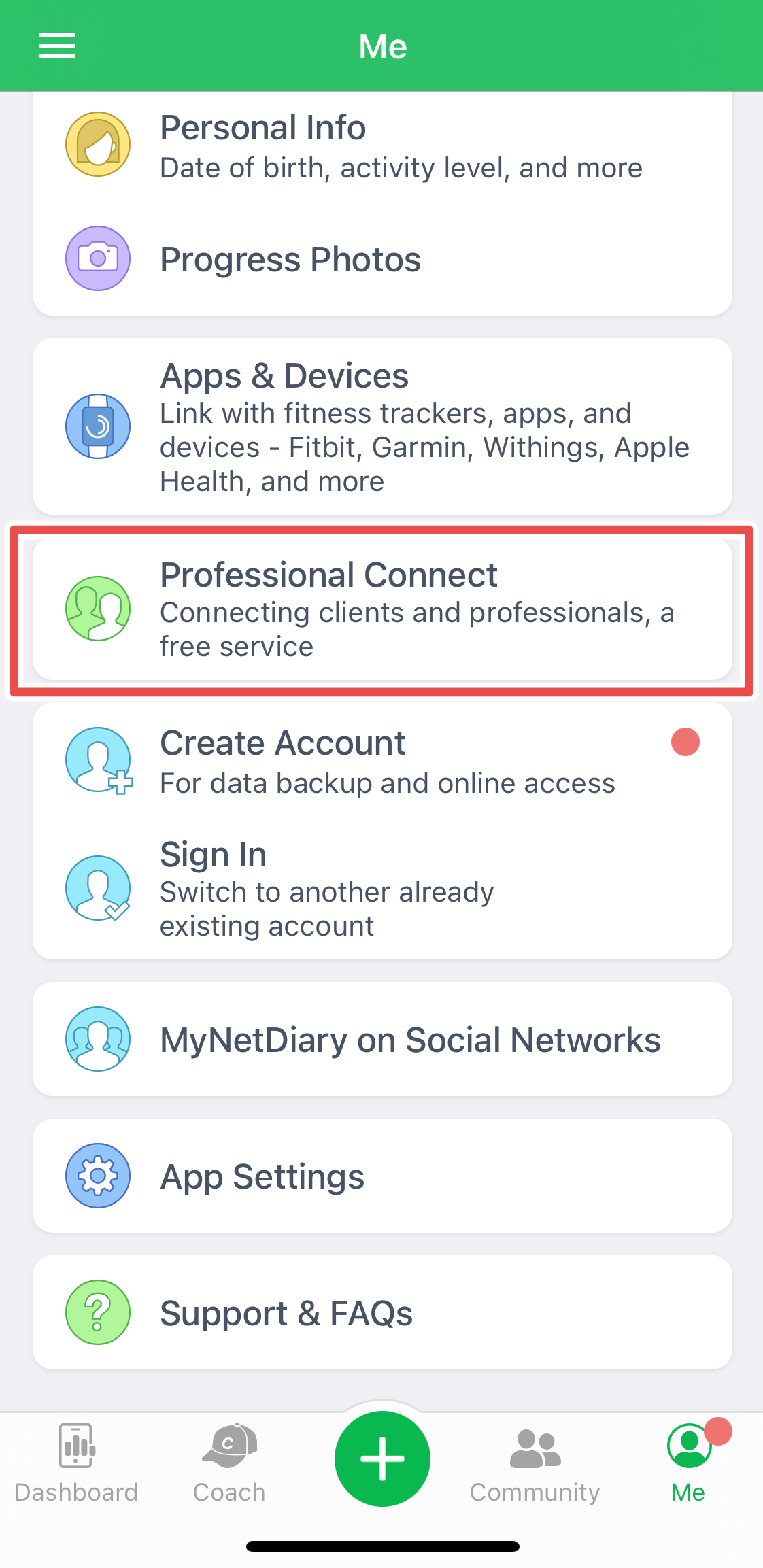
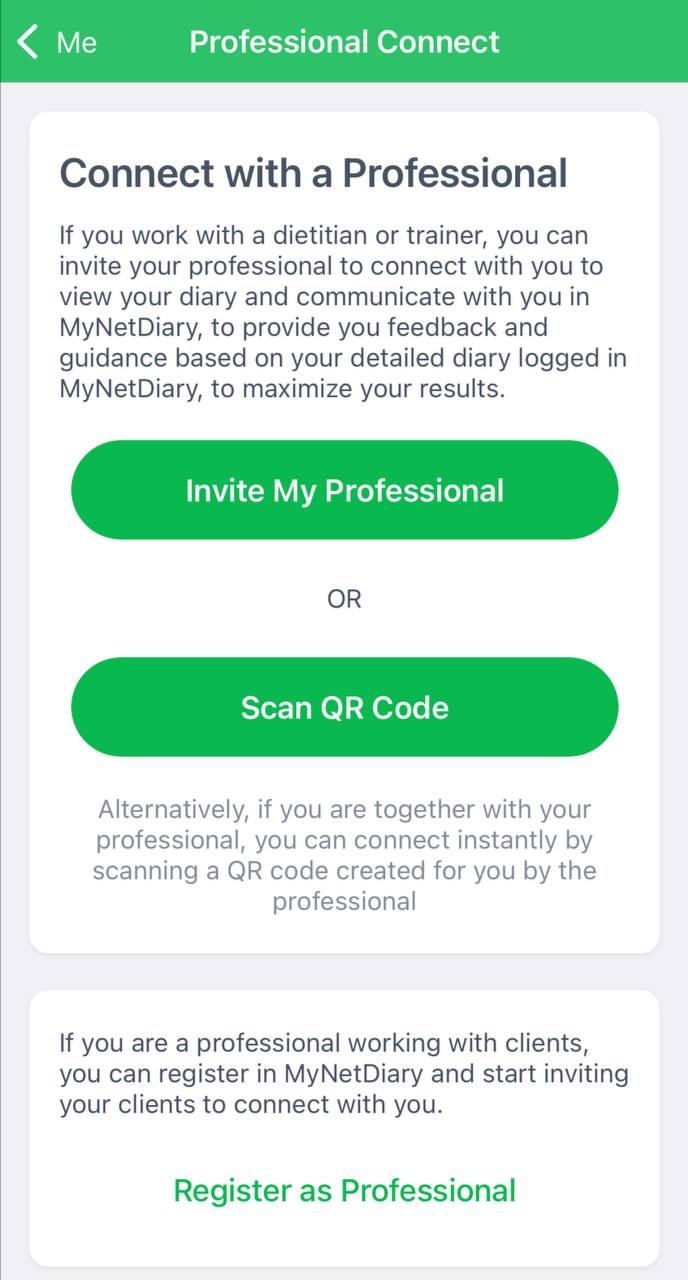
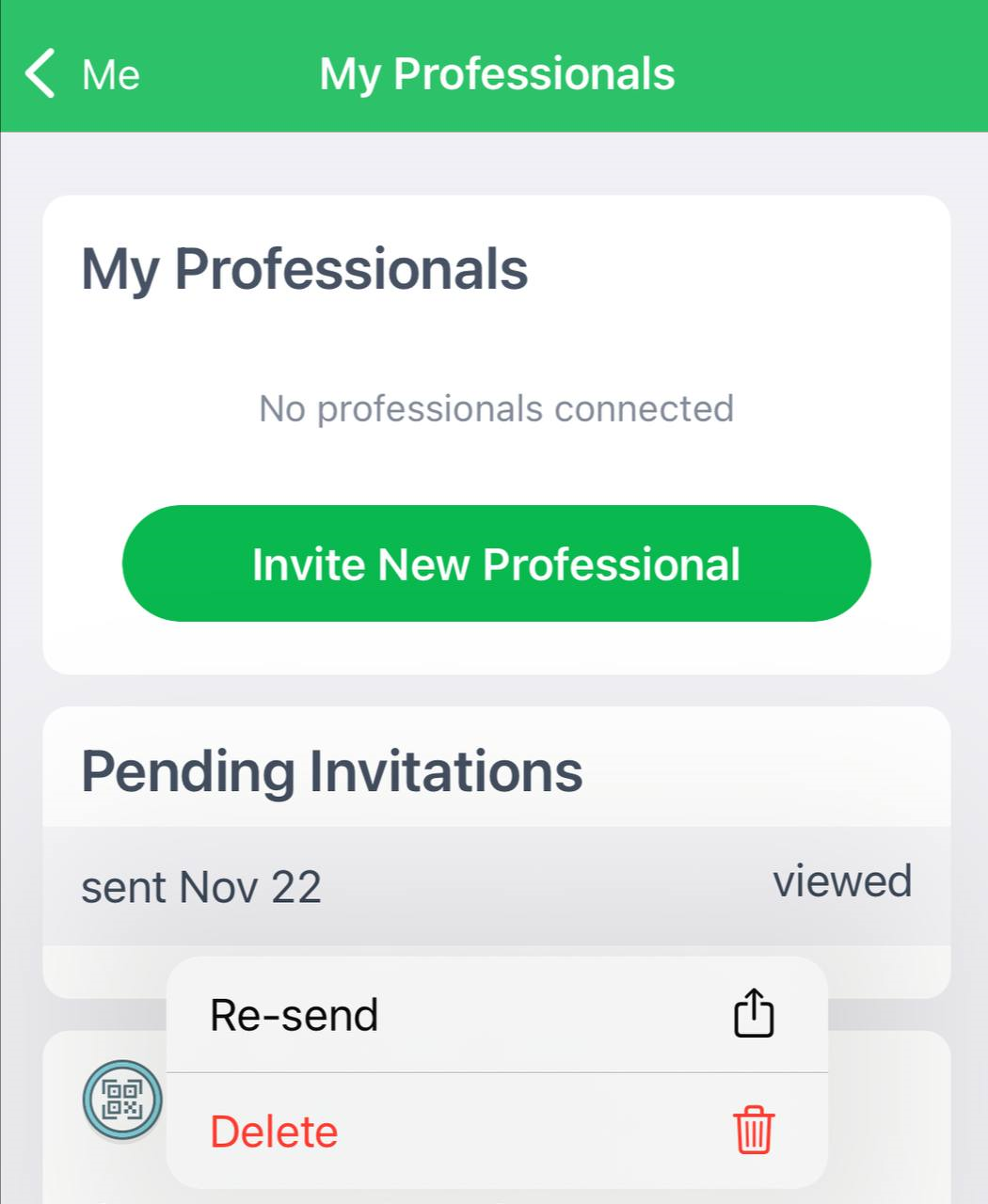
Open the Me tab, scroll to the bottom and tap the highlighted button. Clients choose Invite My Professional or Scan QR Code; professionals tap Register as Professional. If a professional accidentally sent invitations first, the app shows Client status and blocks inviting or accepting clients; delete the pending invitations and restart the app.
It is very easy to activate the connection between you and your client or professional. Proceed to the Me tab and scroll to the bottom. Tap the highlighted button:
If you are the client, choose to Invite My Professional or Scan QR Code to connect with your advisor. If you are a professional, tap Register as Professional at the bottom of the screen:
If you are a professional but accidentally sent invitations for professionals at the start, the app gives you a Client status that won't allow you to invite or accept Clients. Delete your pending invitations and restart the app. You will be able to register as a Professional now again.
Was this article helpful?
56% of 89 readers found this helpful.
Did Not Find It?
Email support@mynetdiary.com or send a request from the app under Me, then Support. Most replies within one business day.