You can print reports from the iOS and Android apps, as well as the website.
To print a Food Report from the iPhone app, open the Diet Tools section, tap Reports & Summary Emails, then select PDF Reports.
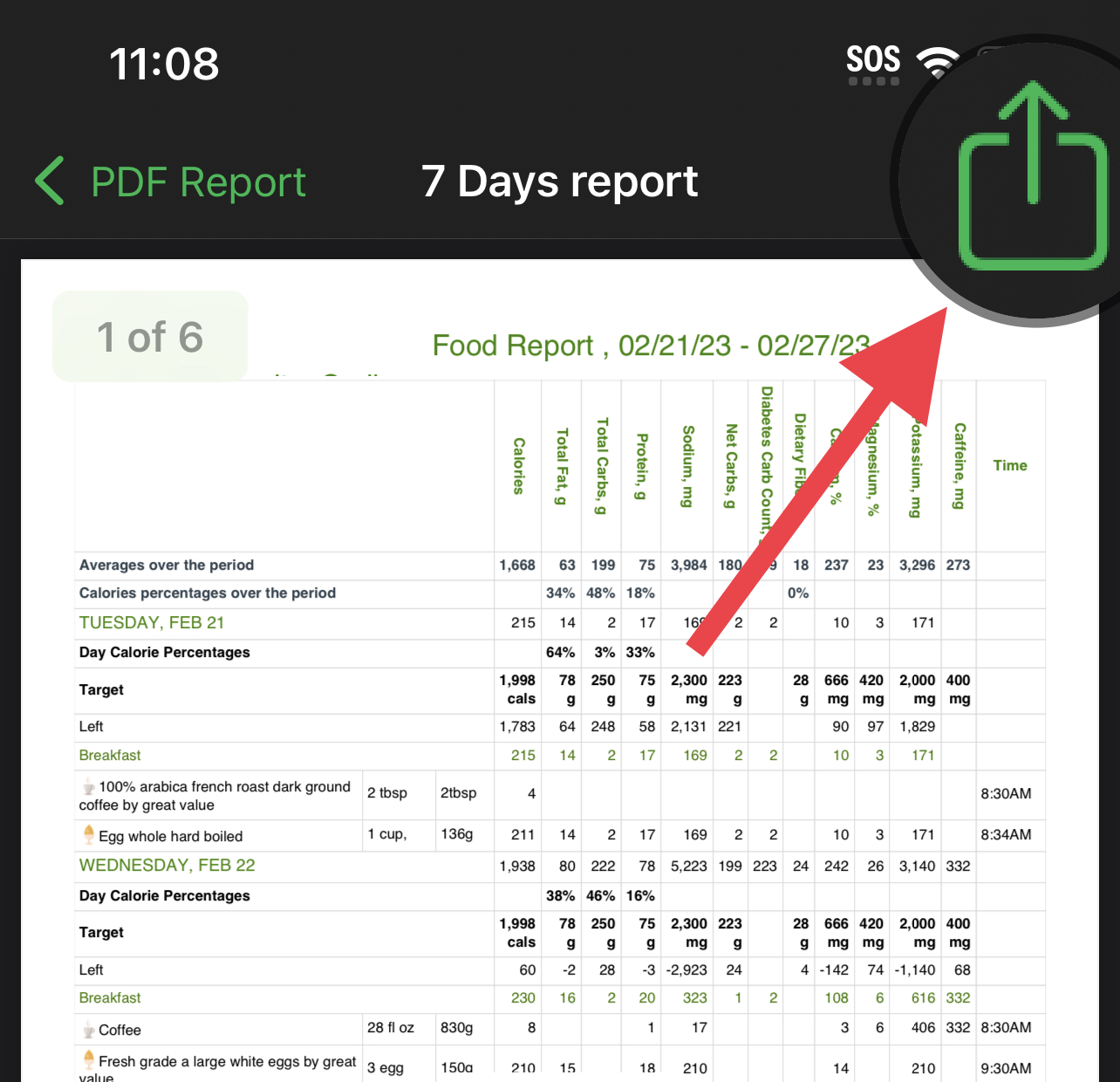
Next, choose the Food report type, tap the green Prepare button, and then tap the ⇧ icon at the top-right corner:
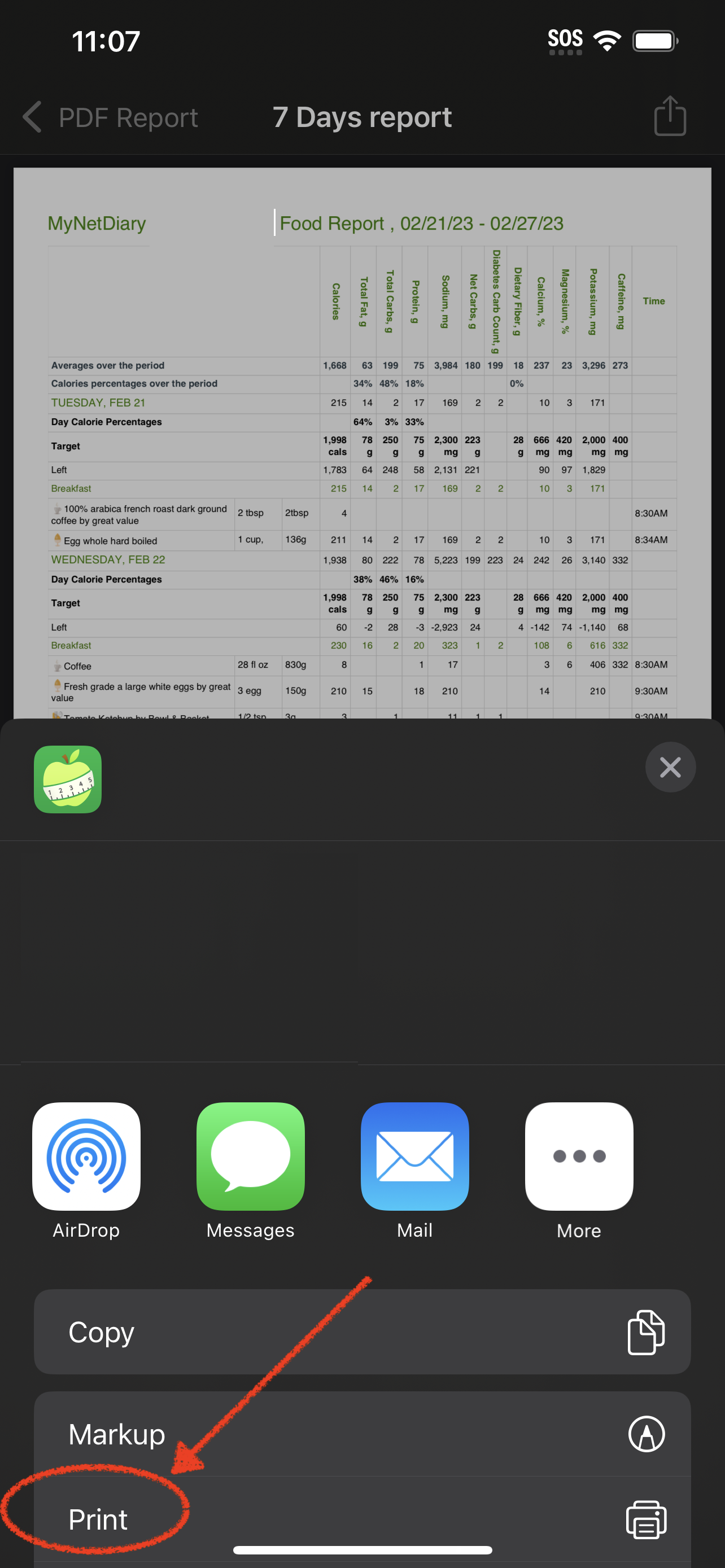
Afterward, you’ll see the Print option:
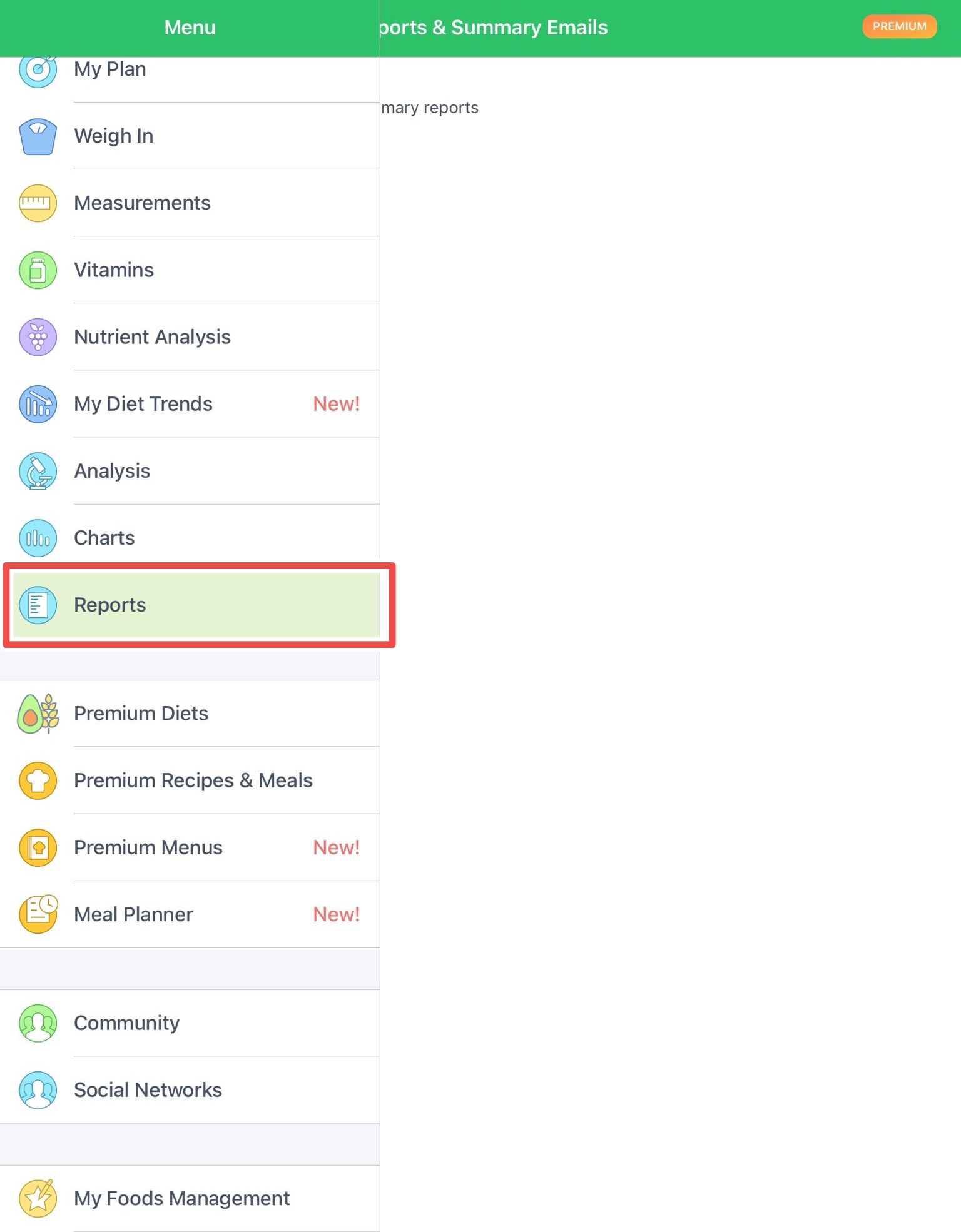
To print a Food Report from the iPad app, open the Reports section from the side menu, select Foods – Prepare Report, then tap the share icon (square with an upward arrow) in the top-right corner:
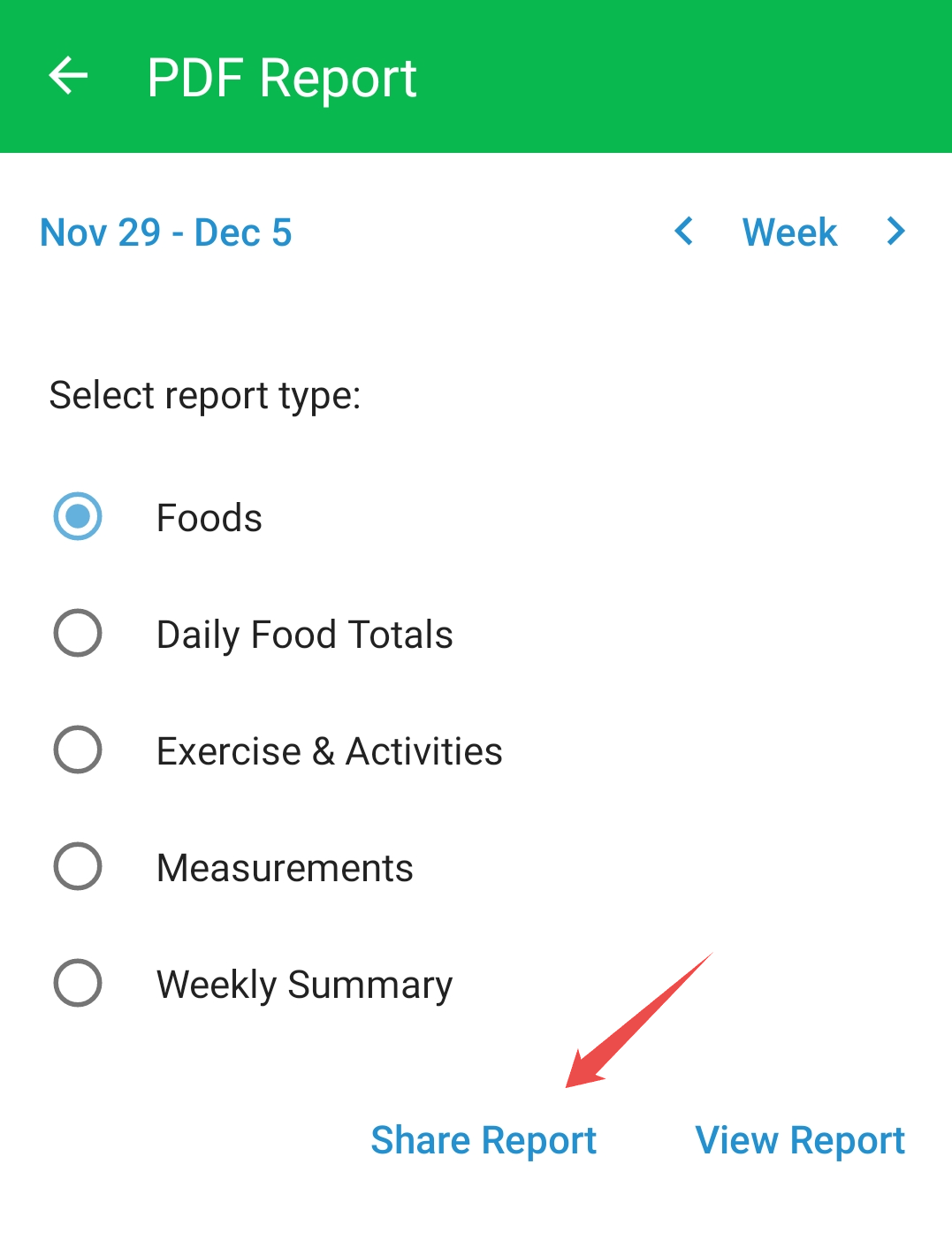
To print a Food Report from the Android app, go to the Diet Tools section, tap PDF Reports, choose the desired period and report type, then tap the Share option:
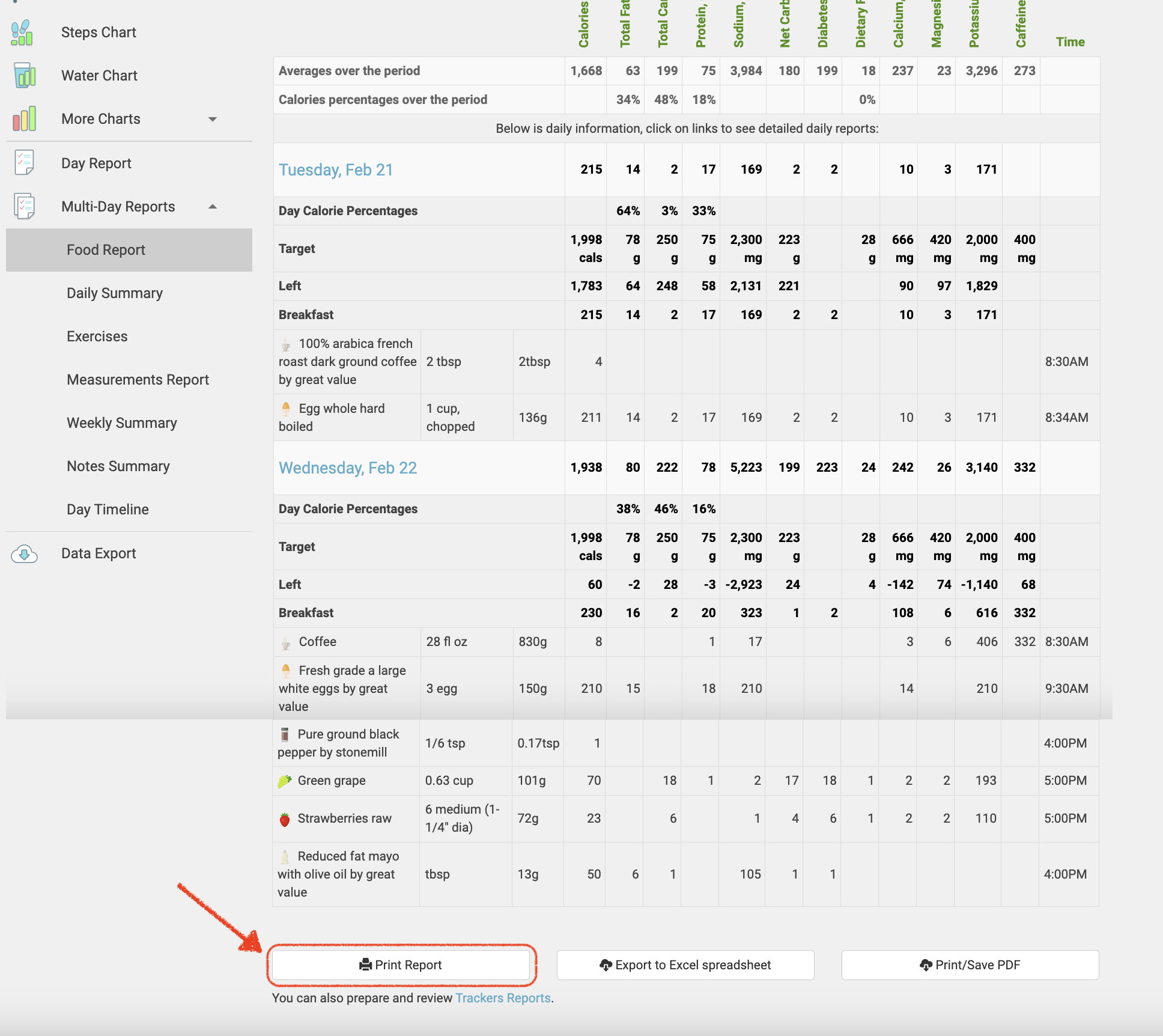
On the website, reports can be printed from the Analysis page. A subscription allows generating various report types and printing or exporting them to PDF or XLS formats.
Alternatively, you can share your report directly with your dietitian, doctor, nutritionist, or coach via Professional Connect.