You can browse client's food on your own through Professional Connect. Choose a client, and you will see logged foods here:

The client may email the food and other reports for different periods to the health professional from the mobile app.
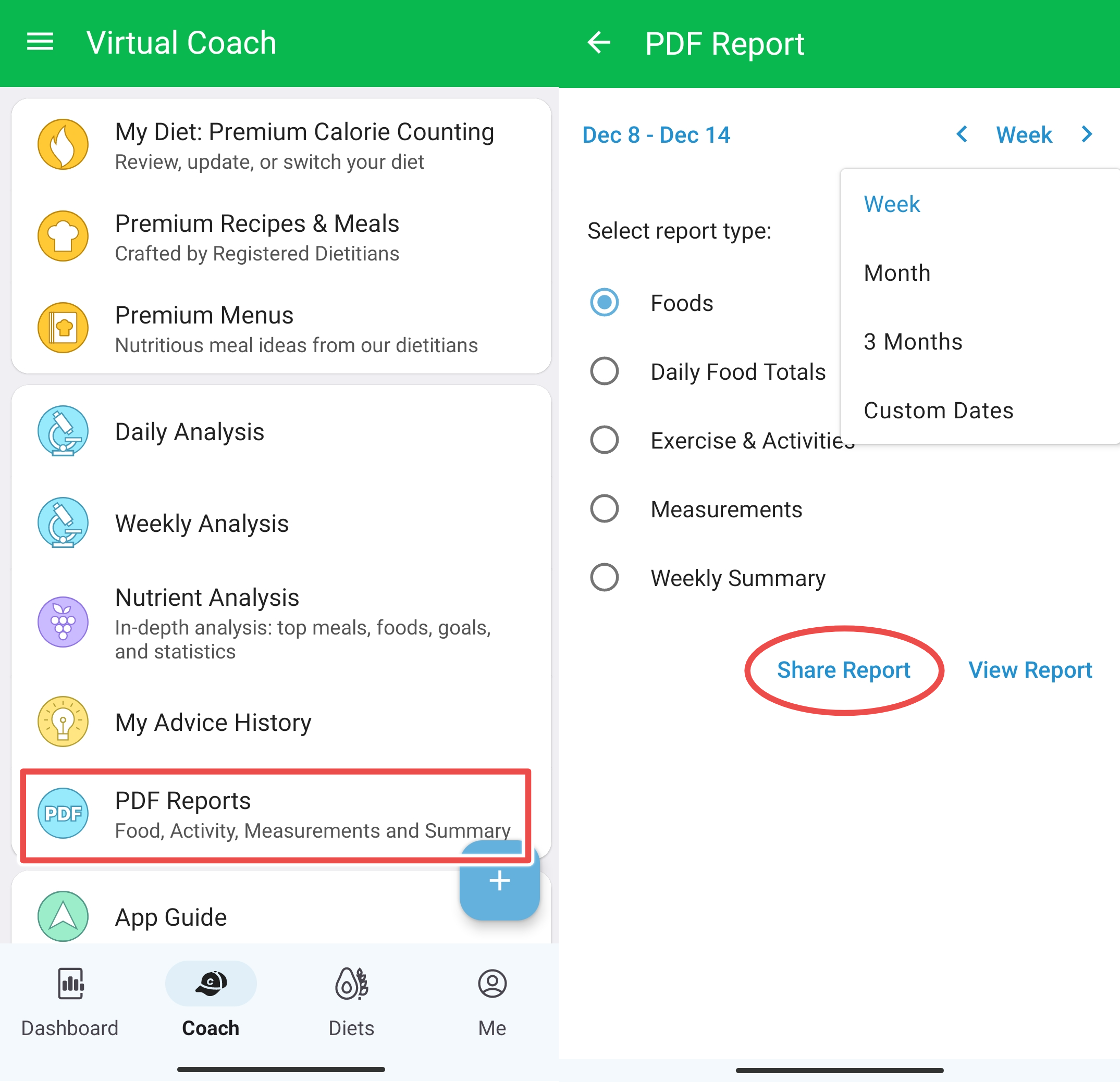
From the Android app, it's possible to do it from the Diet Tools > PDF Reports section:
From the iPhone app, it's possible to generate and email reports from the Diet Tools > Reports & Summary Emails section:
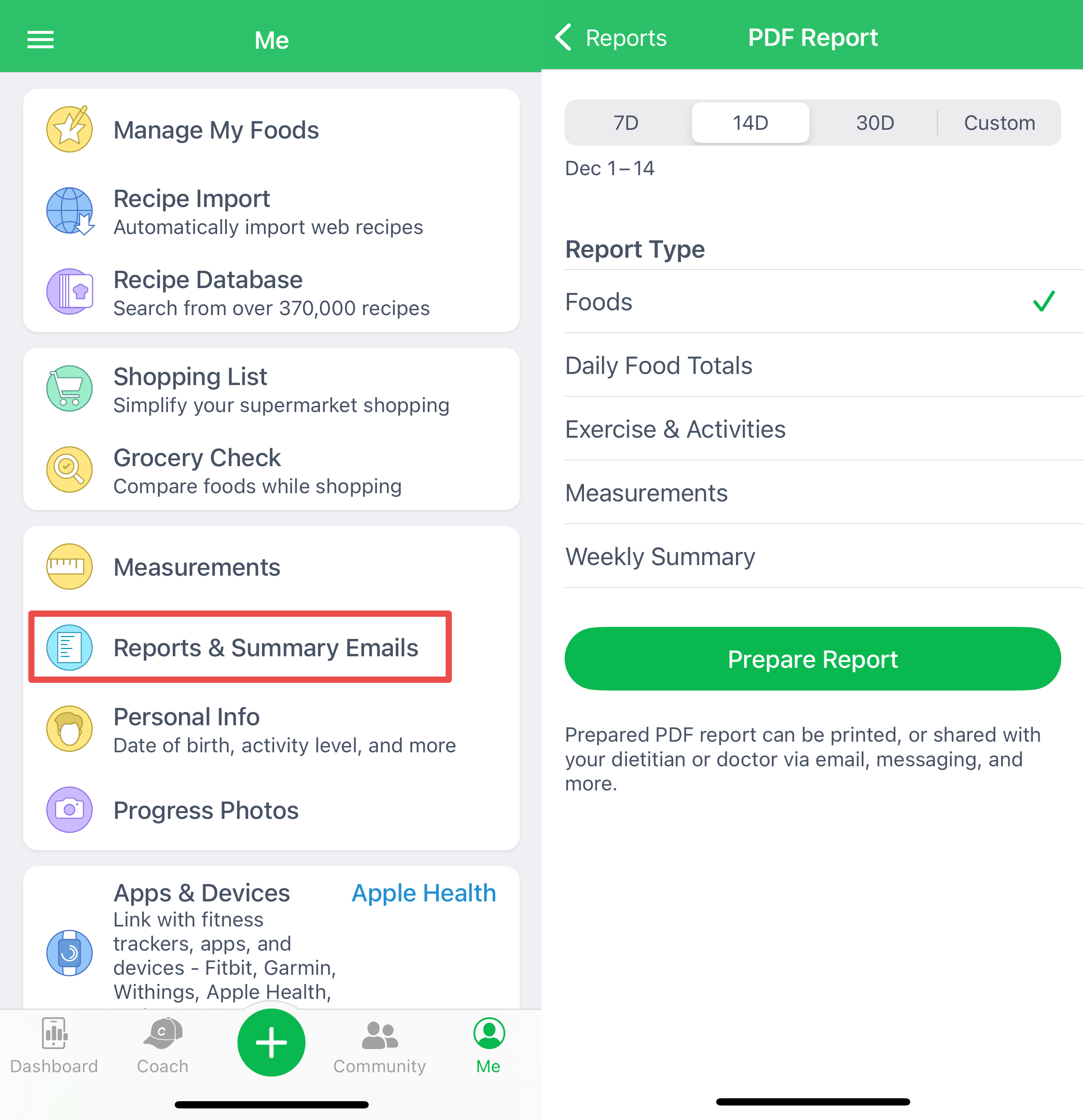
The app will allow your client to prepare the report for a period not longer than ninety (90) days. It's possible by using the "custom" option; it will let your client generate a report for any period between one (1) to ninety (90) days.