If you have not created an account and only used the mobile app in guest mode, you can delete the app—your anonymous cloud backup will then no longer be accessible.
If you created an account, you can delete it via the mobile app or website.
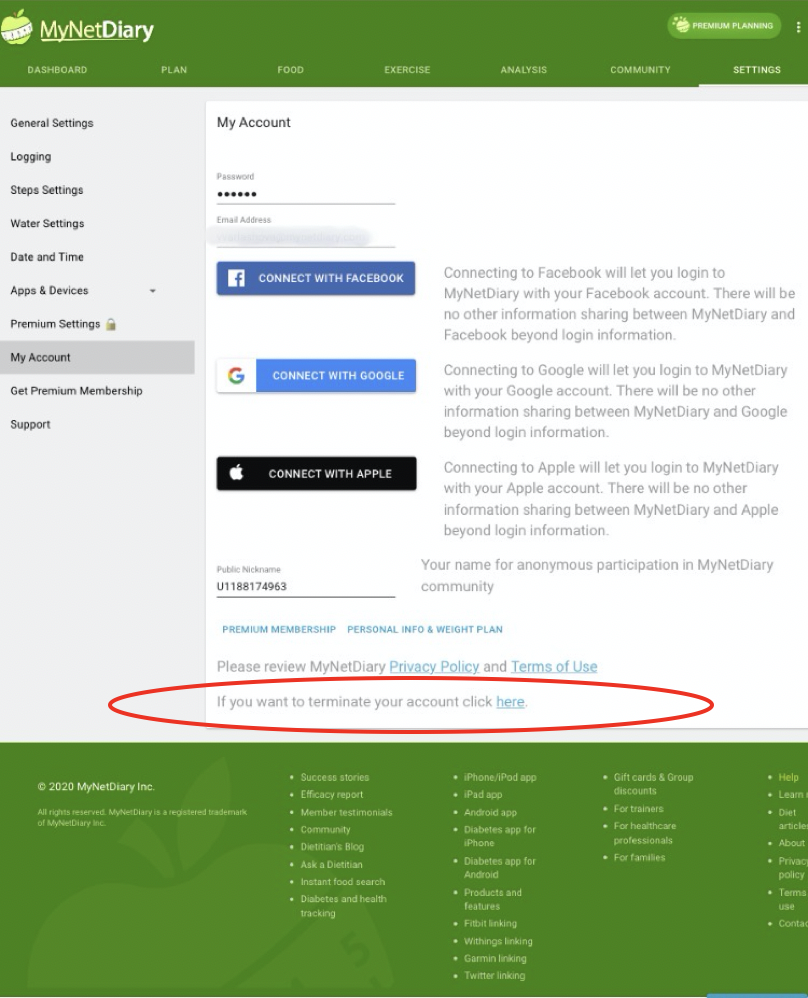
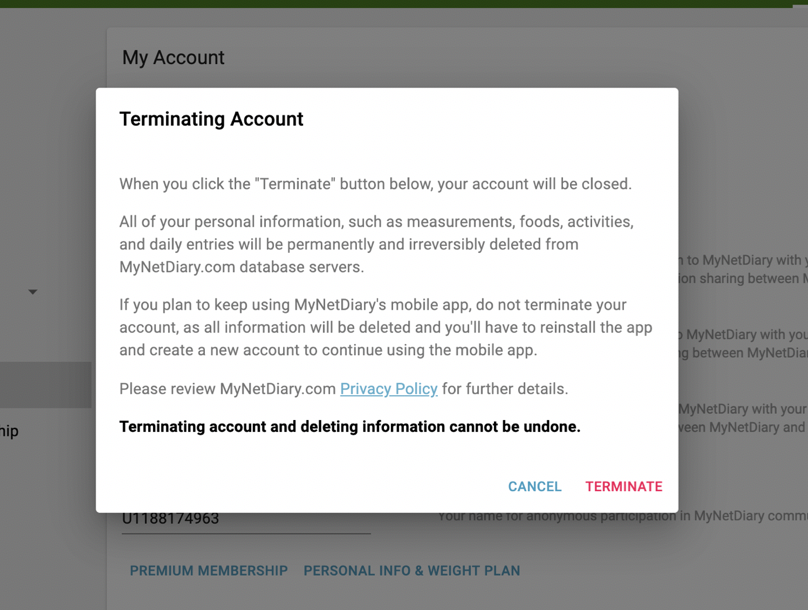
Deleting Your Account from the Web app
Go to Settings > My Account page on the web:
Deleting Your Account from the iOS App
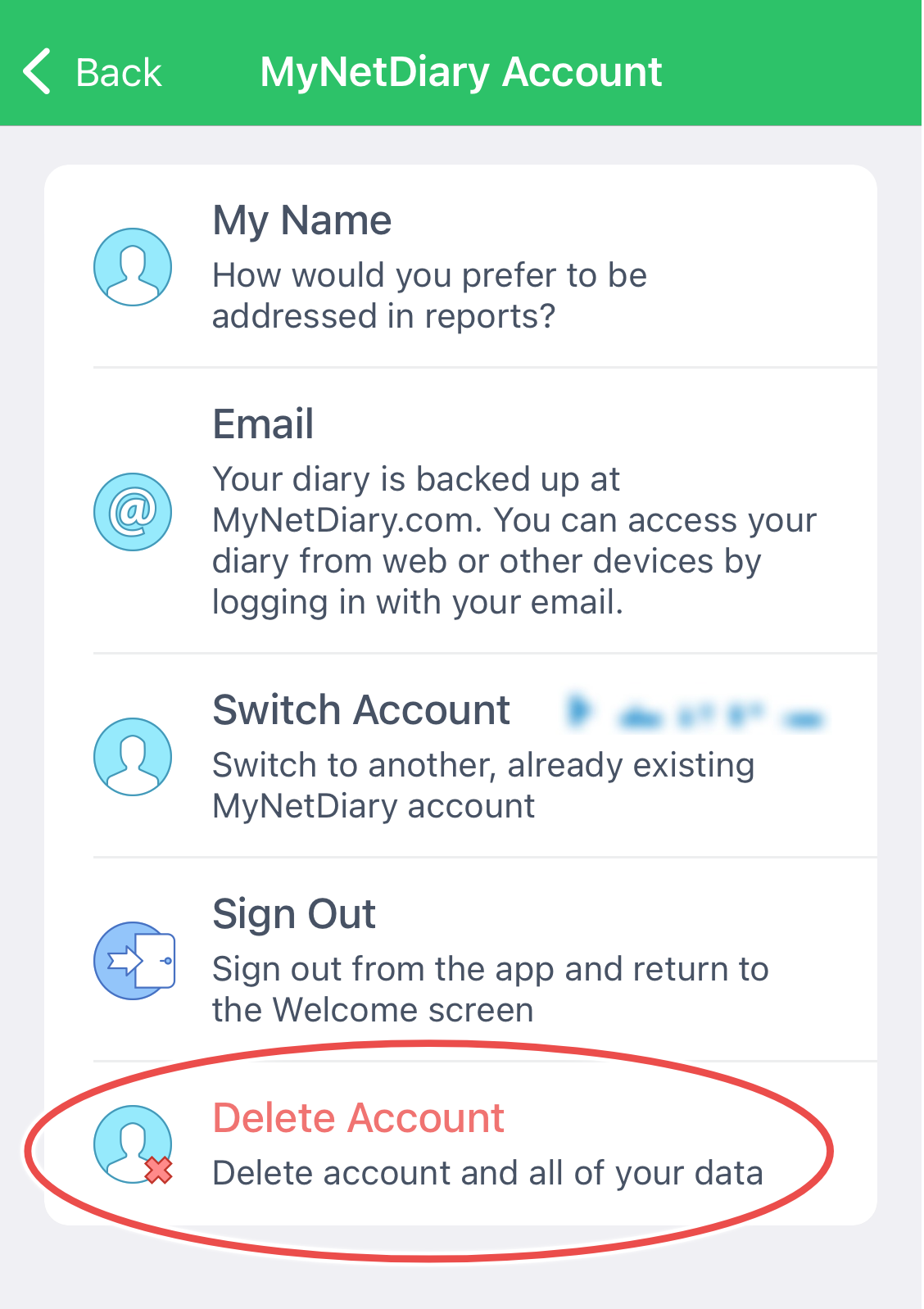
Open the iOS app and go to: Me --> App Settings --> Account & Privacy --> Delete Account:
Deleting Your Account from the Android App
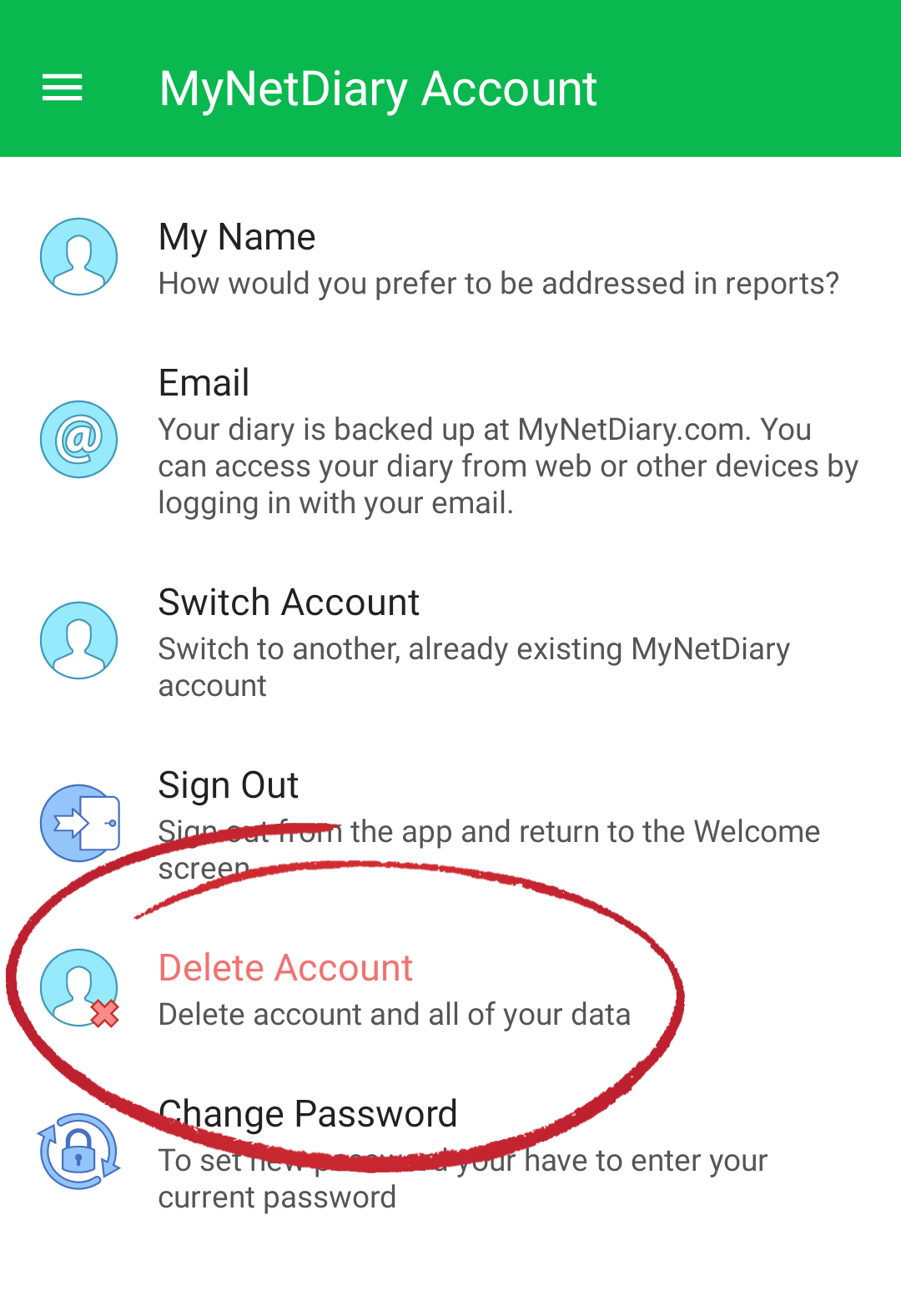
Open the Android app and go to: Me --> App Settings --> Account & Privacy --> Delete Account:
When you terminate your account, all of your private data will be deleted in accordance with our Privacy Policy. If you change your mind, you might not be able to recover a deleted account.
All Data Will be Permanently Deleted
This includes all account content such as:
- Food logs
- Exercise data
- Daily step information
- Body weight
- Blood glucose readings
- Insulin doses
- Medications
- Custom trackers and etc.
Refund for Subscription
Online Subscriptions
If you purchased a subscription on the website, you may be eligible for a refund. The service provides a 14-day money-back guarantee for new subscriptions bought on the website. Refunds may take up to 3 business days to appear in your bank account.
In-App Mobile Subscriptions
Please note: Terminating your account does not cancel an in-app subscription purchased via the iPhone or iPad app.
- To cancel your subscription, please see: Cancel Subscription
- For refund details, see Refunds of iOS Subscriptions
- If you purchased your subscription through Google Play, auto-billing will be canceled automatically when your account is deleted.