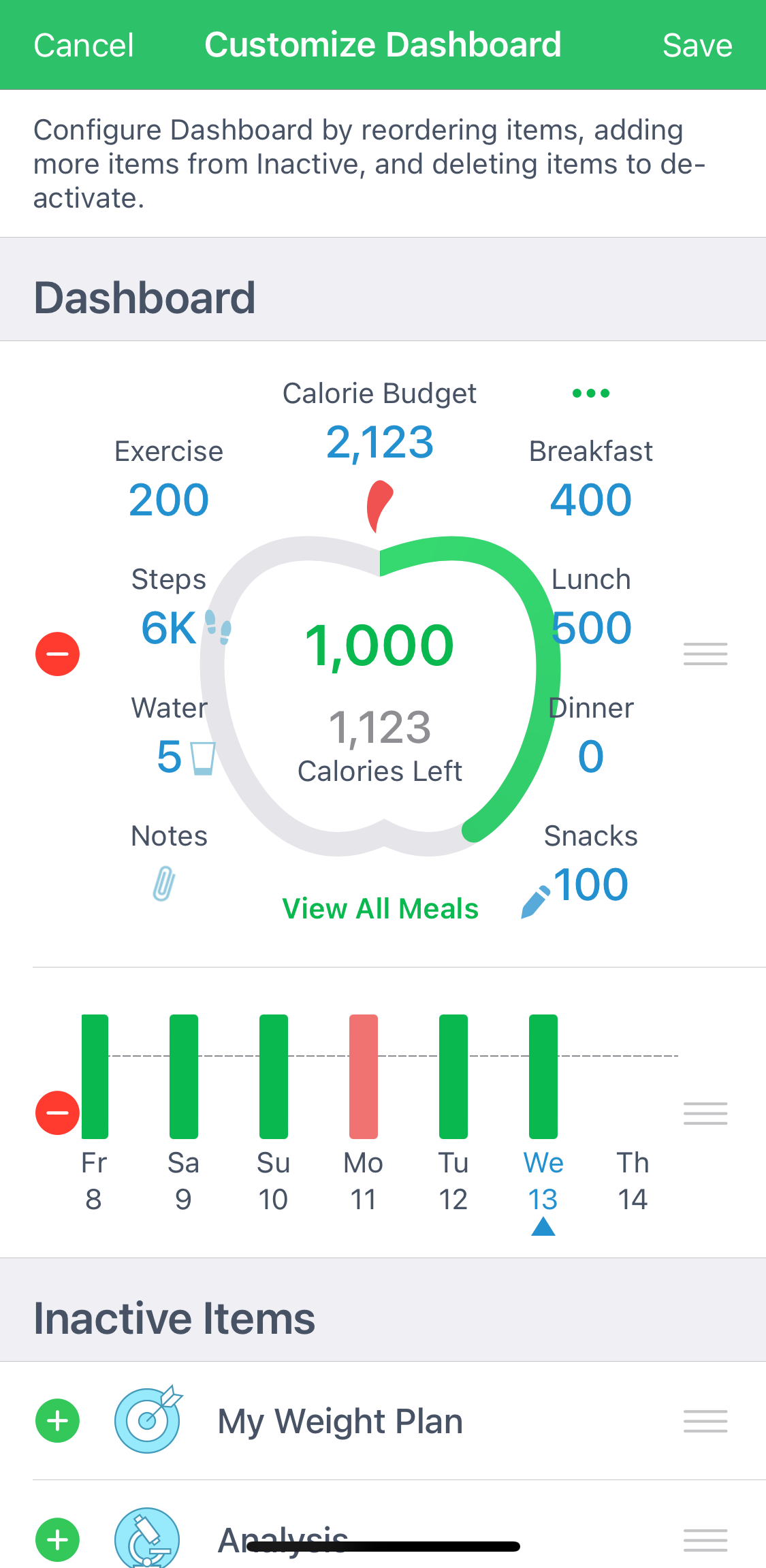
Some users may notice occurrences when the text size is either too large within the app and/or overlaps with itself. If that happens to you, please keep in mind MyNetDiary and PlateAI do not inherently have any text enhancement built in and all the text appearing within the app is influenced by your phone's Settings.
For iOS users, you should look for Accessibility - Display and Text Size/Brightness setting where you can decrease the text size and/or disable bold font - both settings can influence how text is displayed within MyNetDiary and PlateAI.
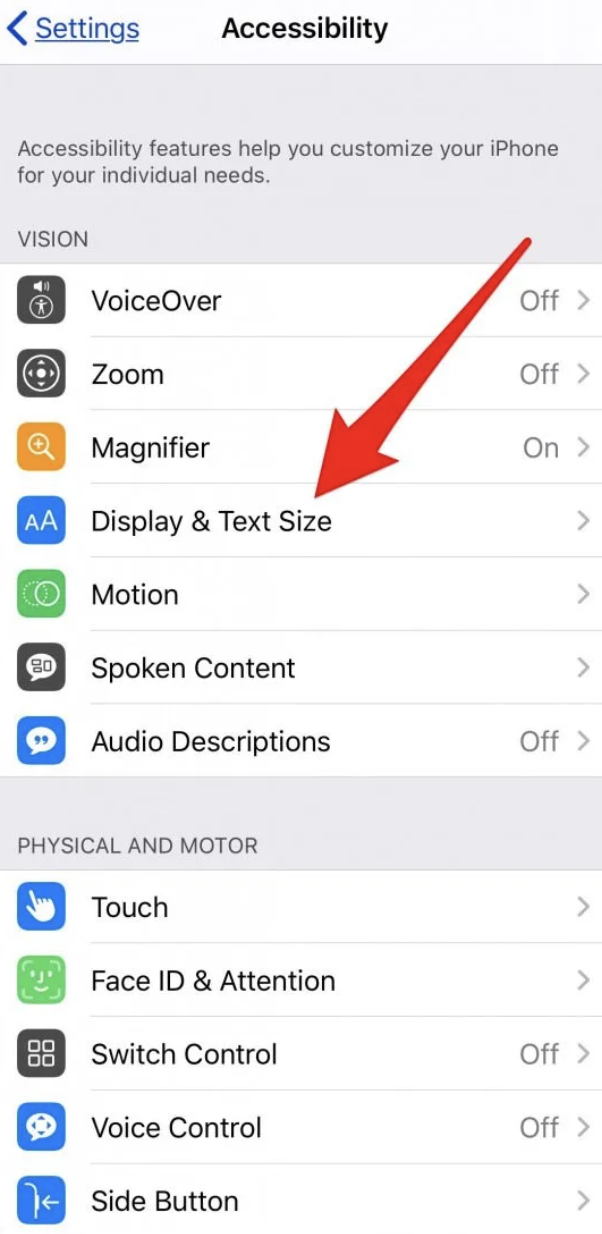
For Android users, the exact wording of the setting may vary, but the text size/font options are almost always under Display in your phone's Settings.
Alternative workaround
In case you wish to use a larger font and not deal with the "overlapping" issue on the Dashboard Apple, feel free to remove the apple completely and customize your dashboard by simply including essential tabs, like Exercise, Water etc.
Access Configure - Customize Dashboard tab at the bottom of your dashboard and proceed to arrange the necessary tabs. Here is a video tutorial.
Please reach out to us at support@mynetdiary.com if the font/text issue is not resolved after changing the settings within your phone or you need additional assistance.