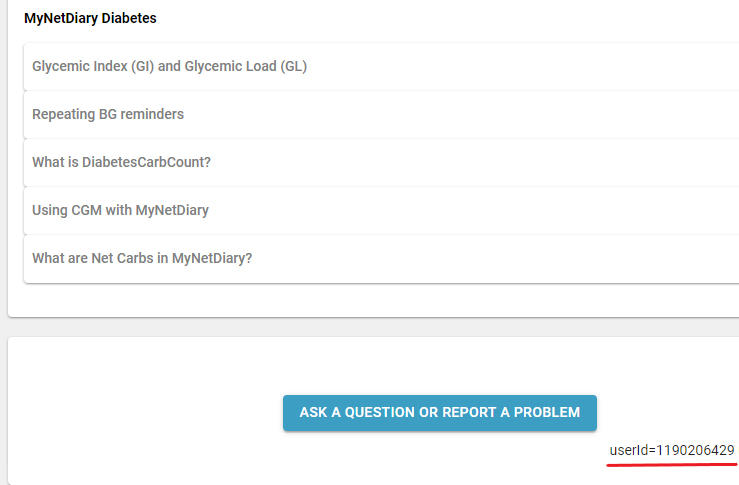
User ID is a unique numerical code associated with your account. Every account has its own UserID.
1) iOS device. If you use the app on your iPhone, open the Support & FAQs screen available on the Me tab. Scroll to the very bottom of the screen. You will see your user ID as on the screenshot below:
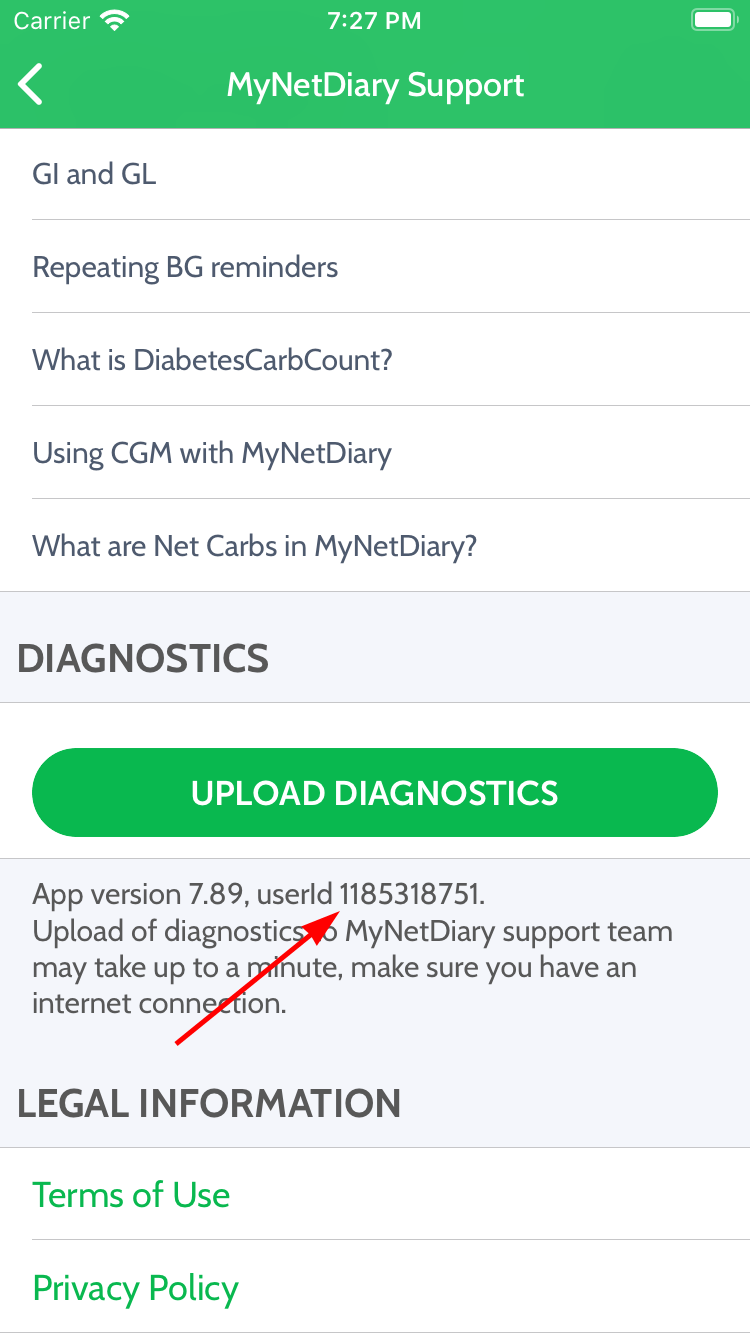
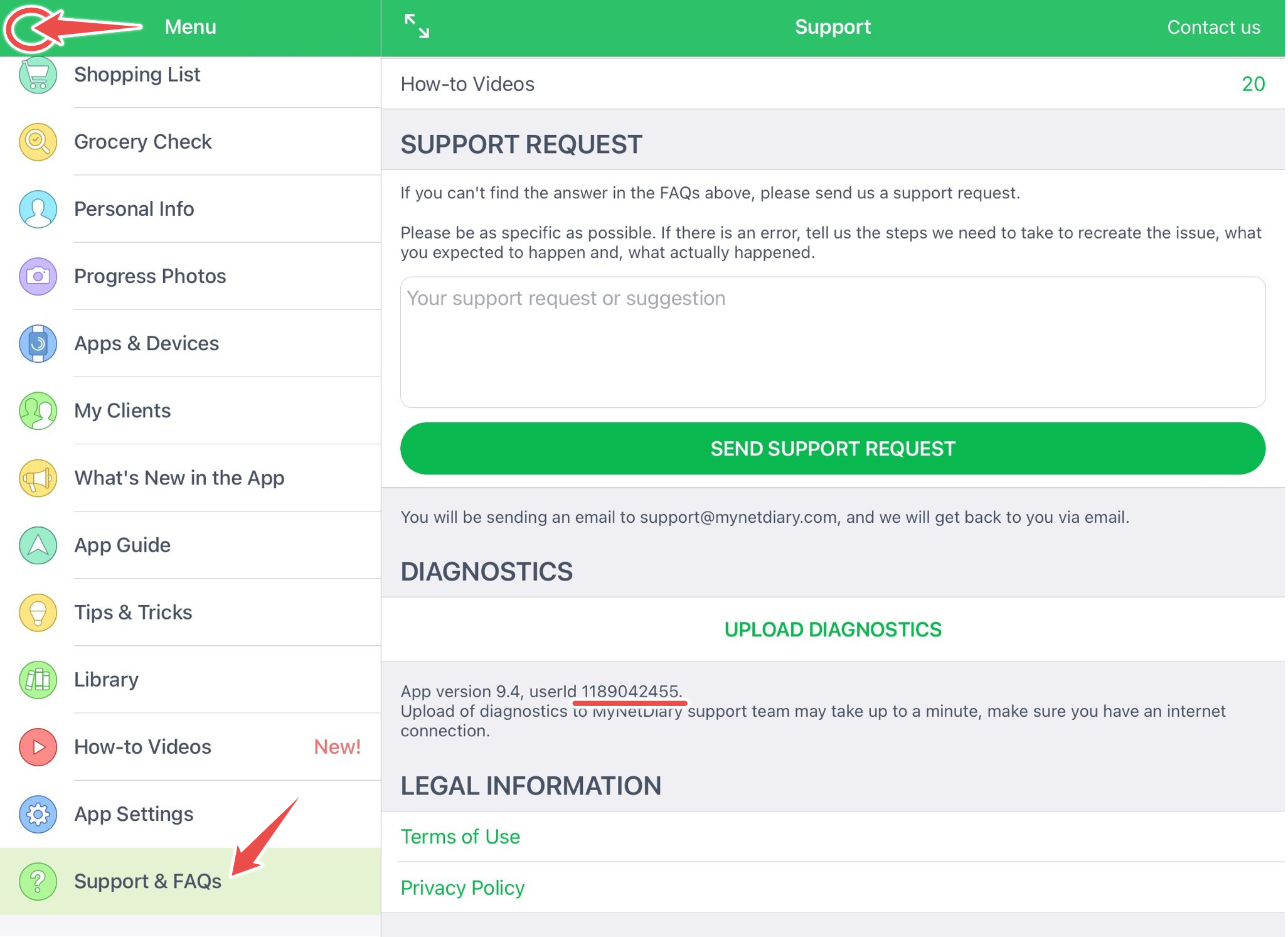
If you use the iPad version, you need to open a left-side menu and choose Support & FAQs. Scroll down. You will find the user ID at the bottom.
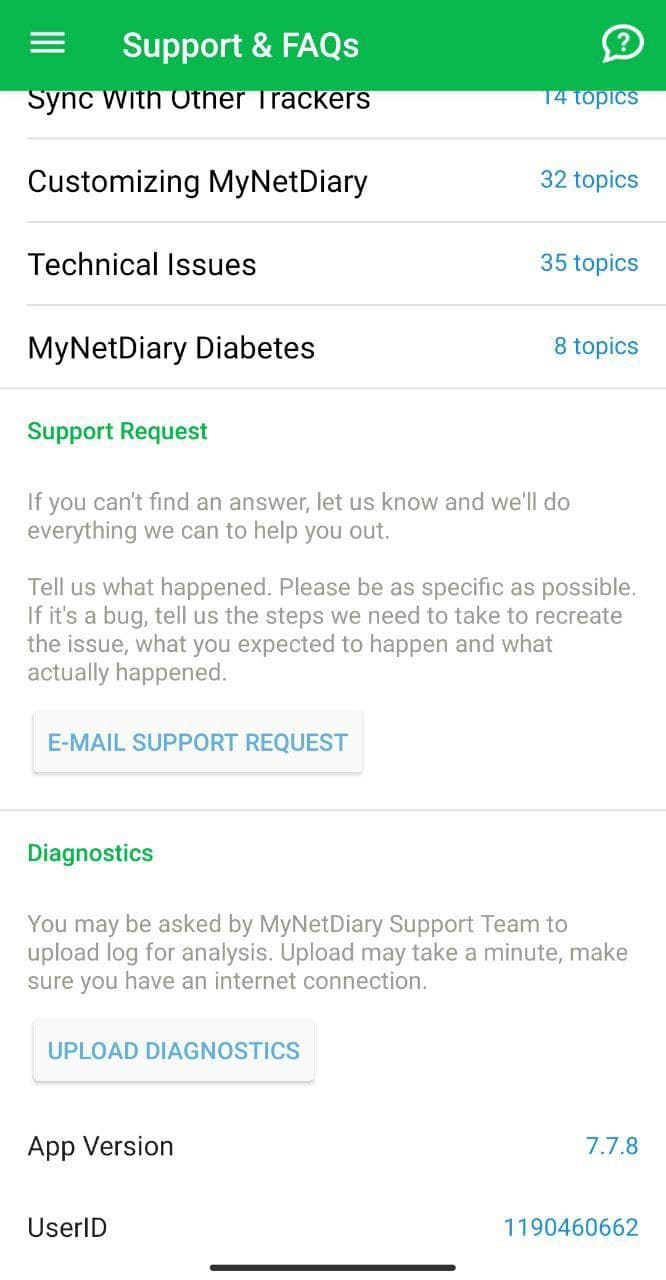
2) Android. If you use the app on your Android phone, open the Support&FAQs screen available on the Me tab. Scroll to the very bottom of the screen. You will see your user ID as on the screenshot below:
3) Desktop. If you use our website version, proceed to the Settings and choose Support. Scroll to the very bottom of the screen. You will see your user ID as on the screenshots below: