If you want to modify your calorie budget or your weight goal, you can do this in My Weight Goal & Plan:
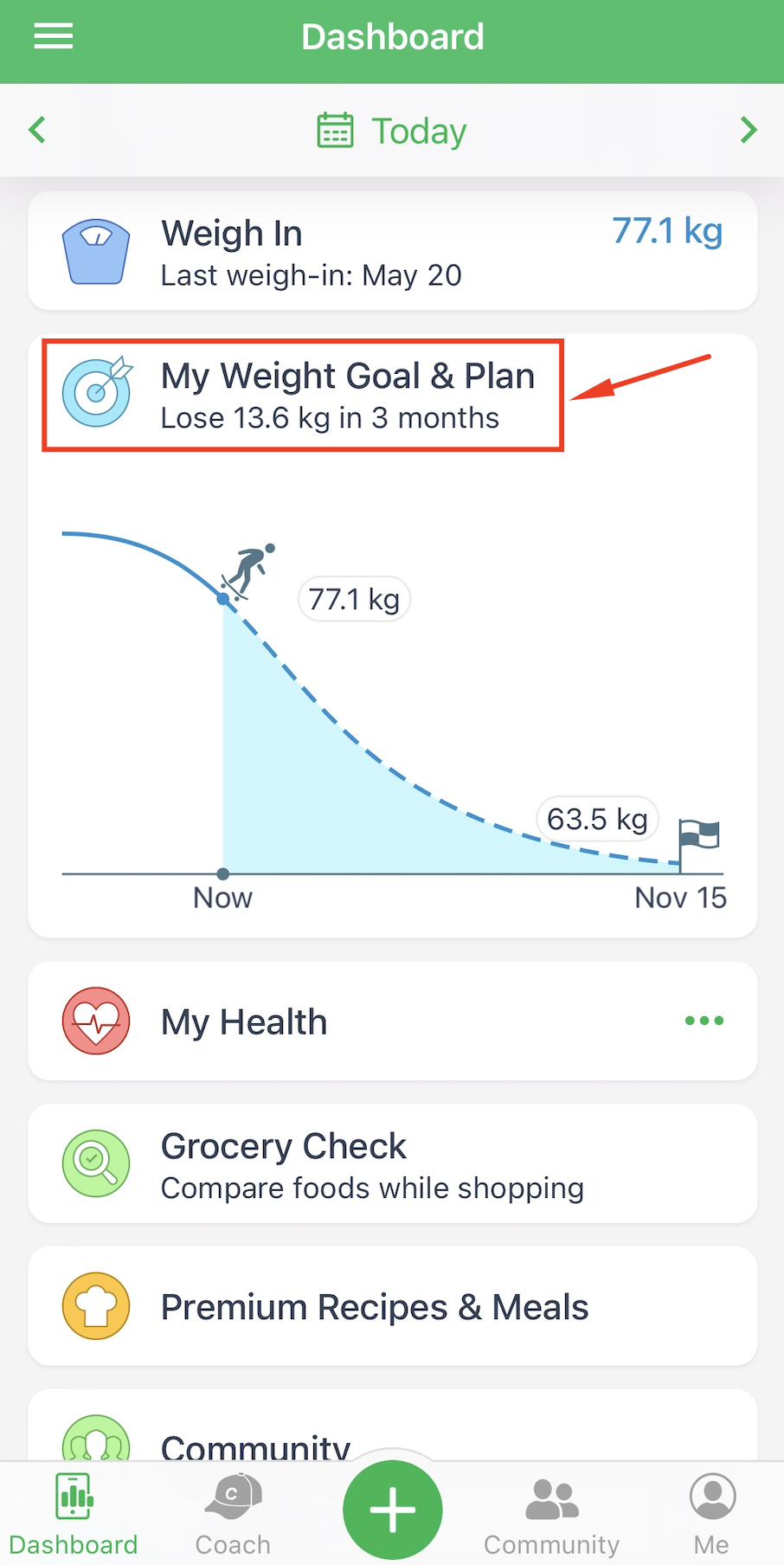
From the Overview tab you can see a breakdown of your plan and quickly navigate to other tabs.
Once you're in the Weight and Calories screen, you can tap on Target Weight to edit your weight goal.
To change your calorie budget, you can change your Target Date or Weekly Rate, which automatically recalculates your Calorie Budget. Or, alternatively, you can manually adjust the Calorie Budget by tapping on Food Calorie Budget.
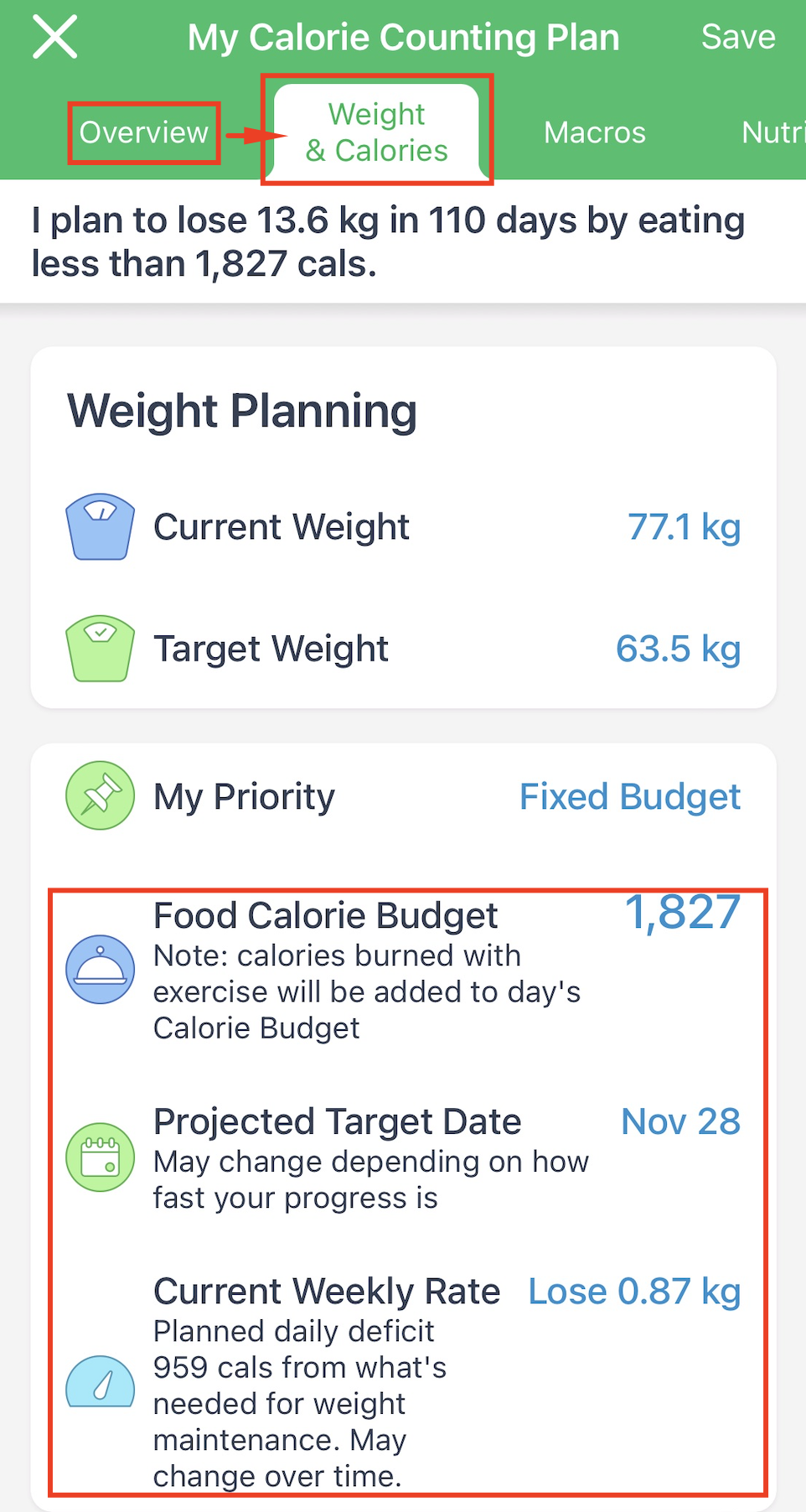
My Priority tab will allow you to choose several ways to automate your plan, either by focusing on Target Date, Weekly Rate or Calorie Budget.
You can also change your calorie budget on certain days of the week in the "Calorie Cycling" tab. Calorie Cycling is often used to slightly reduce your calorie budget on certain days and allocate the "saved" calories to your weekends.
This feature provides you the flexibility to vary calorie budgets in an organized, planned fashion while making sure you stay on track overall.
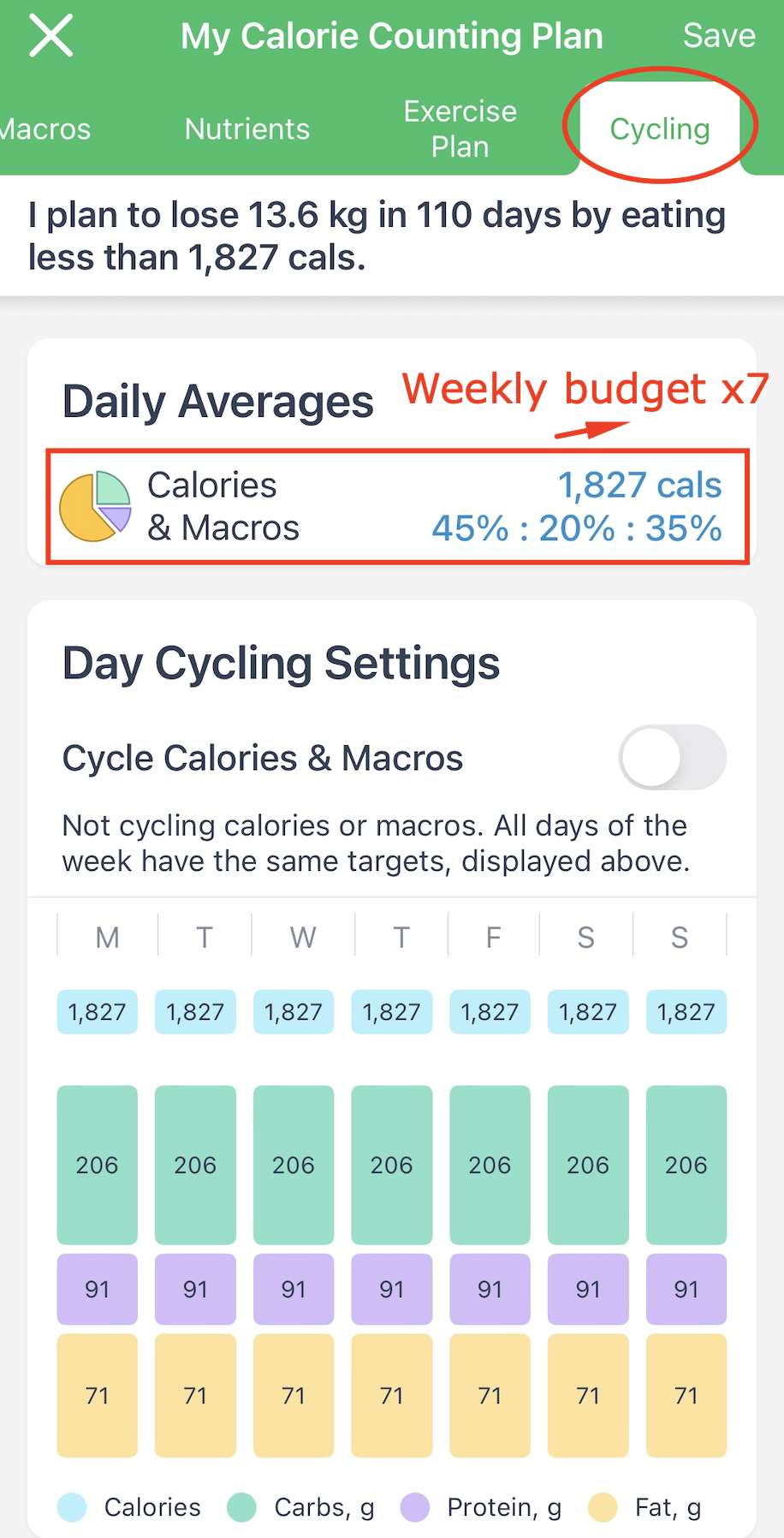
Please remember that your allocated Calories and Macros must equal your daily Calorie Budget and Macros multiplied by 7 (your Weekly Budget number). The app will not allow you to allocate if the resulting amount of the Weekly Budget exceeds this number or allocate the remainder automatically if it's lower than this number.
To make it as simple as possible, please multiply your Daily Budget by 7 first and allocate the resulting number within a week.