Every time you weigh in, AutoPilot adjusts Daily Calorie Budget to help you reach your weight goal on the target date. If you lose too slowly, AutoPilot may increase the weekly weight loss rate. If you are losing too fast, AutoPilot may decrease the weekly weight loss rate.
Autopilot updates your plan and sets your Daily Calorie Budget to your current Weight Maintenance Calories minus Required Daily Calorie Deficit.
AutoPilot can adjust your calorie budget based on a target weight and date, or your desired rate of weight loss. AutoPilot is safety-oriented and should be turned off if the recommended calorie budget is below the basal metabolic rate (BMR) or if the weight loss rate is too aggressive.
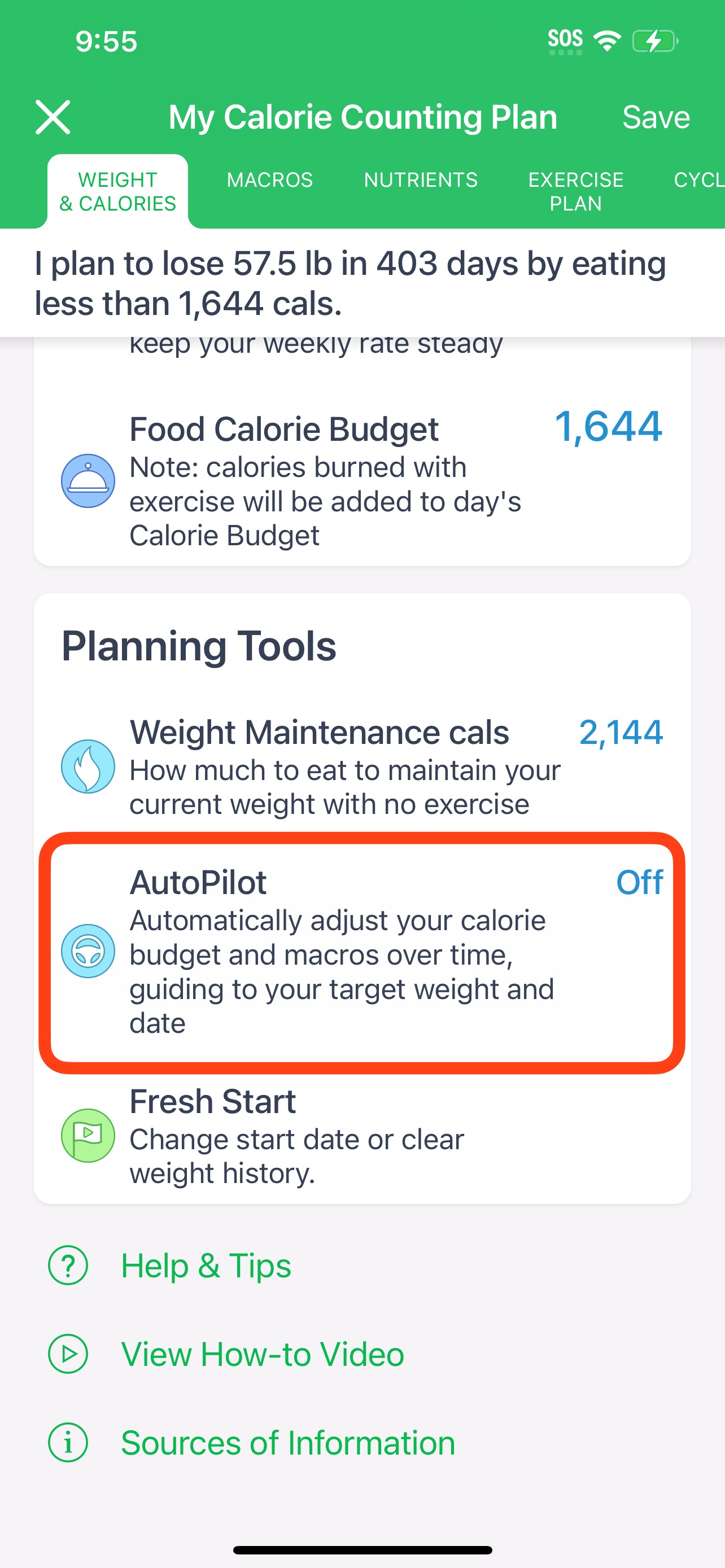
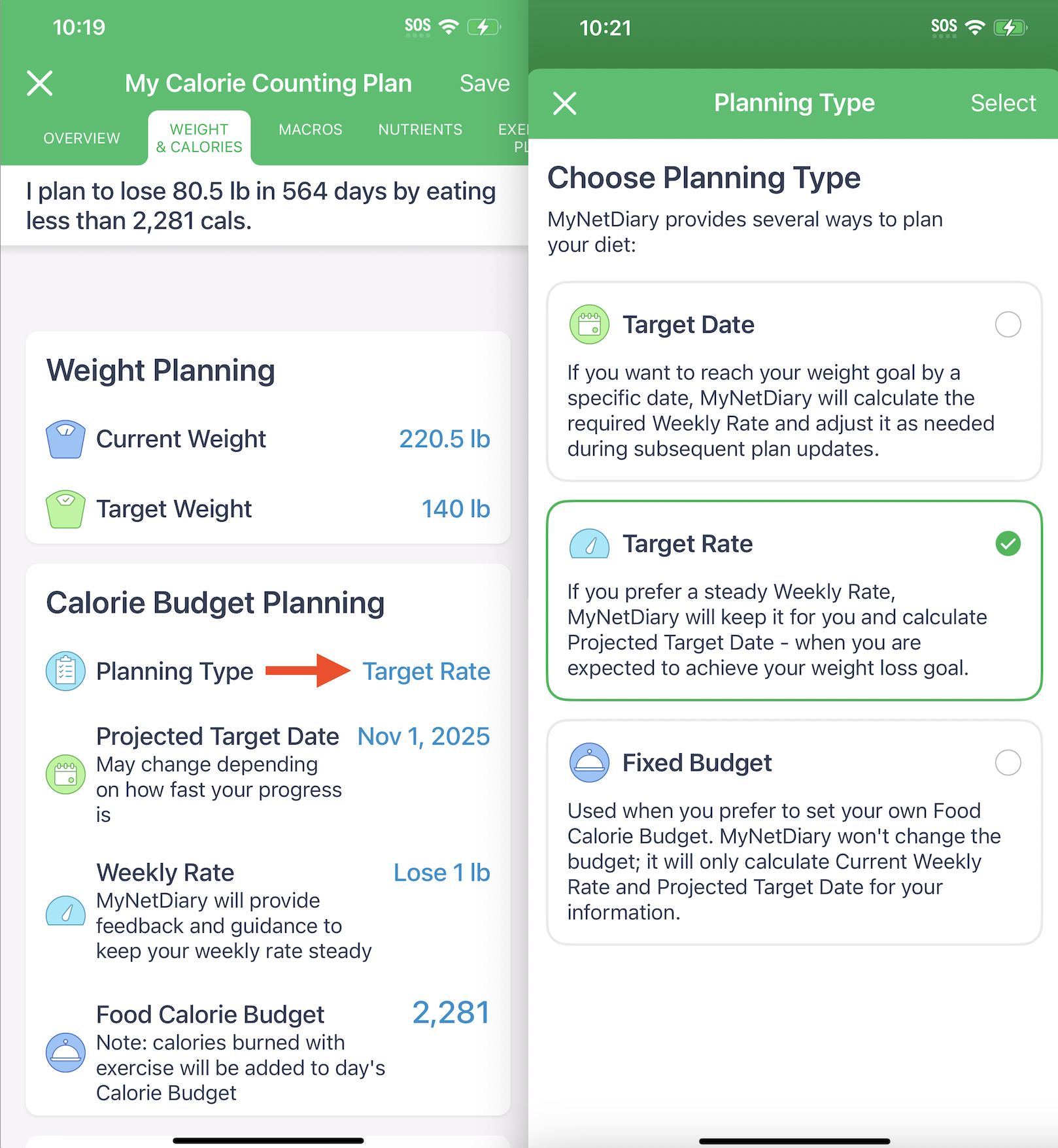
AutoPilot supports two planning types: by date and by rate. 'By date' adjusts your budget to reach a target weight by a specific date. 'By rate' focuses on achieving a target weight at a set rate of weight loss/gain. If you would like to keep 'calorie budget' constant (it is for users who have fixed their macros in grams and prefer manual budgeting), please disable the AutoPilot feature.
Please note that updating your activity level in the app recalculates your daily calorie needs for maintenance. This information is factored into your calorie budget to help you stay on track with your goals.
Calculation
Weight Maintenance Calories are just that - the number of calories your body needs to maintain your current weight as-is. Please see How is Calorie Budget Calculated? for more details and formulas.
Required Daily Calorie Deficit is the number of calories you need to "lose" daily. It is calculated based on the number of pounds left to lose and the number of days left until your target date. To lose a pound of fat, you need to lose 3,500 calories. So, Required Daily Calorie Deficit is calculated as the number of pounds to lose multiplied by 3,500 calories and divided by the number of days left until your target date.
Every time you weigh in, AutoPilot calculates your current Weight Maintenance Calories and Required Daily Calorie Deficit, then subtracts from Weight Maintenance Calories your Required Daily Calorie Deficit and sets the resulting number as your new Daily Calorie Budget.
Additional Information
Please notice that AutoPilot may switch to a safe 1 lb/week strategy. This happens when the target date is too close, and the weight loss required by the current plan is too great.
The Basic AutoPilot feature is currently available on iOS, Android, and the web, and requires a subscription to access. You can also try the Advanced Autopilot—a more comprehensive tool that offers additional features, such as weigh-in check-ins and other advanced options.