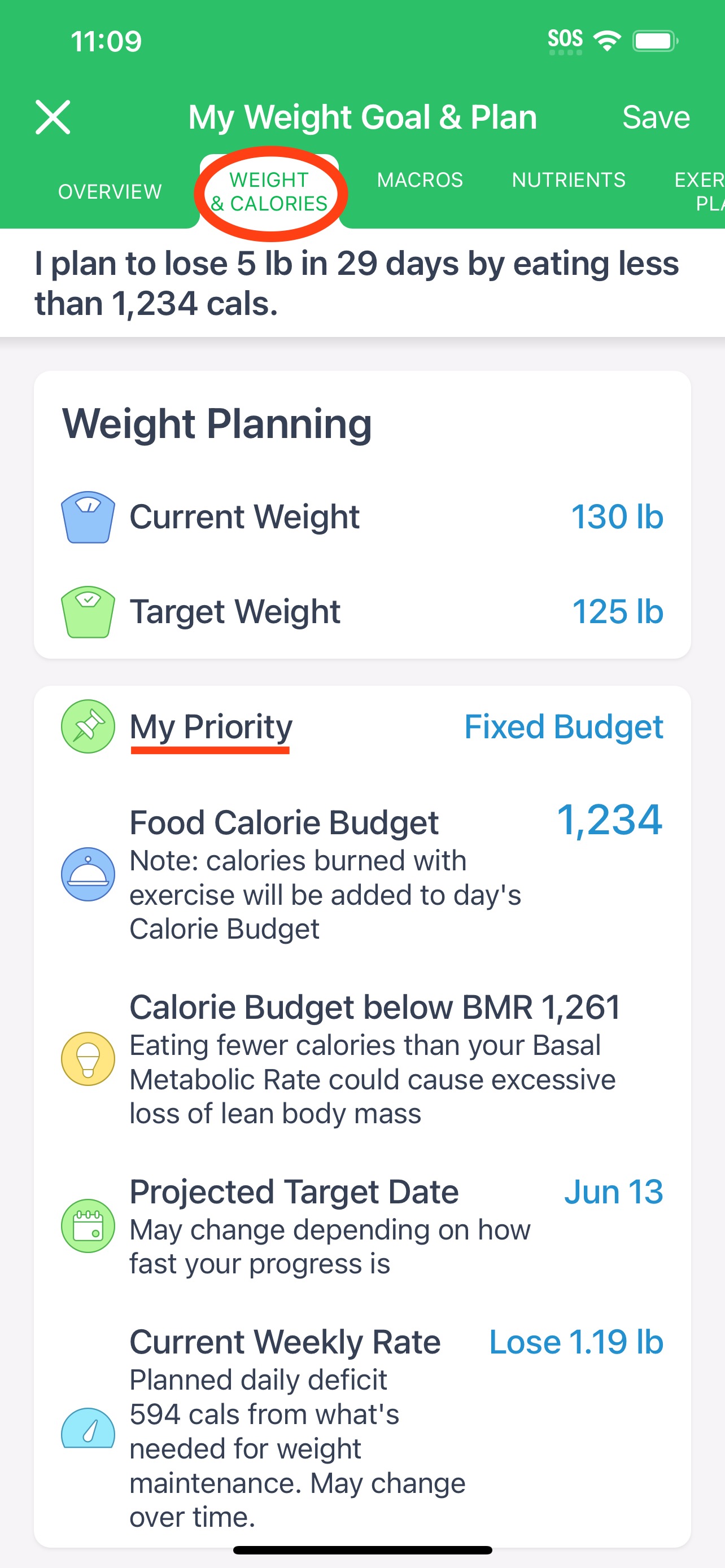
How to Set a Fixed Calorie Budget? If you prefer to set your own calorie budget and ensure it remains unchanged, 'My Weigth Goal & Plan' > 'Weight & Calories' > 'My Priority' section allows you to do this using the "Fixed Budget" option. Here’s a step-by-step guide based on the provided screenshots.
Step-by-Step Instructions:
- Access Your Calorie Counting Plan:
- Open the app and navigate to the "My Weight Goal & Plan" > “Weight & Calories” tab.
- Choose “My Priority”:
- Within your Calorie Counting Plan, you will see an option labeled “My Priority”. Tap on this option to proceed.
-
- Select Fixed Budget:
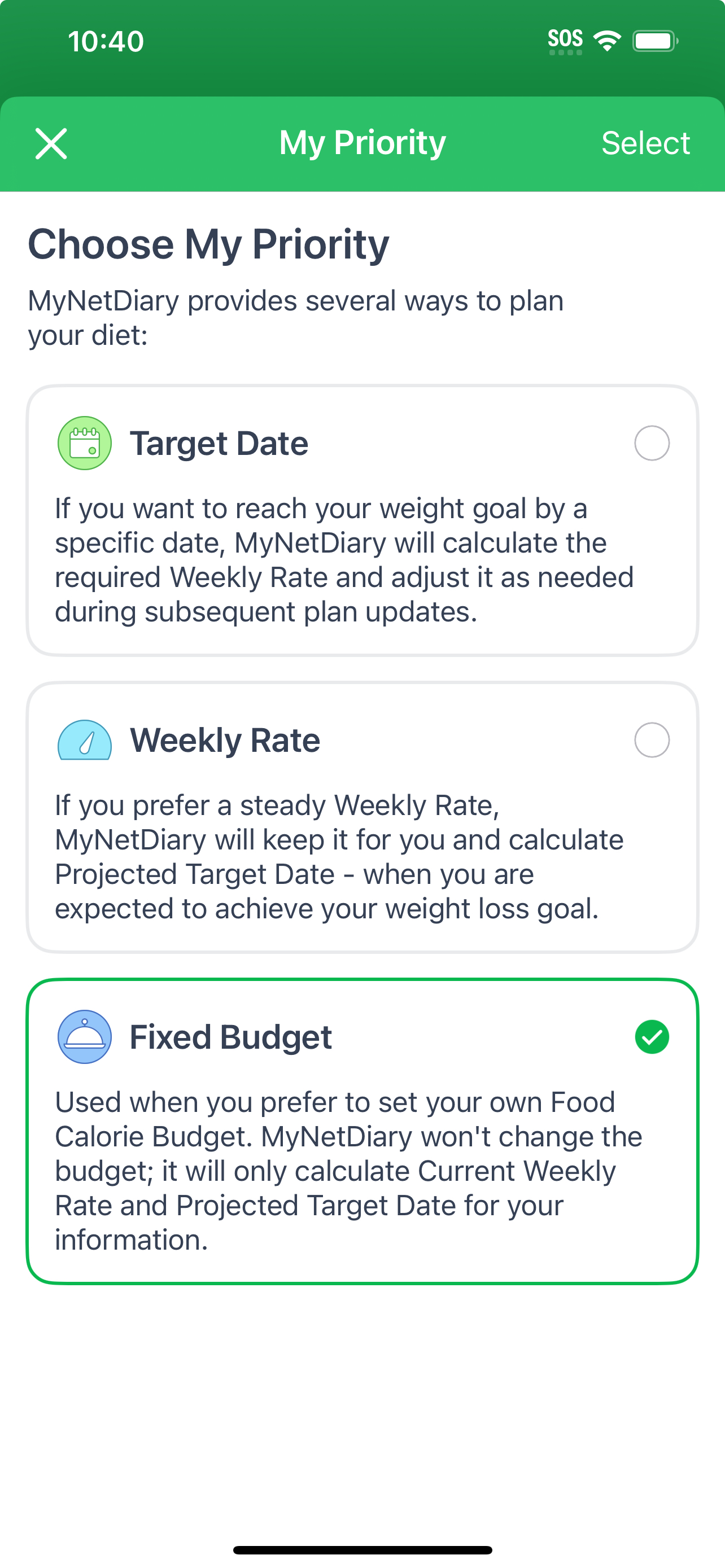
- In the “Choose My Priority” screen, you will see three options:
- Target Date
- Weekly Rate
- Fixed Budget
- Select the “Fixed Budget” option. This choice ensures that our app will use your specified calorie budget without changing it based on your weight loss progress or target dates.
-
- In the “Choose My Priority” screen, you will see three options:
- Set Your Calorie Budget:
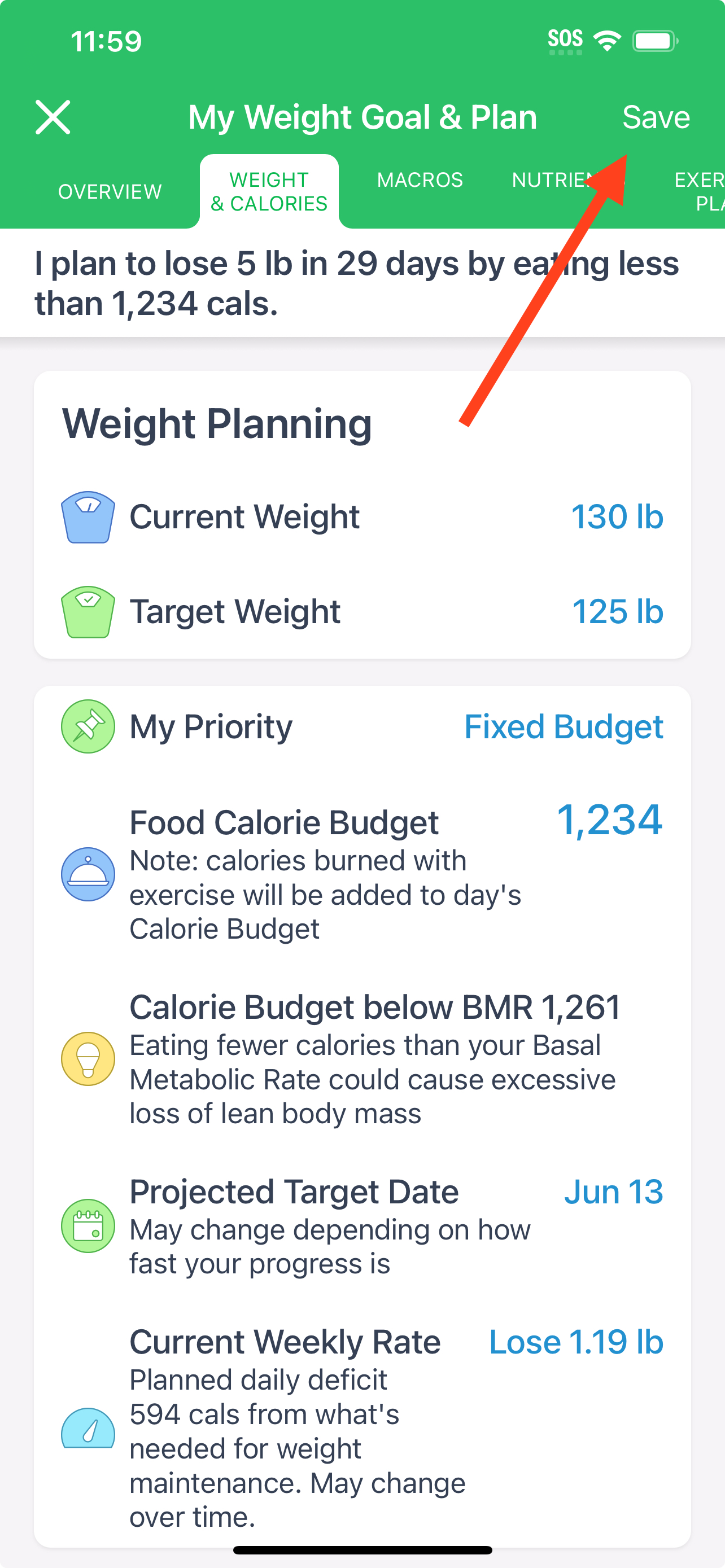
- After selecting “Fixed Budget”, you can enter your desired calorie budget. In this example, you want to set your calorie budget to 1234 calories.
- Ensure that your Food Calorie Budget is set to 1234 calories. This can be done by adjusting the calorie intake manually in the settings of the app.
- Save Your Settings:
- Once you’ve entered your desired calorie budget, make sure to save your changes by tapping on the “Save” button.
-
Important Notes
- Calories Burned with Exercise: The note in the screenshots indicates that calories burned through exercise will be added to your daily Calorie Budget. This means if you burn additional calories through physical activities, these will be accounted for in your daily allowance, which helps maintain a consistent net calorie intake.
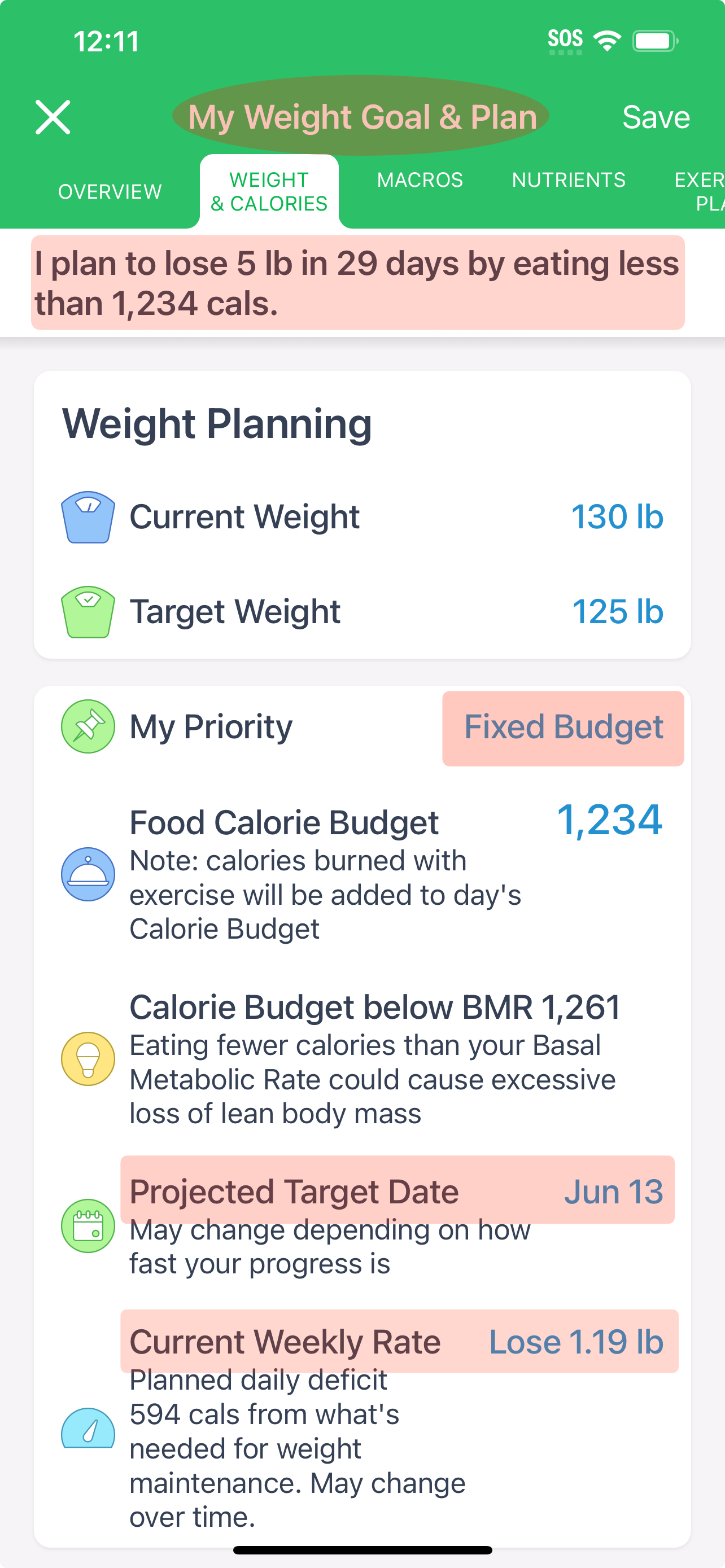
- Projected Target Date and Weekly Rate: Even though you are setting a fixed calorie budget, the system will still calculate and show your projected target date and current weekly rate based on the fixed calorie intake and your weight loss goal.
Explanation of the Numbers from the Example
In the screenshots provided:
- The user plans to lose 5 lb in 29 days by eating less than 1,234 calories per day with a fixed budget.
- The fixed budget was set, and the system calculates the projected target date and current weekly rate accordingly.
-
By following these steps, you can set a fixed calorie budget in the app, ensuring that your calorie intake goal remains constant, which helps in maintaining a consistent dietary plan.
If you have any further questions or need additional assistance, feel free to reach out to our support team.