Our app supports urine, blood, and breath ketones testing. This feature is available under subscription.
Enabling Ketones Logging: If you haven’t already, activate Ketones Tracking under the My Health tab in the Me section. Then scroll down or tap the three dots in the upper-right corner and select Choose Health Data to pick which trackers you want to display in the My Health section.
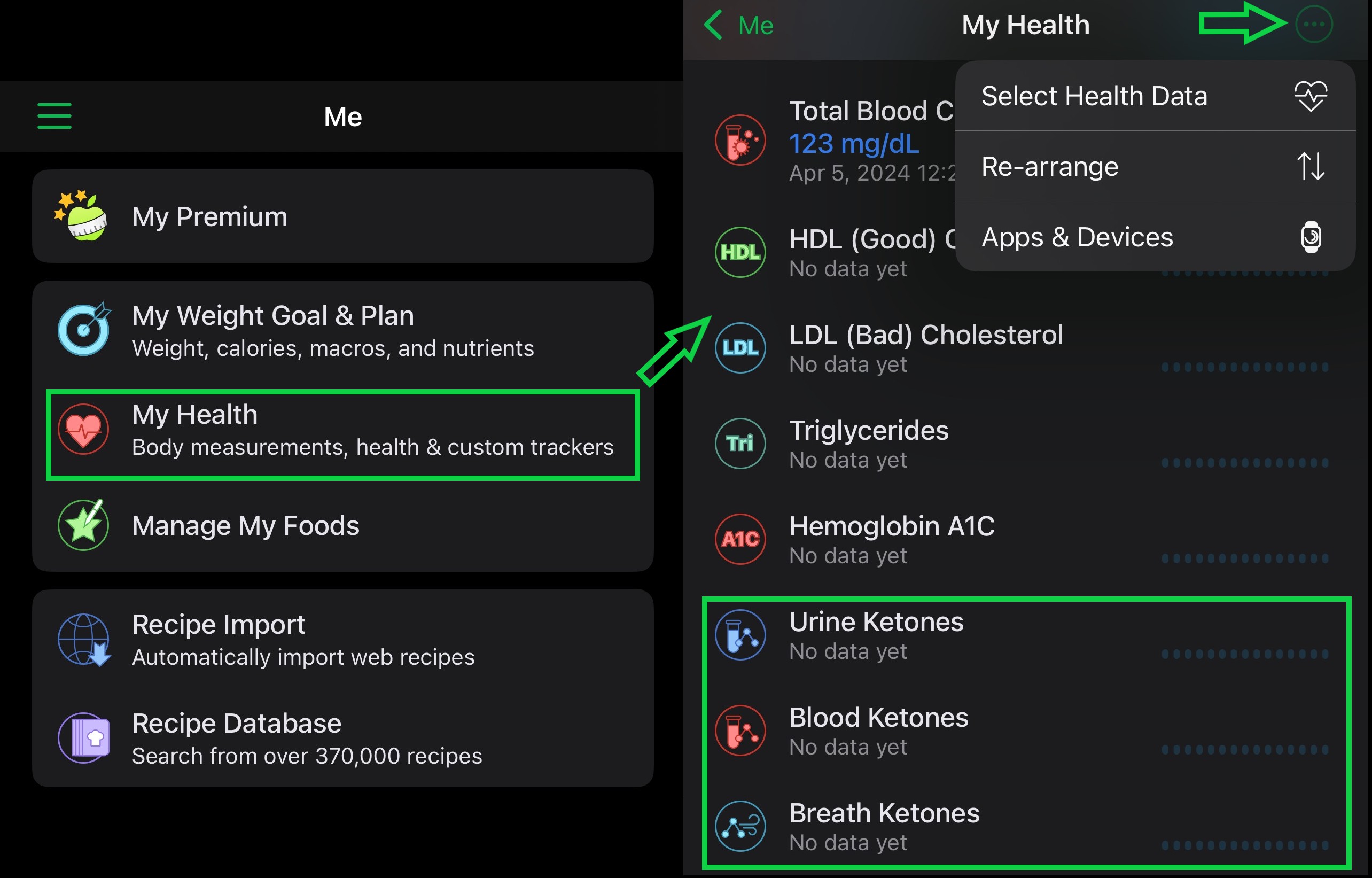
Logging Ketone Tests After testing your ketone levels using urine strips, a blood meter, or a breath meter, go to the Ketones screen and tap Add for the test type you used.
On the entry screen, you can:
- Select ketone level from a list (for urine tests)
- Enter blood ketones in mg/dL or mmol/L (based on your settings)
- Enter breath ketones in ppm
You can also add the test time, labels, and notes if you like.
Optionally, enable the ketone tracker to show on your Dashboard for quick access. Logged records will appear in the Day Timeline report and can be emailed, saved as a file, or printed.
If you use the Professional Connect module and turn on "Allow Data Entry" (via Settings > My Professional), your trainer or dietitian can view your real-time ketone data directly—no need to print or email reports.
To view your stats and trends, tap the ketone tracker on the My Health screen.