The Calories Chart shows how your daily calories actually affect your weight loss or gain. It compares your Daily Calorie Budget with your Weight Maintenance Cals, showing you the true picture of your weight loss progress.
Your Calories Chart can be found by going to Charts in the Diet Tools tab, clicking More in the top right corner, and selecting the chart type Calories (Food - Exercise).
Your Weight Maintenance Cals are calculated based on your current weight, height, age, sex, and activity level. As you lose weight, your Weight Maintenance Cals will be reduced, i.e. your body needs fewer calories.
Your Weight Maintenance Cals and your Food Calories Budget can be found by tapping on Calorie Budget or My Weight Plan on the Dashboard tab:
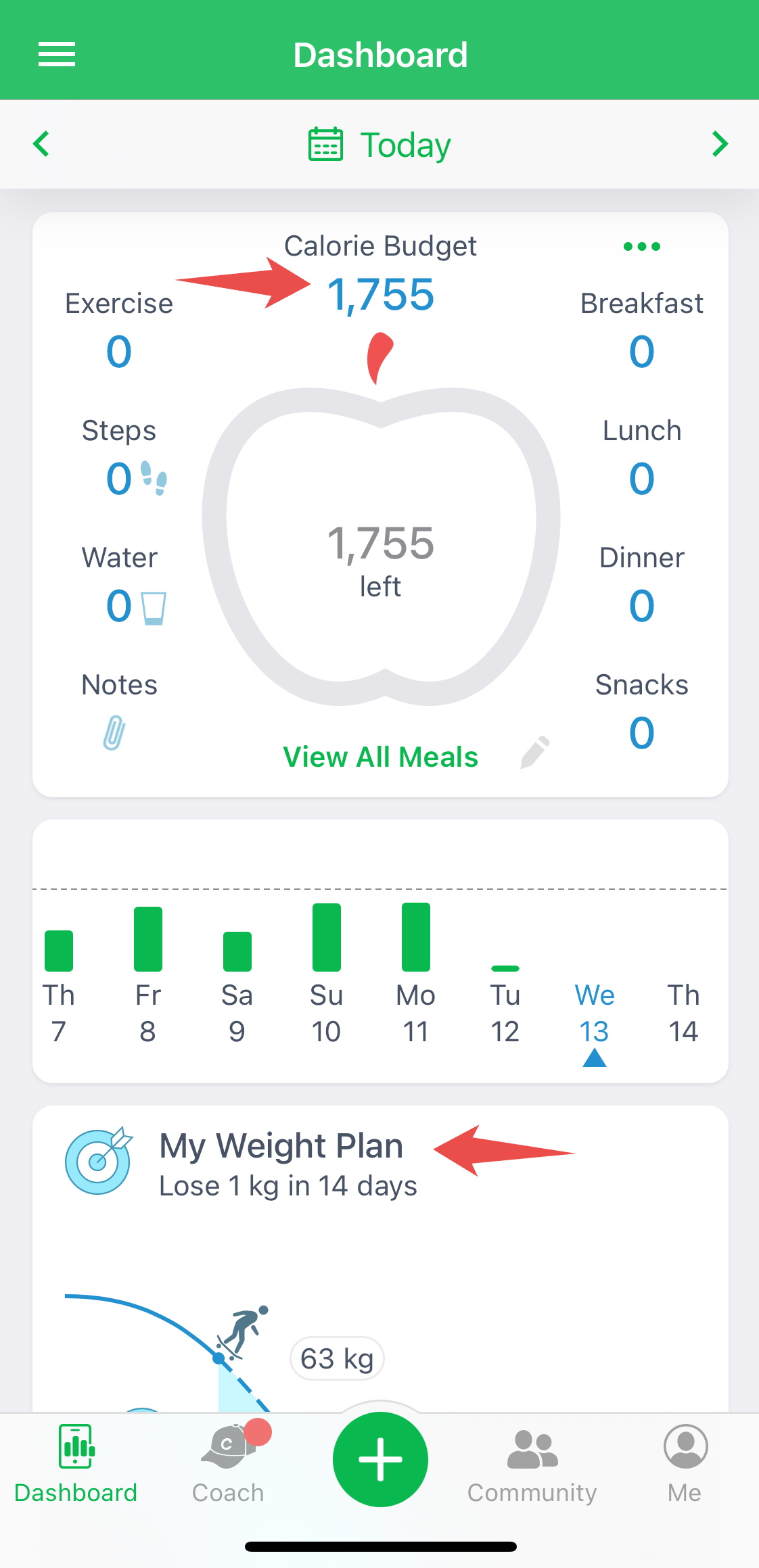
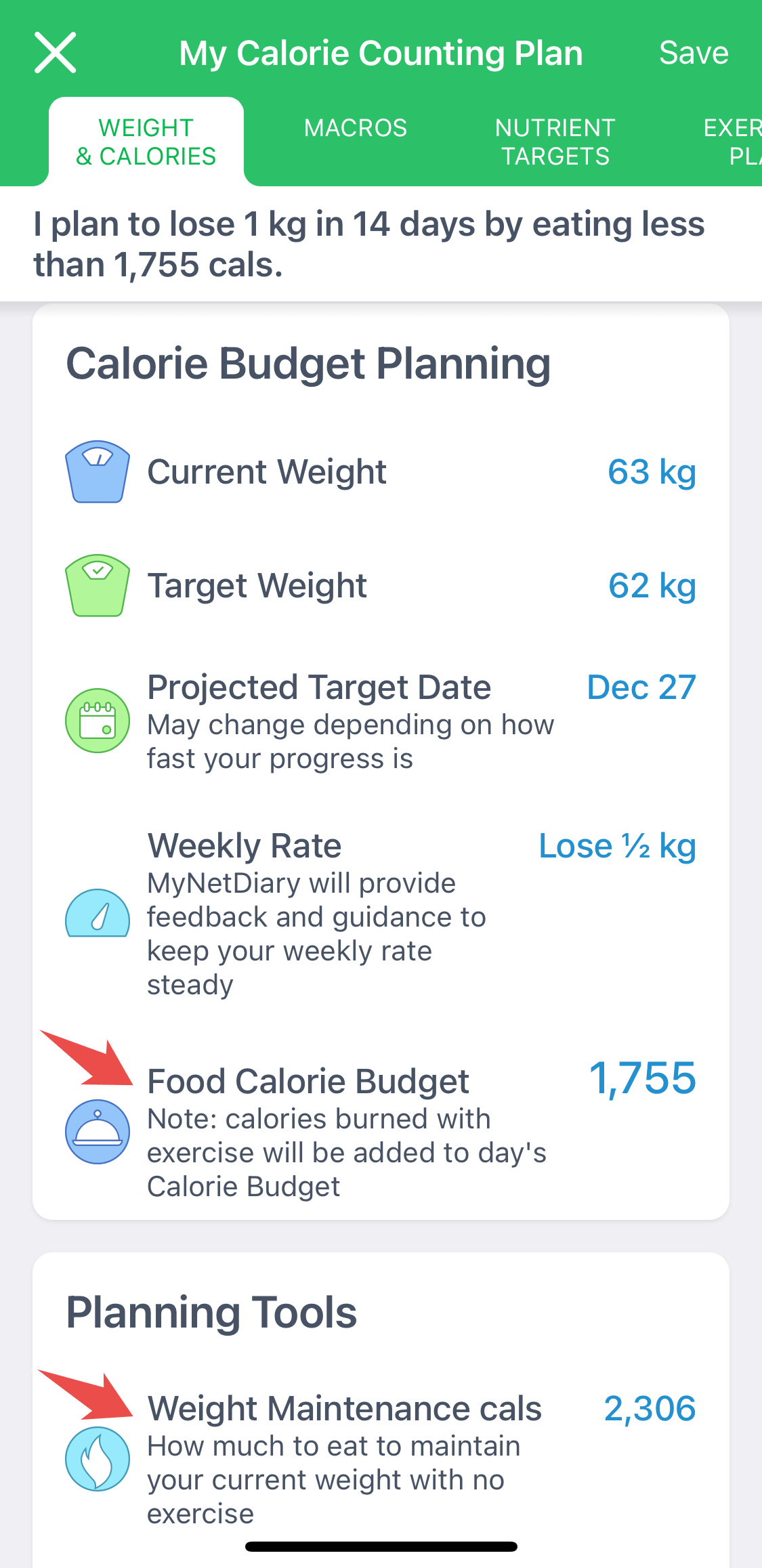
The Calories Chart compares them with colors:
- Calorie intake less than your budget AND less than "maintenance" are shown in green.
- Calorie intake greater than your budget but still less than "maintenance" are shown in yellow. You are losing weight, but not sufficiently according to your plan.
- Calorie intake above "maintenance" are displayed in red - you are gaining weight according to MyNetDiary and PlateAI calculations.
The horizontal line on this chart is your "maintenance" calories. As your weight changes, your maintenance calories change, so this is not a strictly horizontal line.