We've heard that some of our customers also experienced a sync delay, but it was caused by a delayed sync between the Garmin wearable device and www.connect.garmin.com servers. These clients saw the data gathered by Garmin smartwatches shown on Garmin Connect mobile app; at that, these data weren't showing up under their profiles on the www.connect.garmin.com website.
MyNetDiary and PlateAI only "read" the data that already appeared on the www.connect.garmin.com website. We are helpless if you see the data on the Garmin band and Garmin Connect mobile app but not on the www.connect.garmin.com website. The recent changes made on Garmin's side forced us to remove the Verify Link button from our Settings > Apps & Devices > Garmin Settings page (please see the related article.)
the below screenshot that shows how it was before we removed this button:
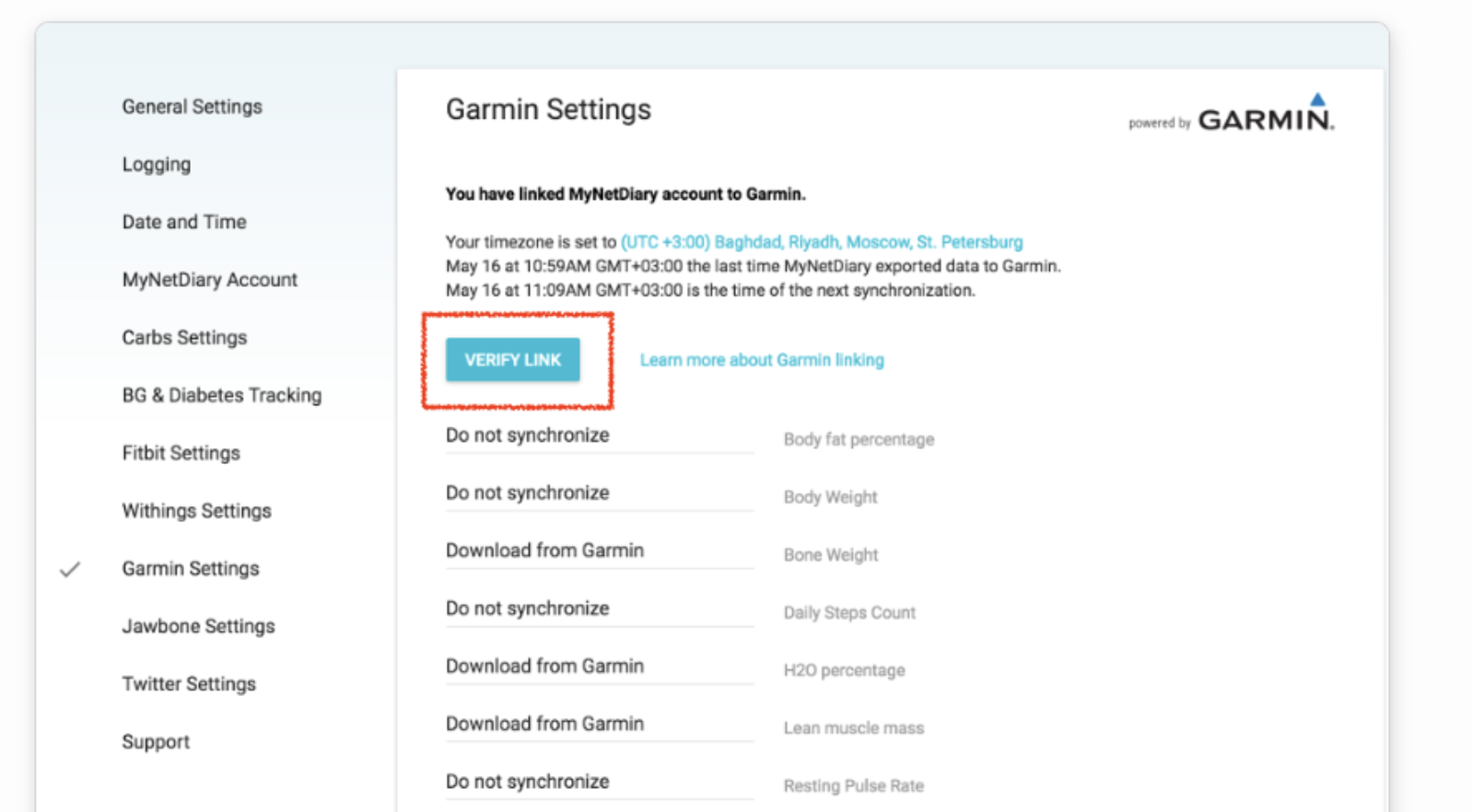
and the screenshot of the page of the current state (without the button:)
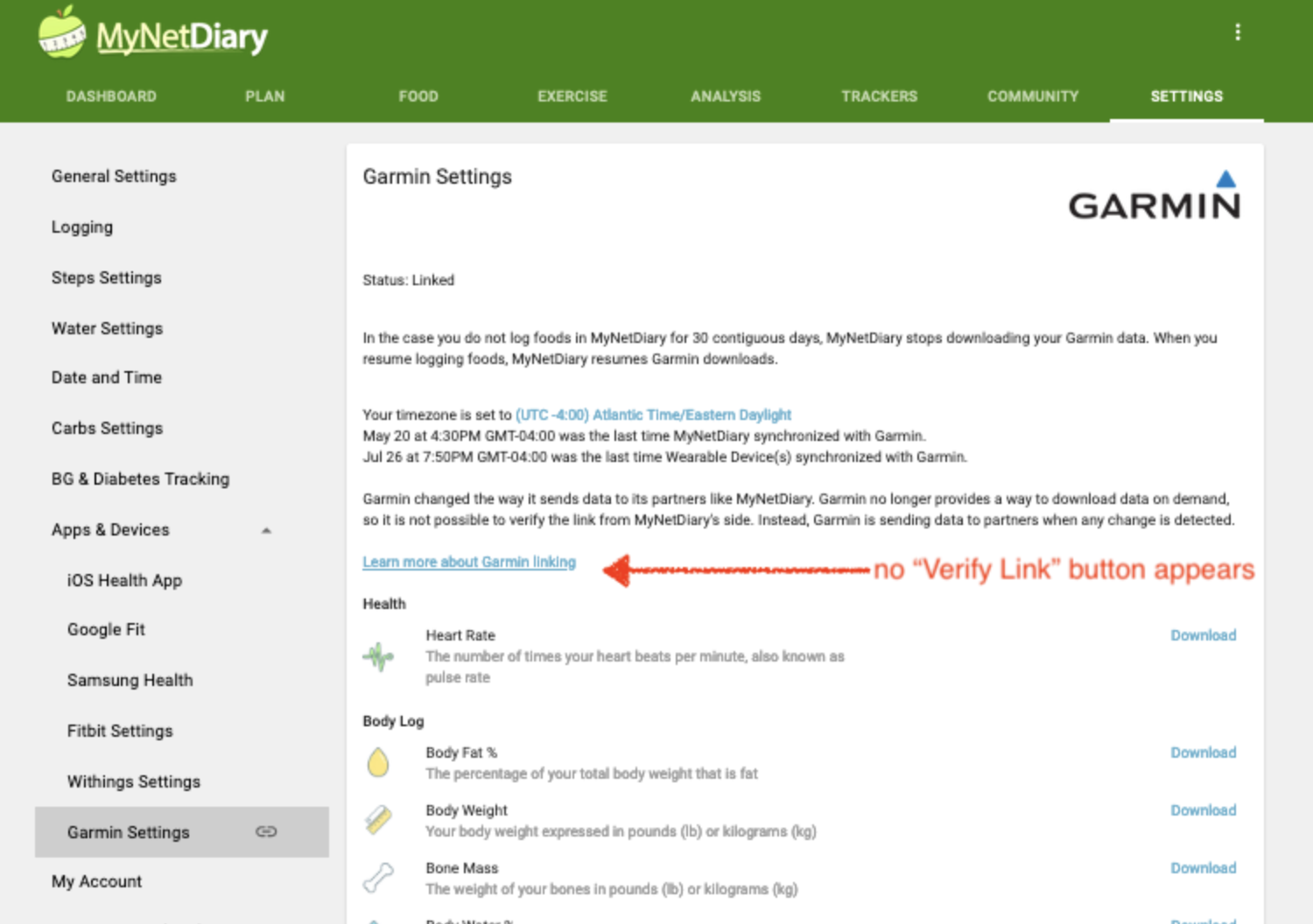
Also, see the related support article:
If you see the Garmin band's data shown on the www.connect.garmin.com website (not on the Garmin Connect mobile app!!!) but this record is not synced to your profile in MyNetDiary or PlateAI, please tap the Upload Diagnostics from the Support & FAQs screen of MyNetDiary Android app (or Upload Diagnostics > Data & Logs > SEND from the Support & FAQs screen of iPhone app) and send the screenshots of the recent non-synced data shown on the www.connect.garmin.com website (and your comments - point to the non-synced numbers on these screenshots) to support@mynetdiary.com. Our developers will compare it with your account data and investigate your case.