You may sometimes notice that your imported exercise from Health Connect displays 0 calories burned. This is because it reports it in MyNetDiary or PlateAI as workout, which has no equivalent in our exercise catalog.
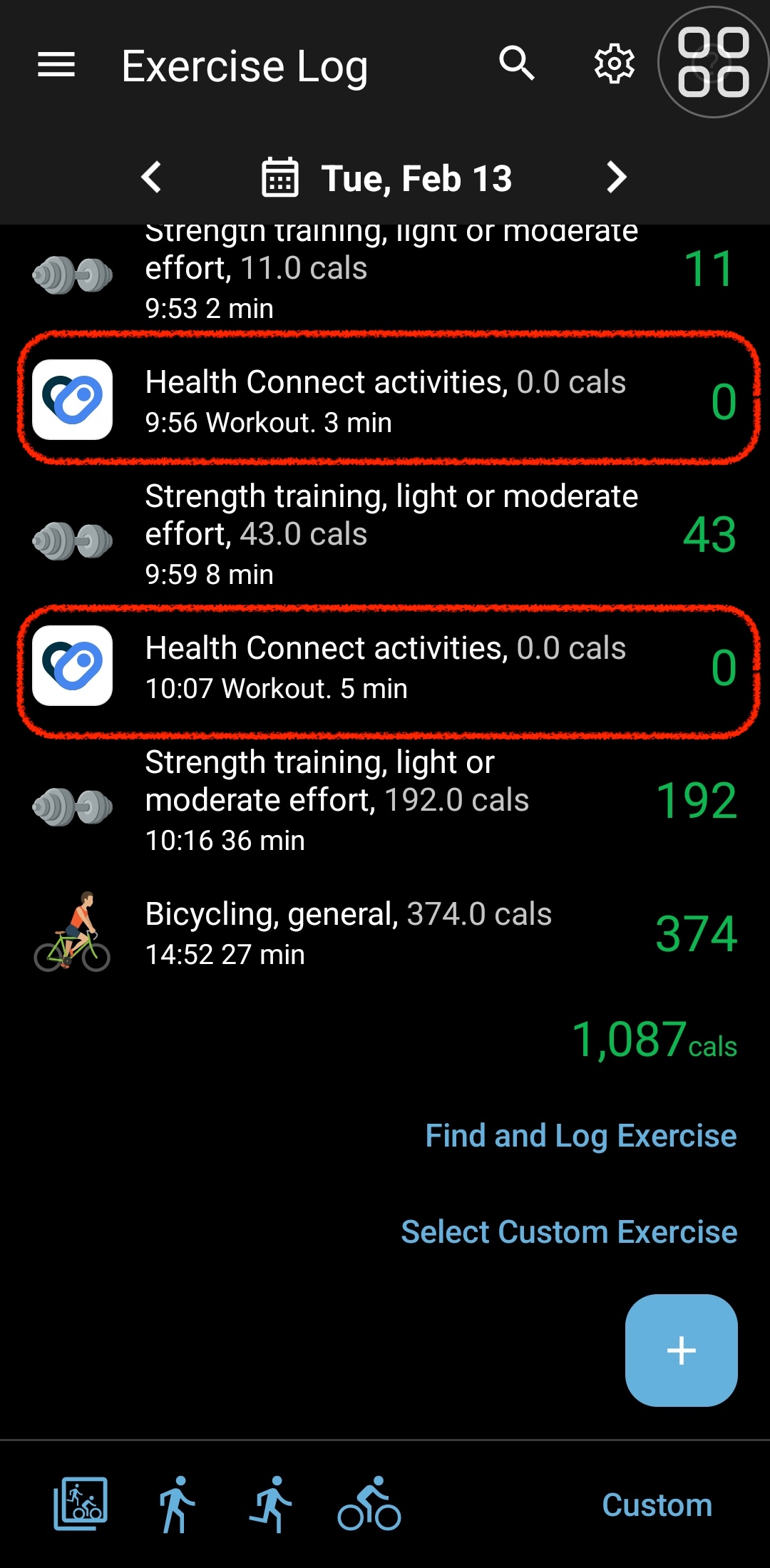
This is an expected behavior. Health Connect doesn't provide us with calorie data for the exercises done. It has two separate data types: “Activity Calories Burned” and “Exercise Session.” They are not logically linked to each other, so we can’t precisely match which calories belong to which exercises.
MyNetDiary and PlateAI match the exercise name with the one from its exercise catalog to calculate calories. Let's use Volleyball as an example - imported from Health Connect (which got its data from Google Fit).
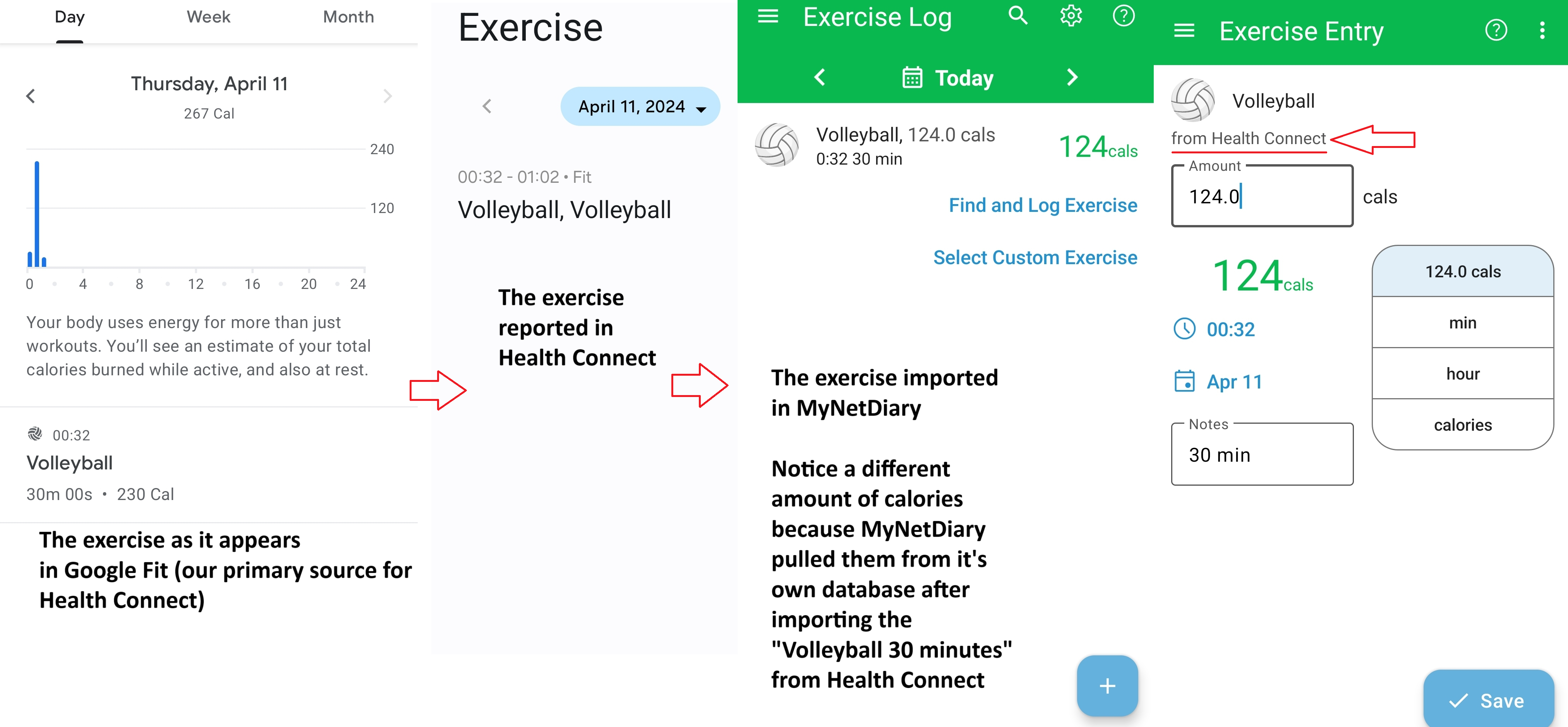
In most cases, MyNetDiary and PlateAI will locate and calculate calories from exercise in Health Connect. But no exercise is typed in as workout in our exercise catalog. In these cases, you need to manually enter your exercise. Alternatively, rename it in the primary data source to match it with the one in our catalog.
For information on linking with Health Connect, please check the following article.