Nike Run/Training Club are popular workout apps allowing people to track their progress and training goals.
Our apps cannot be linked with them directly, however, you can establish a one-way sync between them via Health Connect App. Both apps provide an option to link with Health Connect and write workout data there, which MyNetDiary and PlateAI can subsequently read.
Please note: neither app will recognize and read the data exported by our apps into Health Connect. The only data they will read is the data from each other.
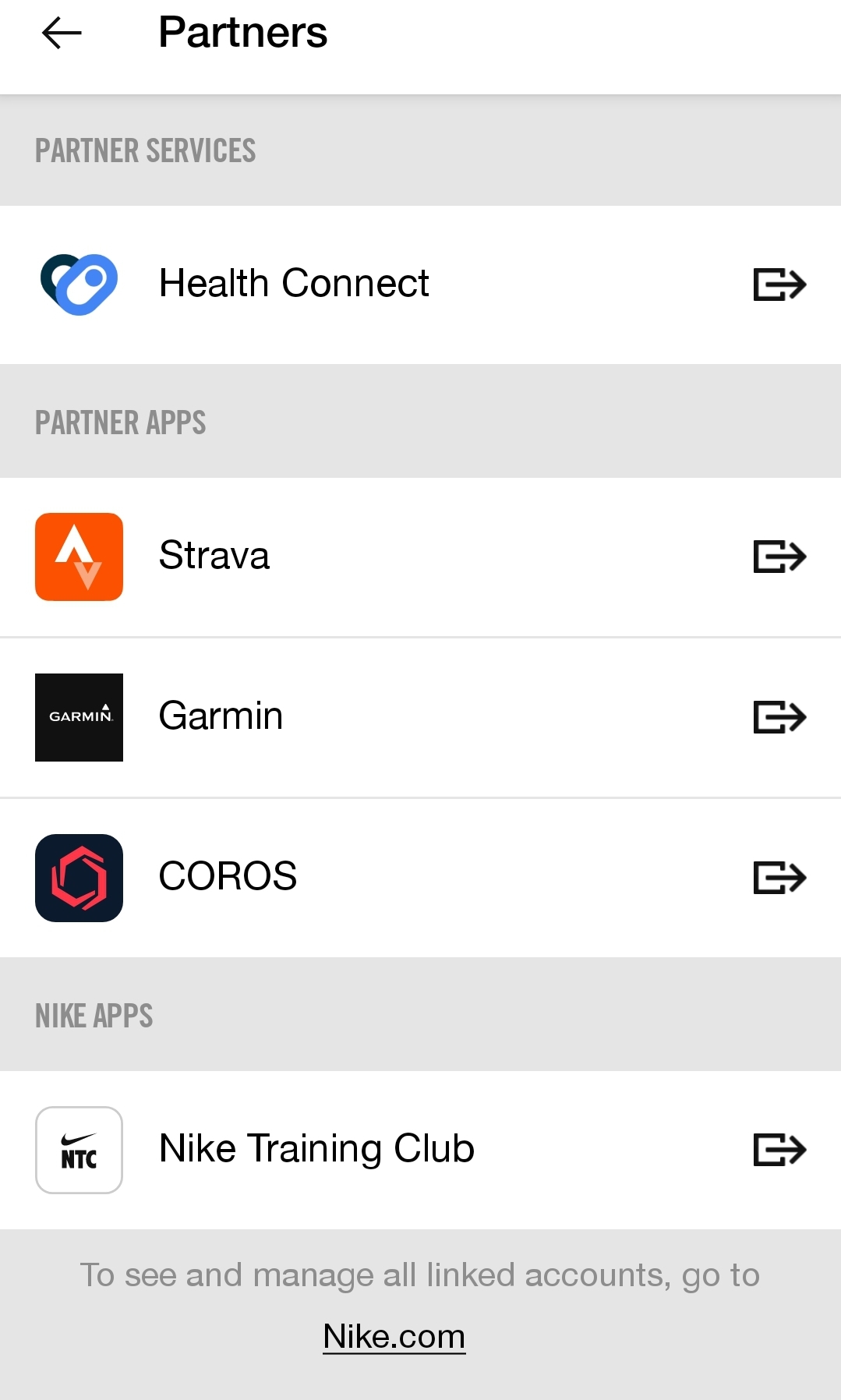
Nike Run Club provides an option to link with Health Connect when you first launch the app, and Nike Training Club can be linked at any time by tapping the profile button in the upper left corner - choosing Settings - Partners - Health Connect.
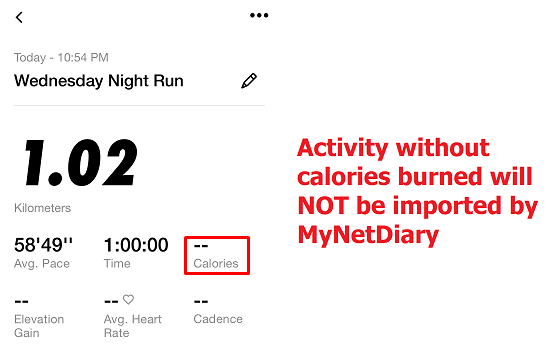
Please note: only Workouts imported by the apps can be read by MyNetDiary or PlateAI AND only if the Workouts in question have an indicated burned calories amount.
Keep in mind that any successful import is done via MyNetDiary reading the data provided in Health Connect.
For any further questions regarding Nike Run/Training Club apps functionality or their link with Health Connect, please contact Nike Customer Service - at the bottom of the page is the phone number for NRC and NTC.