Our service has a team of qualified and professional Tech Support Staff. They are ready to assist you in getting to know the application or help you resolve any issues you may encounter.
There are currently two ways to reach support:
- Using the Support tab in your application or mynetdiary.com website.
- Writing to support@mynetdiary.com directly.
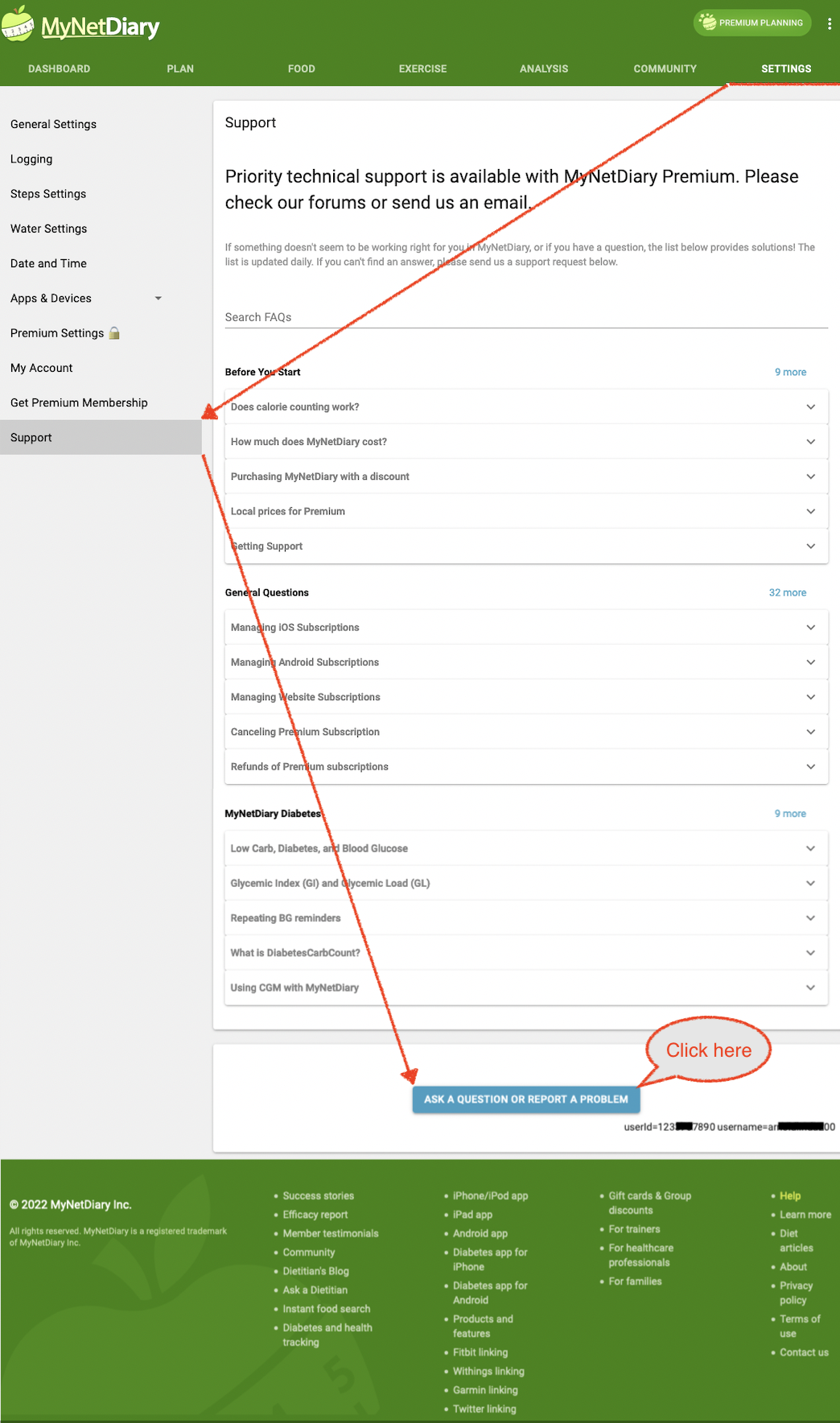
Here is how to send a request via the online version:
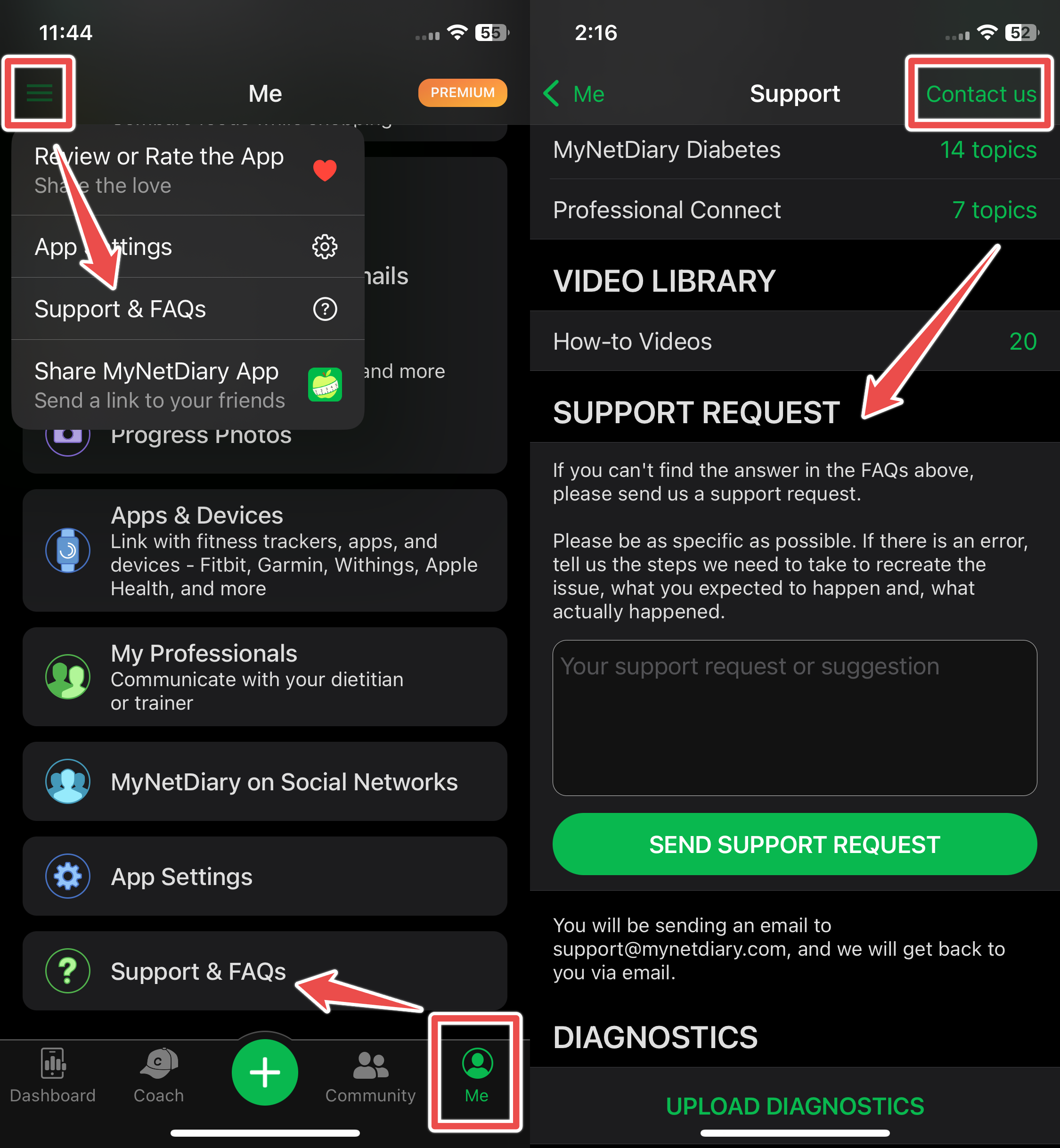
via the iPhone app:
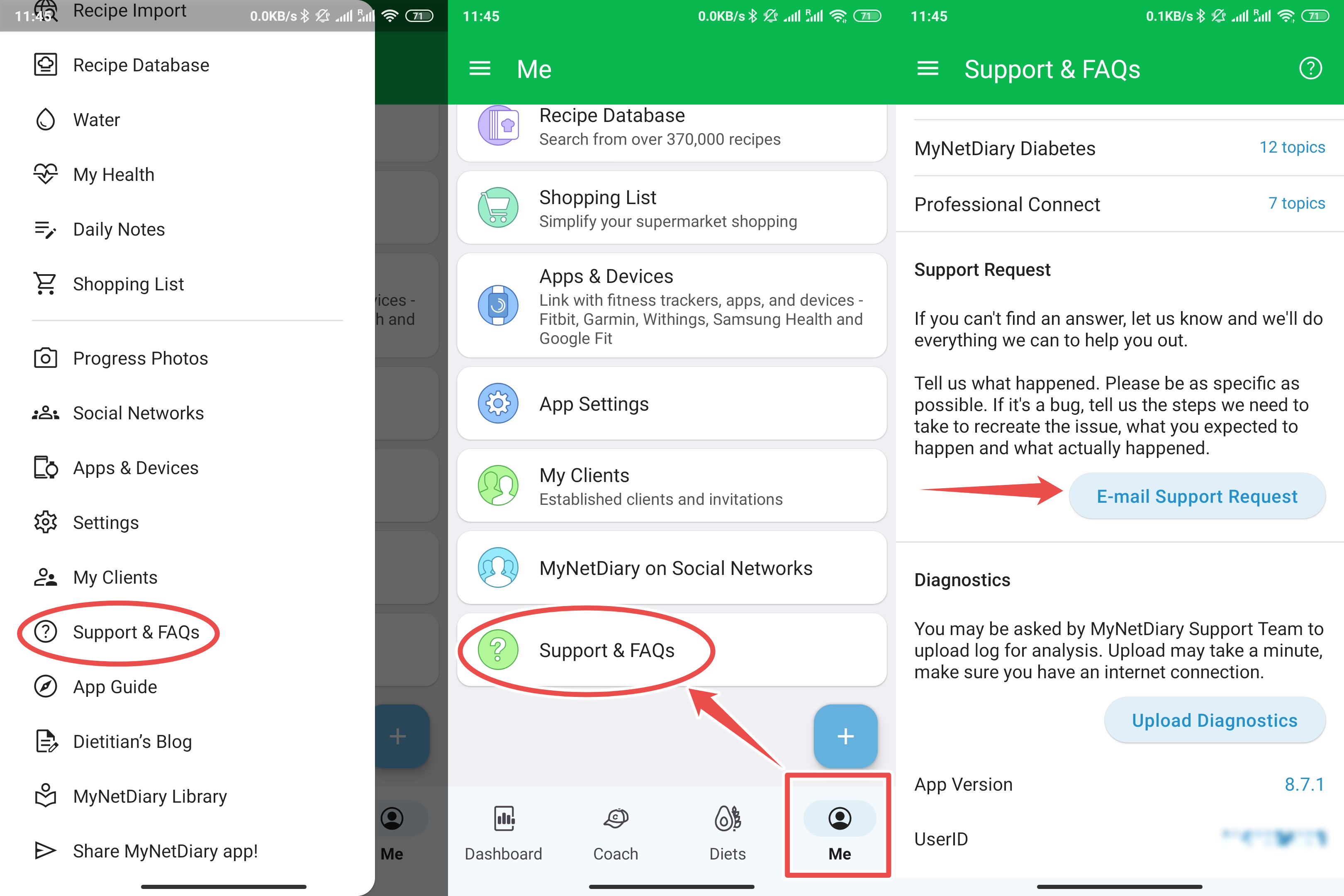
via the Android app:
and via the iPad app:
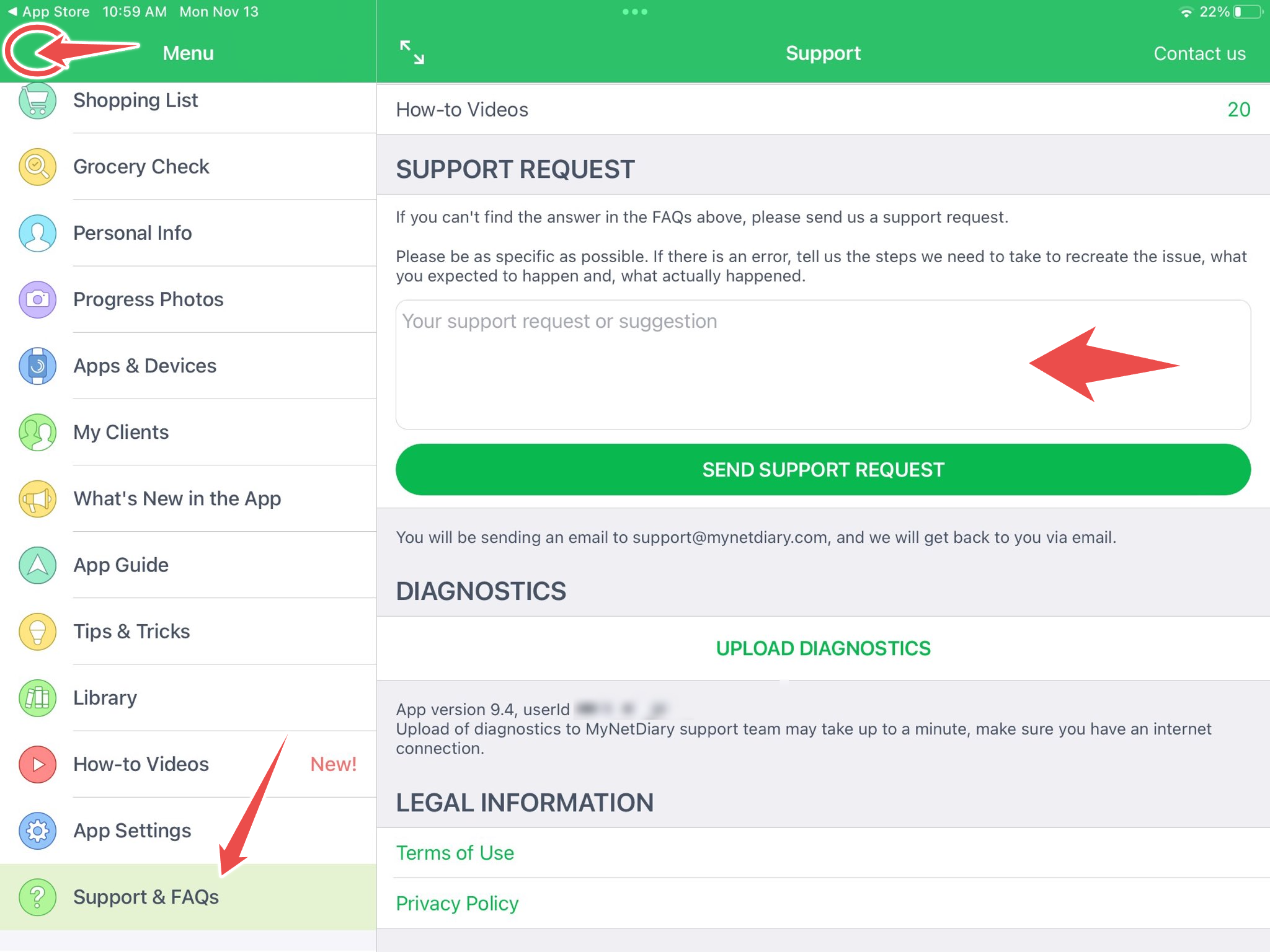
When sending a support request, please also tap on Upload Diagnostics on the same page. This will provide us with additional information to better assist you with your query.
It is not required but highly recommended to provide your UserID (a numerical value located under the aforementioned Support tab) when writing an email directly. The userid number will provide immediate insight into the issue and subsequently, help us to fix it more quickly.
Please note that we currently do not provide phone support due to the volume of user requests. We will not answer or give callbacks to phone messages. We reply to all our user's requests within a reasonable timeframe. Rest assured, our agents will assist you as soon as possible and to the best of their ability.