You can keep track of your body temperature by creating a custom tracker.
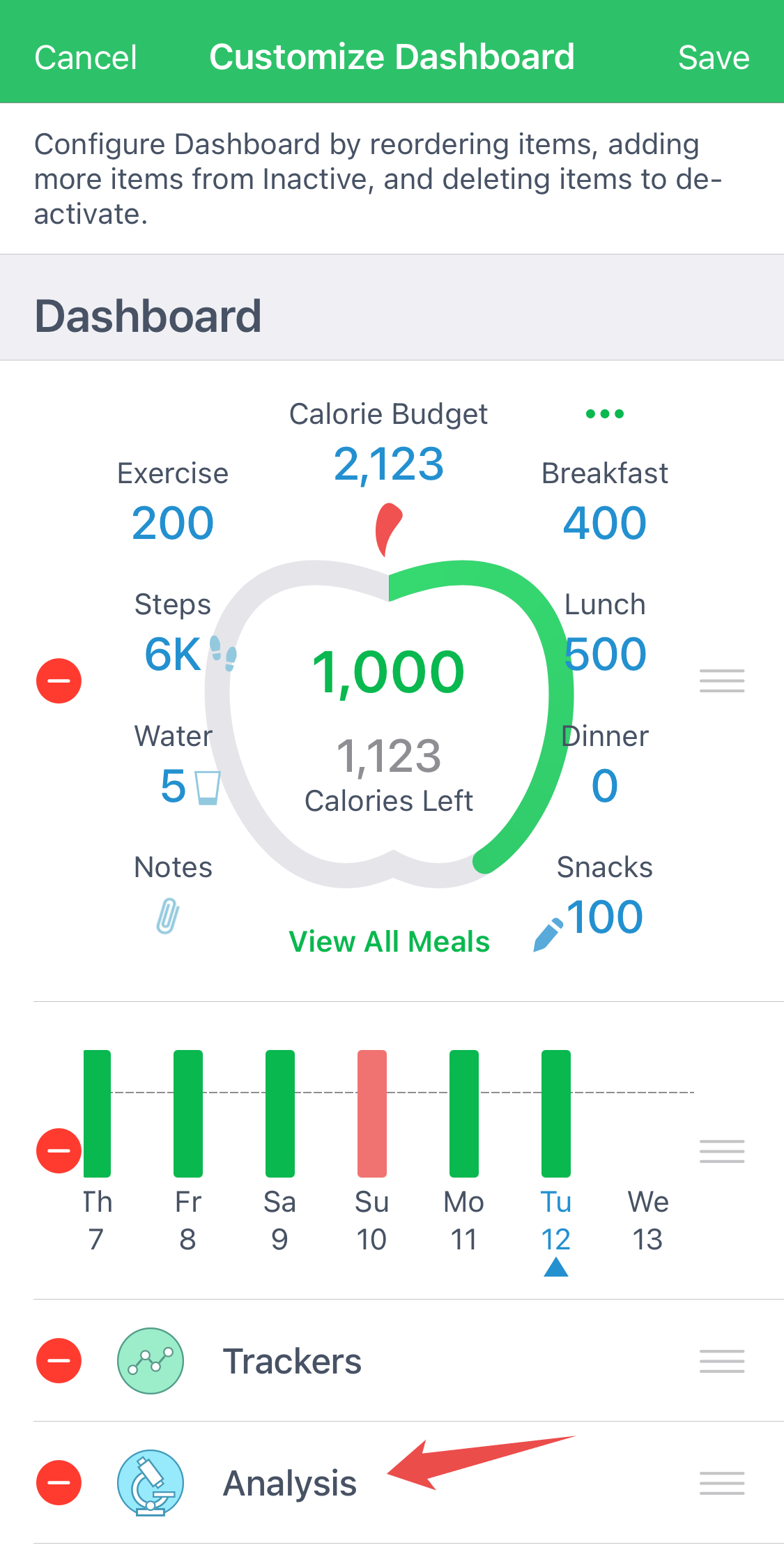
On iOS To do this, go to "Customize Dashboard" at the bottom of the Dashboard screen and add the "Trackers" item to your Dashboard. It should look like this:
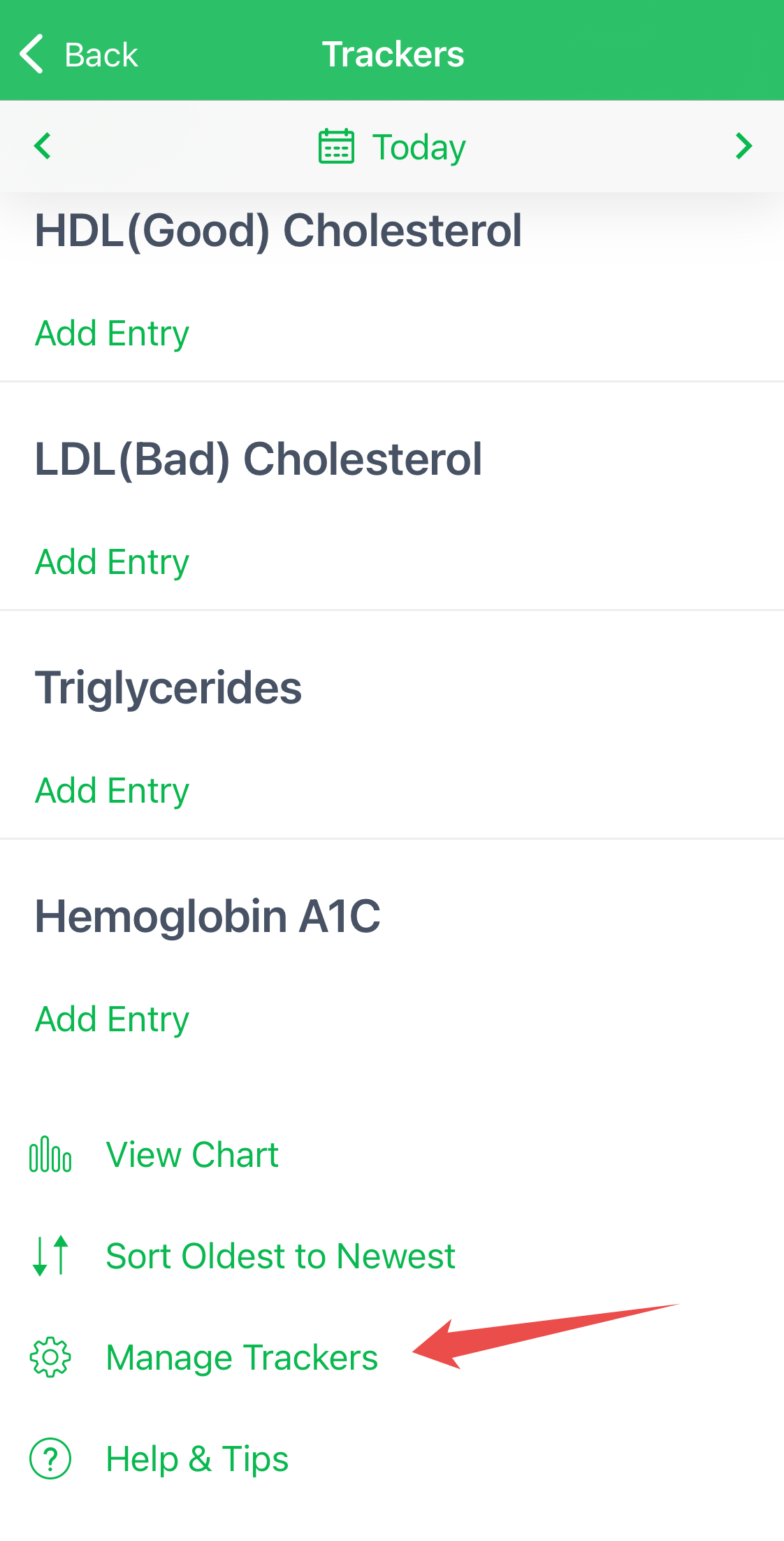
Once you've added Trackers to your dashboard, go into this item and click on Settings at the bottom of the screen.
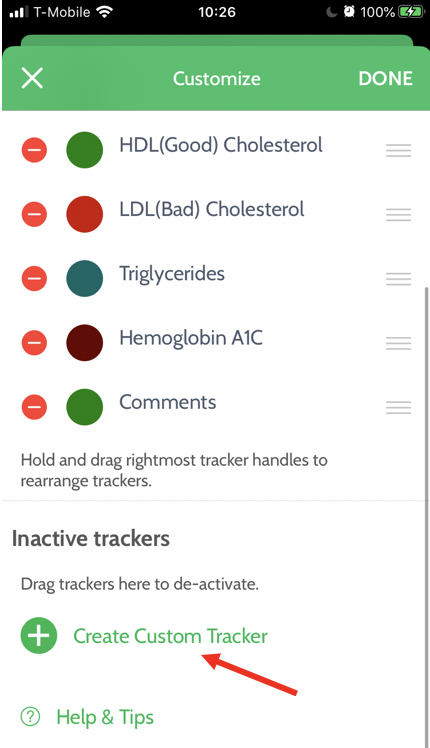
Then scroll down, click "Create Custom Tracker", and add a temperature tracker.
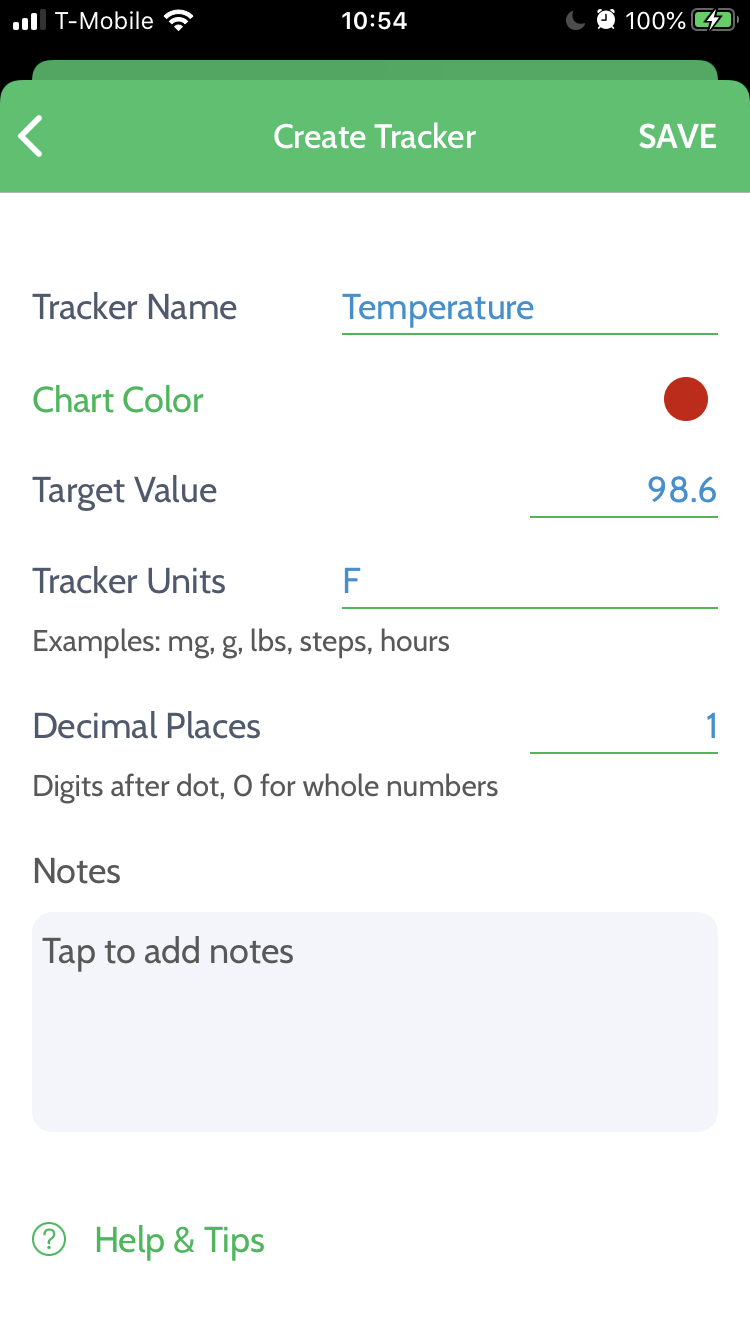
A temperature tracker should now show up in your Trackers. You can also set the Tracker Units to Celcius. In that case, the Target Value should be 36.6.
On Android, you can add Custom Tracker through the My Health menu under the Me tab.