The barcode scanner, which scans your food and finds it in the database, provides several options to control how it works. There are buttons to lock orientation, turn sound on and off, and control lighting.
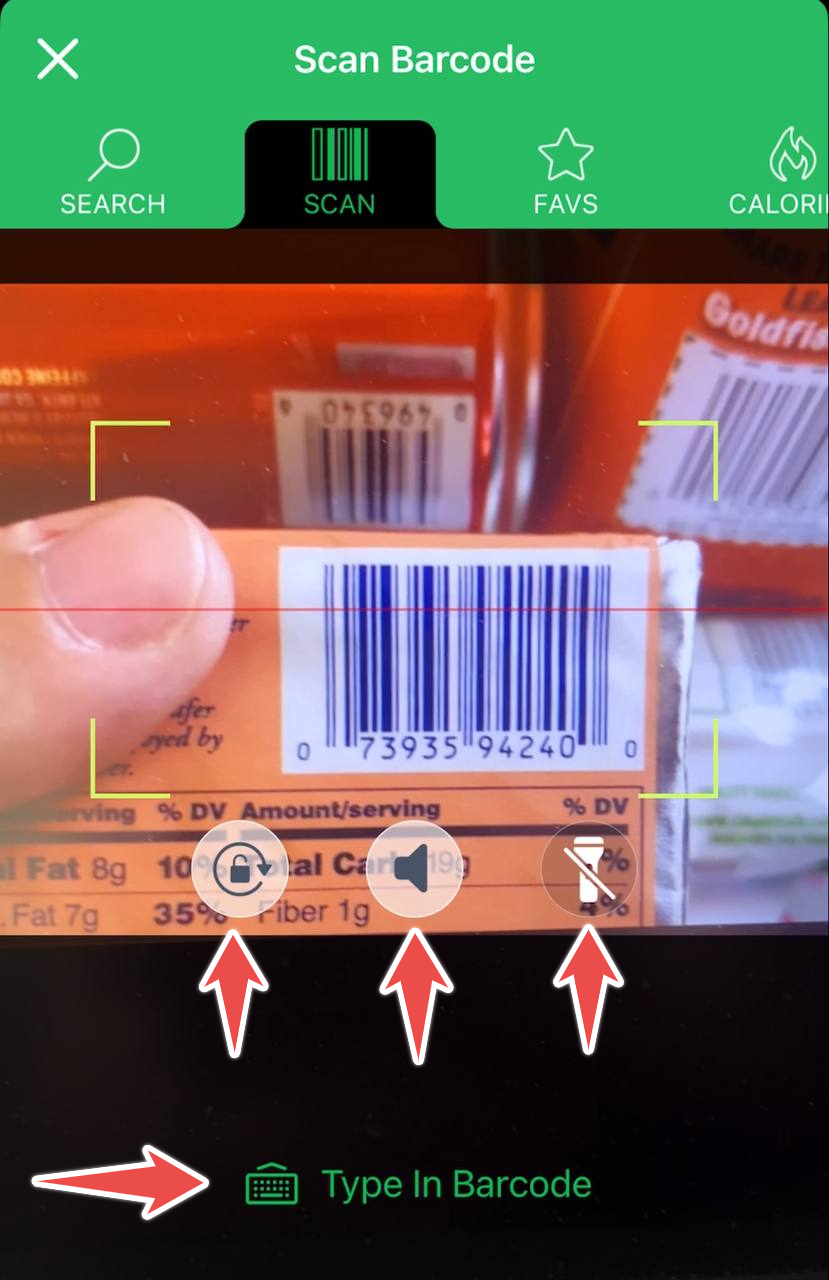
To ensure that the barcode scanner doesn't flip if you have to turn your phone sideways, make sure the orientation lock, under the sound button, is on:
If you don't want the scanner to beep when an item is scanned, make sure that either your phone is in silent mode or the sound button is turned off.
Thre flashlight icon allows you to control the lighting of the barcode. Typically, iPhone turns on the light automatically if the conditions are poor. Sometimes, when the package is highly reflective, you may have better luck scanning if you turn the light off with this third button.
If the scanner is having trouble scanning the barcode, you can also type the barcode manually by clicking "Type In" on the scanner screen.