If you want to modify a recipe or "my meal" you created or imported, one way to do this is by going to the "Manage My Foods" item, located in the Me tab.
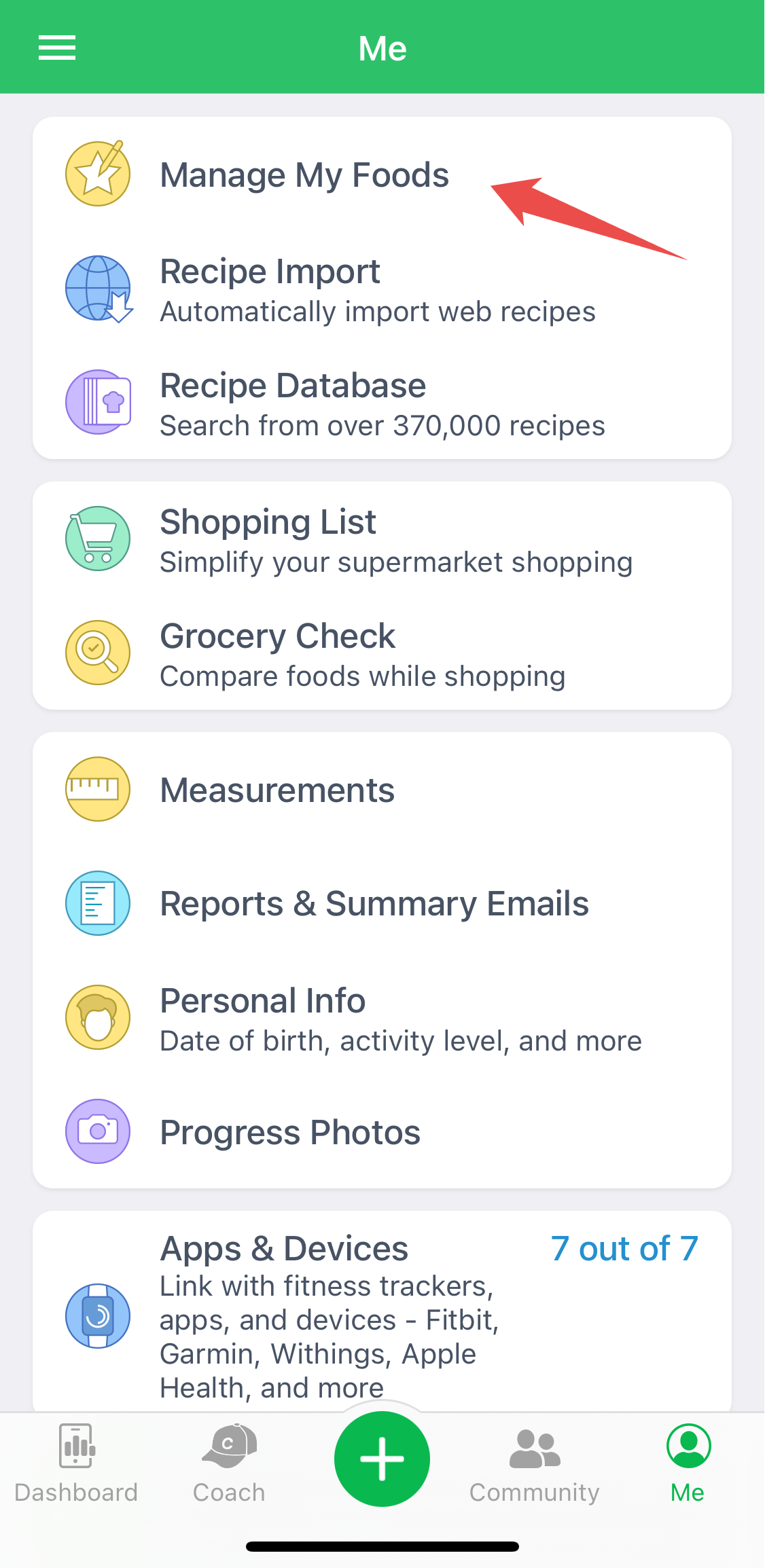
This allows you to review and edit all your foods and recipes.
In "Manage My Foods", go to the "Recipes" tab, click on the recipe you want to modify, and tap "Edit Recipe"
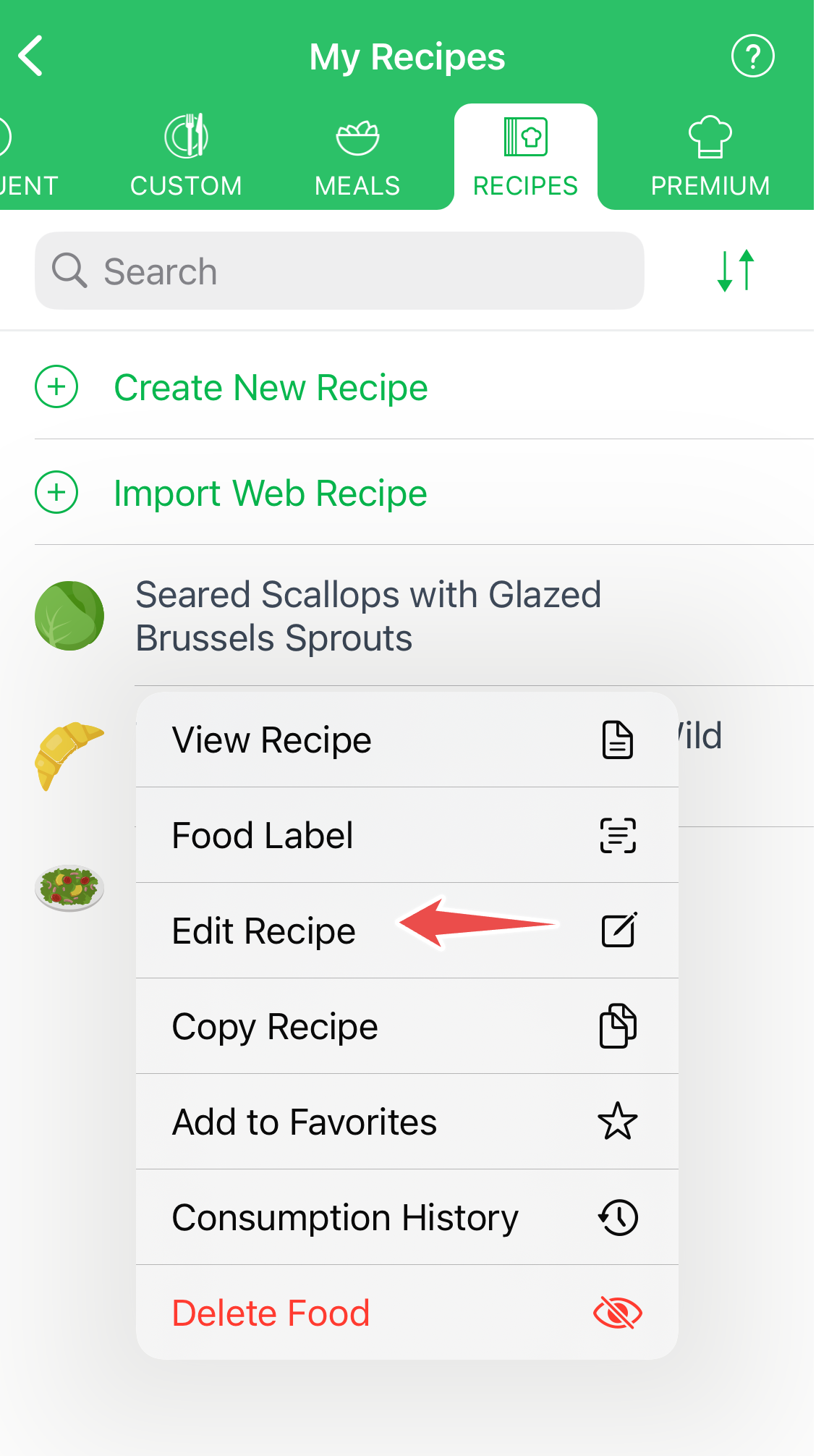
You can now modify any ingredient in the recipe.
Modifying Premium Recipes
One way to modify a premium recipe is by going to "Manage My Foods" in the Me tab, and then to the "Premium" tab. Tap on the recipe you want to use, go to the bottom of the recipe screen, and tap "Copy & Customize".
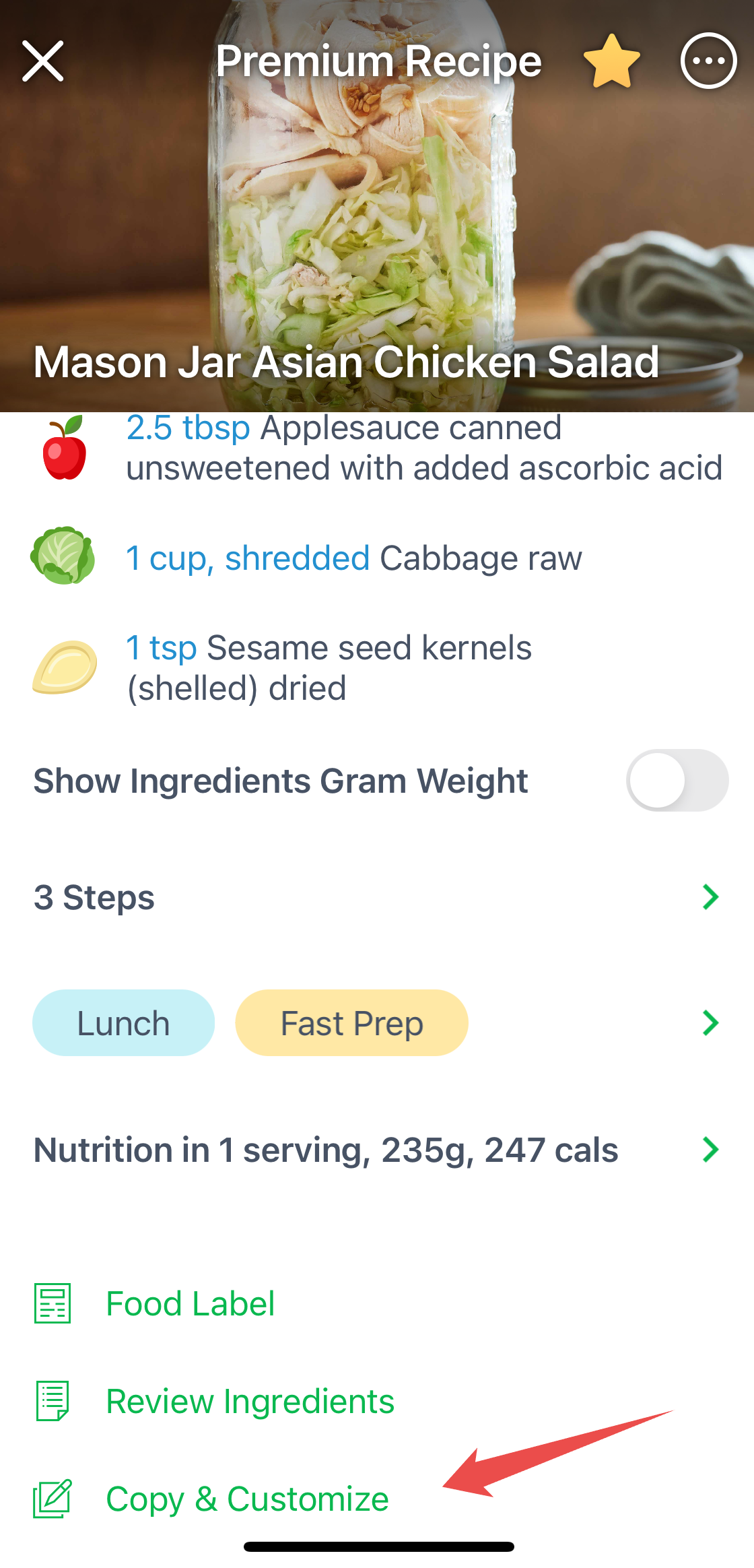
You'll have to give the recipe copy a unique name, and then edit any of the ingredients in the recipe.
For more guidance, please check our Recipe Editor video.