To check how often you’ve eaten a specific food, go to the Me section and tap Manage My Foods in the iPhone app, or My Foods from the meal screen in the Android app. Then, find the item under the appropriate category — Favorites, Frequent, Custom, Meals, or Recipes.
In the iOS app, long-press the food to open a pop-up menu, then select Consumption History.
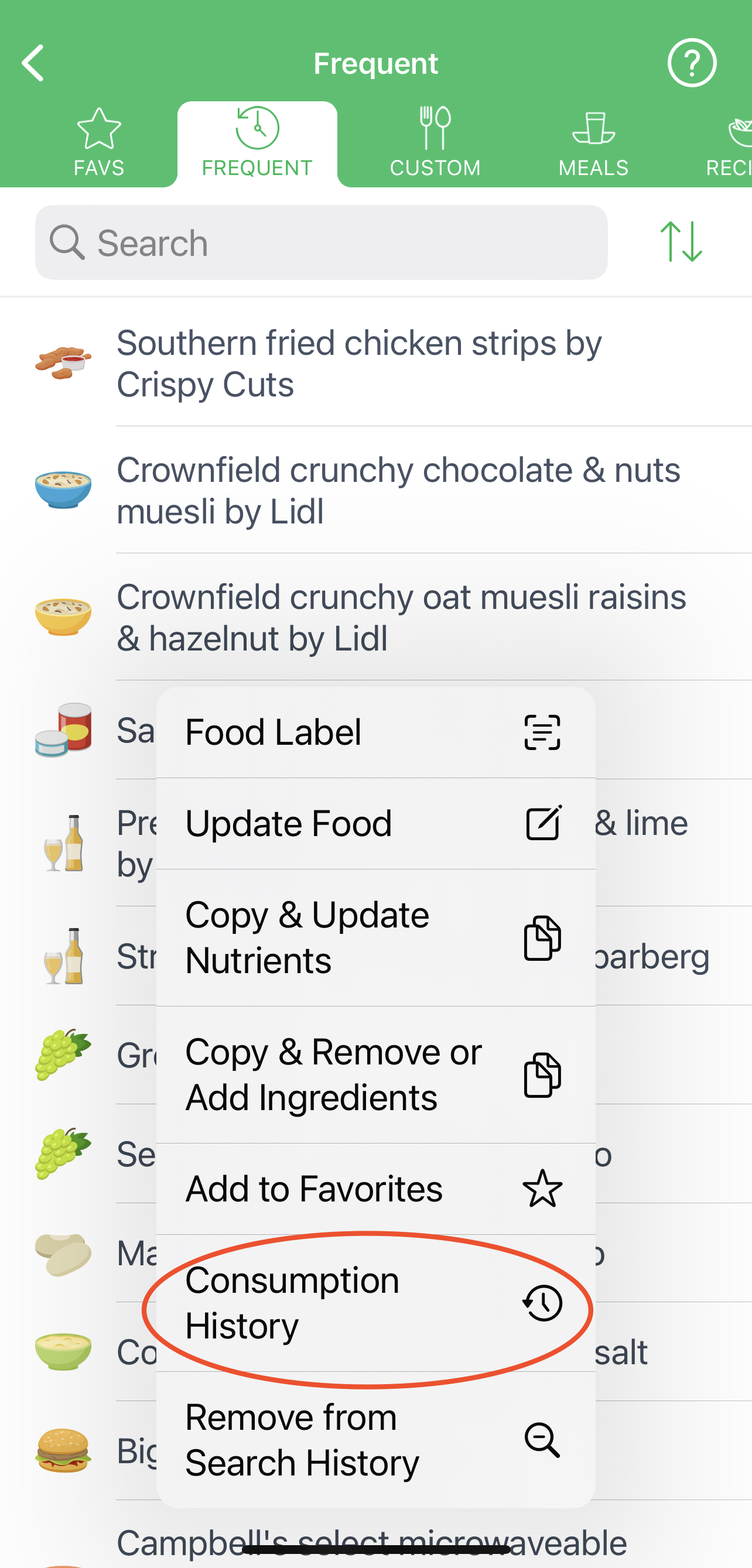
The 'Consumption History' functionality is available on the Android app as well. To access it, simply tap the three dots located to the right of a particular item in the 'Favorites,' 'Frequent,' 'Custom,' or 'My Recipes' catalog of the 'My Foods' section. From the popup menu, select the 'Consumption History' option. The screen will display when and how often you logged this specific food.
Alternative workaround is use of the Analysis > Multi-Day Reports > Food Report webpage. Just use the popular Mac's "Command" + "F" or PC's "Ctrl" + "F" method to find a particular food by typing in a keyword - the food you search for will be highlighted in the generated Food webpage.