In MyNetDiary and PlateAI, we advise you to track vitamins and supplements the same way you log food. It will ensure that all nutrients you consume are represented in your records. To do this, locate your specific brand of vitamins in our extensive food database or create custom food entries for them. Once added, you can log them just like any other food item.
If you typically consume multiple vitamins and supplements together, such as a daily regimen of multi-vitamins and calcium, consider creating a custom "meal" that includes these items. This streamlines the logging process, as you'll only need to log one 'meal' food entry to account for your daily supplement routine.
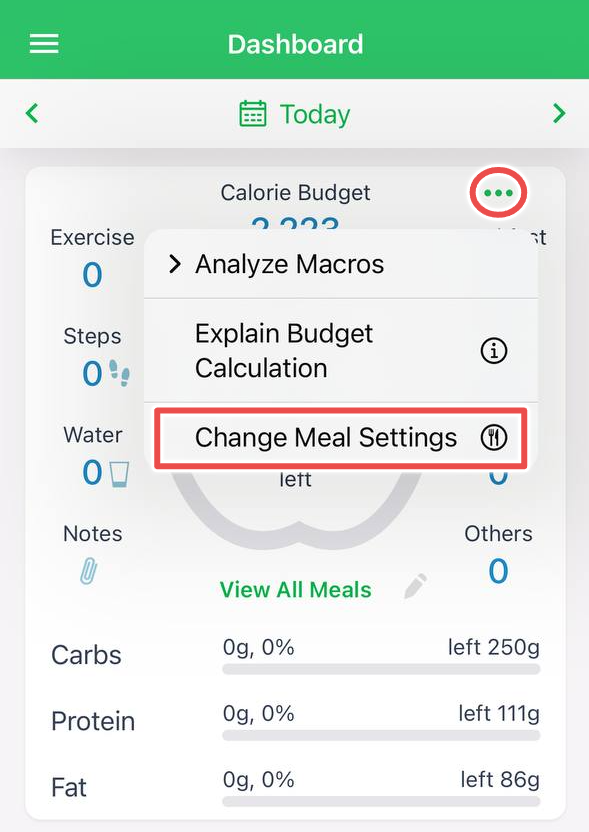
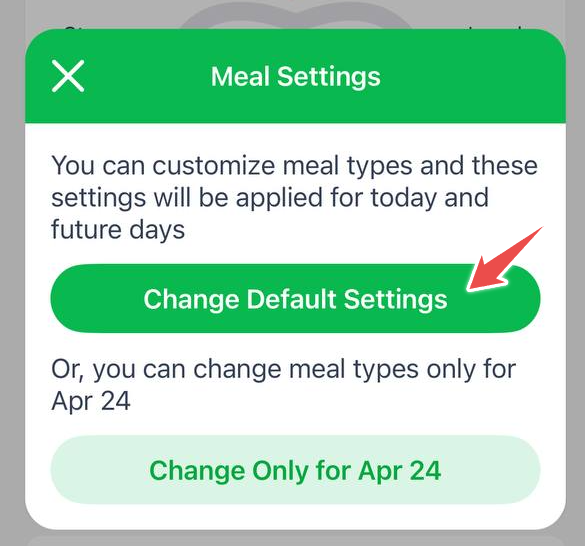
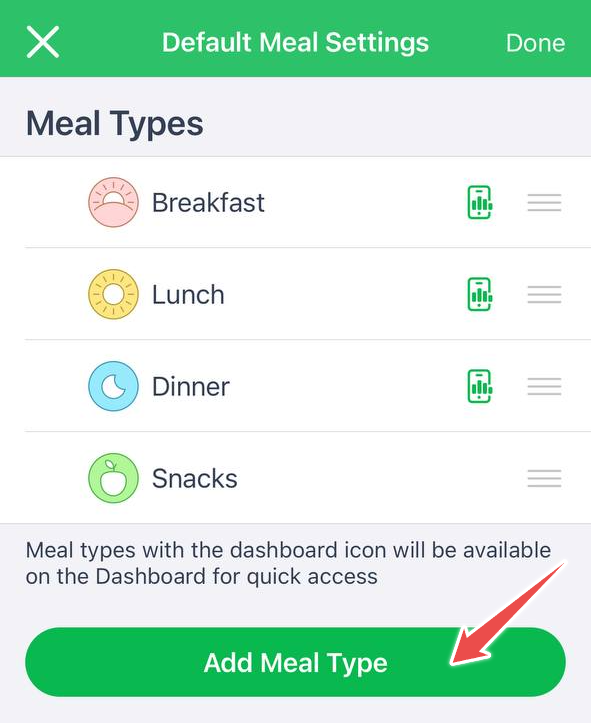
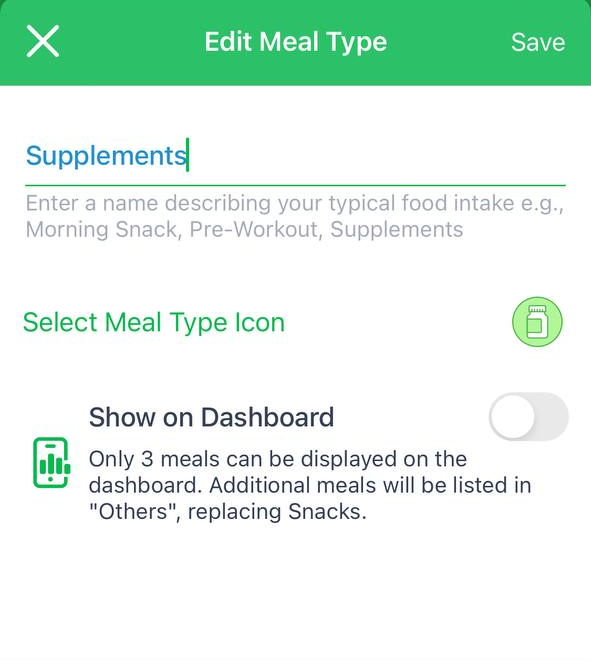
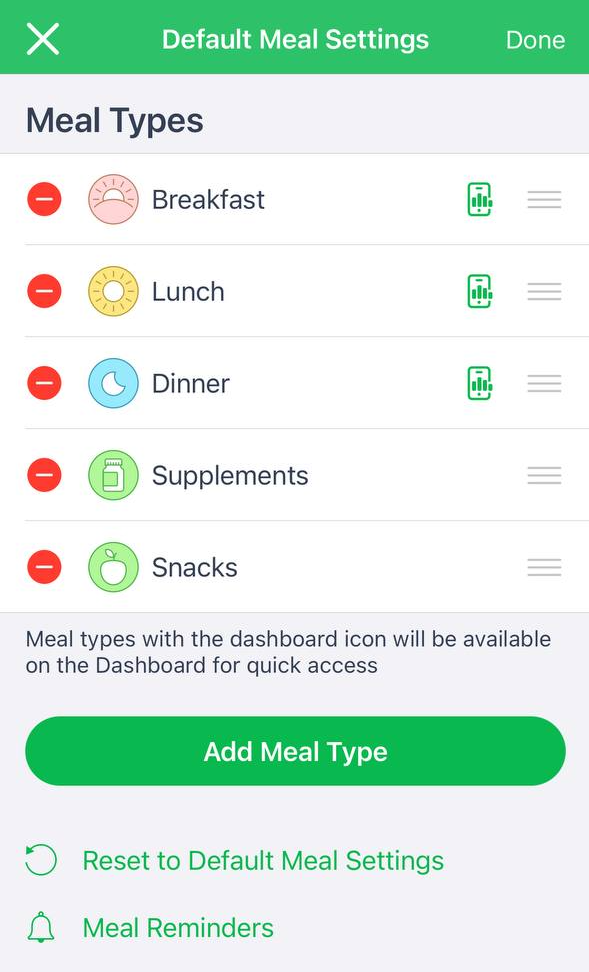
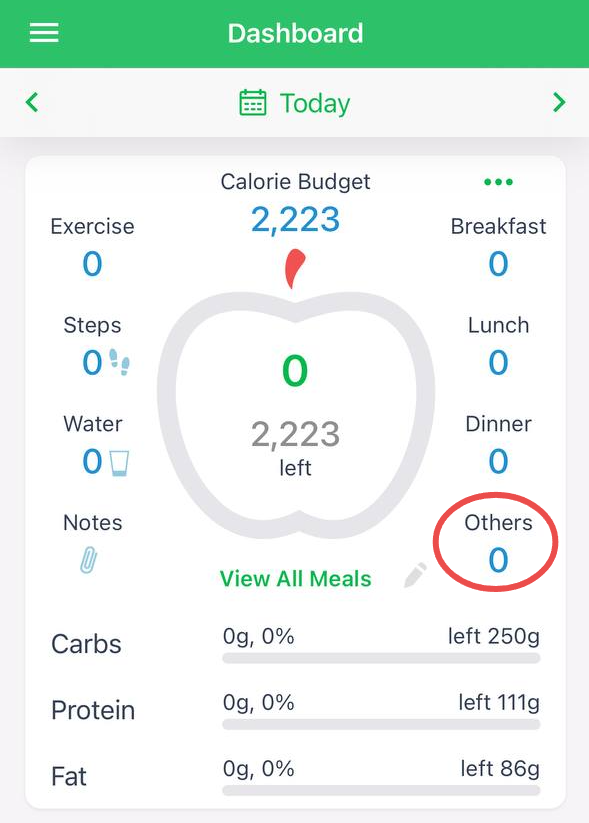
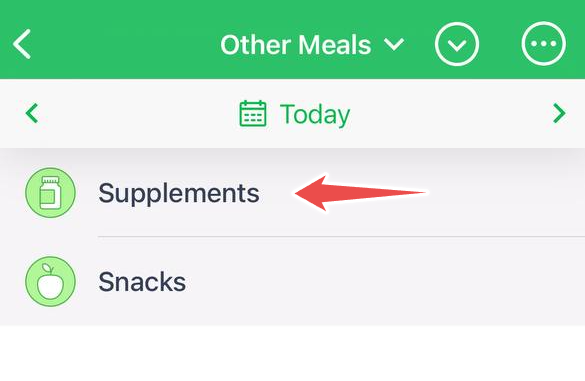
Moreover, if you want a separate meal category for your supplements, a Premium subscription allows you to create one. Follow these screenshots:
A couple of alternative options to track vitamins, but they don't add nutrients to your data:
Custom Trackers: Create a custom tracker specifically for your vitamins and supplements using the Trackers feature. This feature is accessible in both the "MyNetDiary Free" version, "PlateAI" and the "Keto Diet - Carb Genius" apps with a Premium membership or in the "MyNetDiary - Diabetes Tracker" app.
Text Notes: Another convenient method is to maintain text notes within the "Vitamins & Supplements" item, which can be seamlessly added to the Dashboard of the iPhone app. Or, it's possible to access this feature by tapping or clicking the 'paper clip' icon to the left of the big apple contour of the Dashboard. This approach offers simplicity and informality, enabling you to jot down supplement details as needed.
For additional guidance and tips, you can explore these support articles: