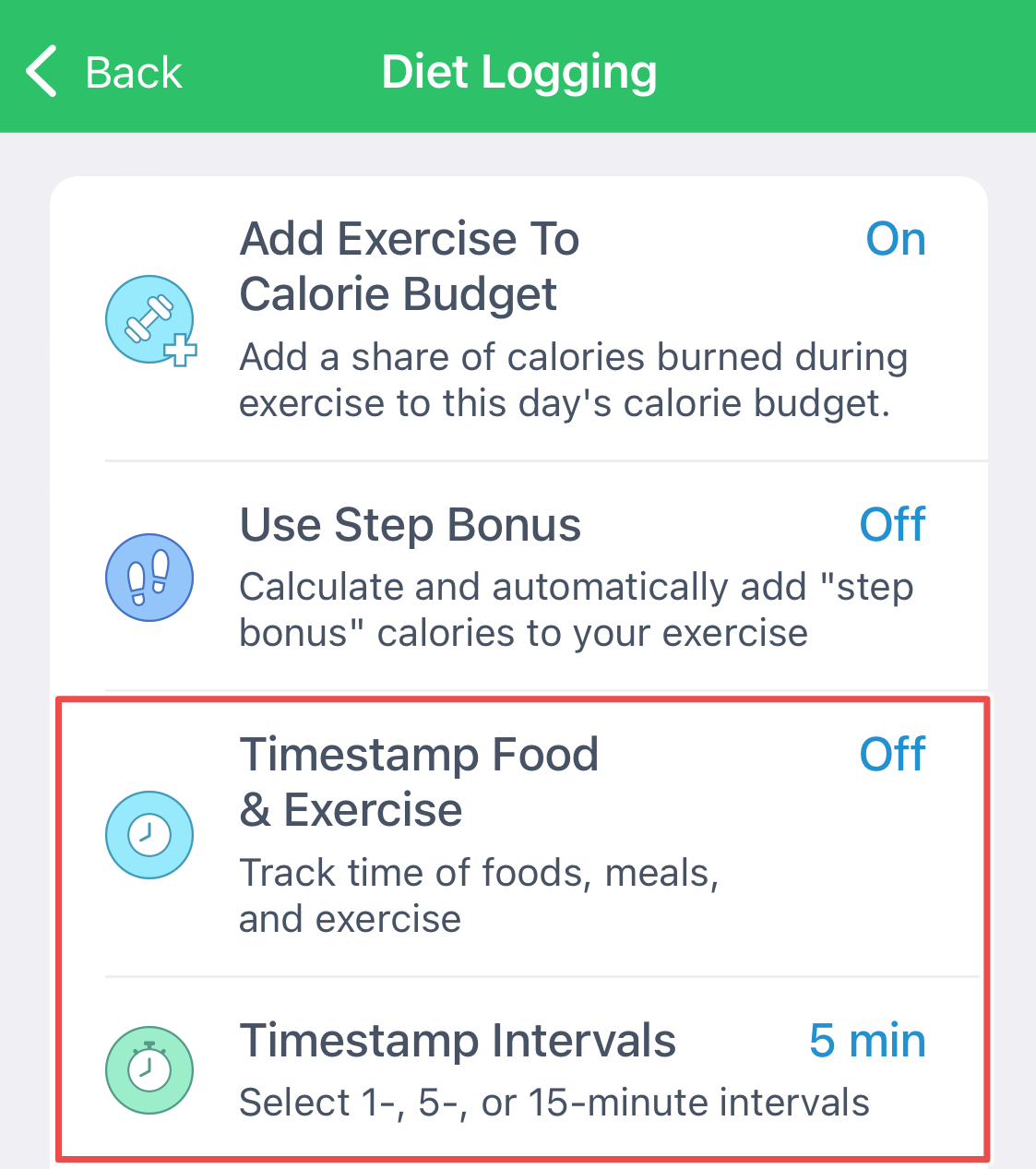
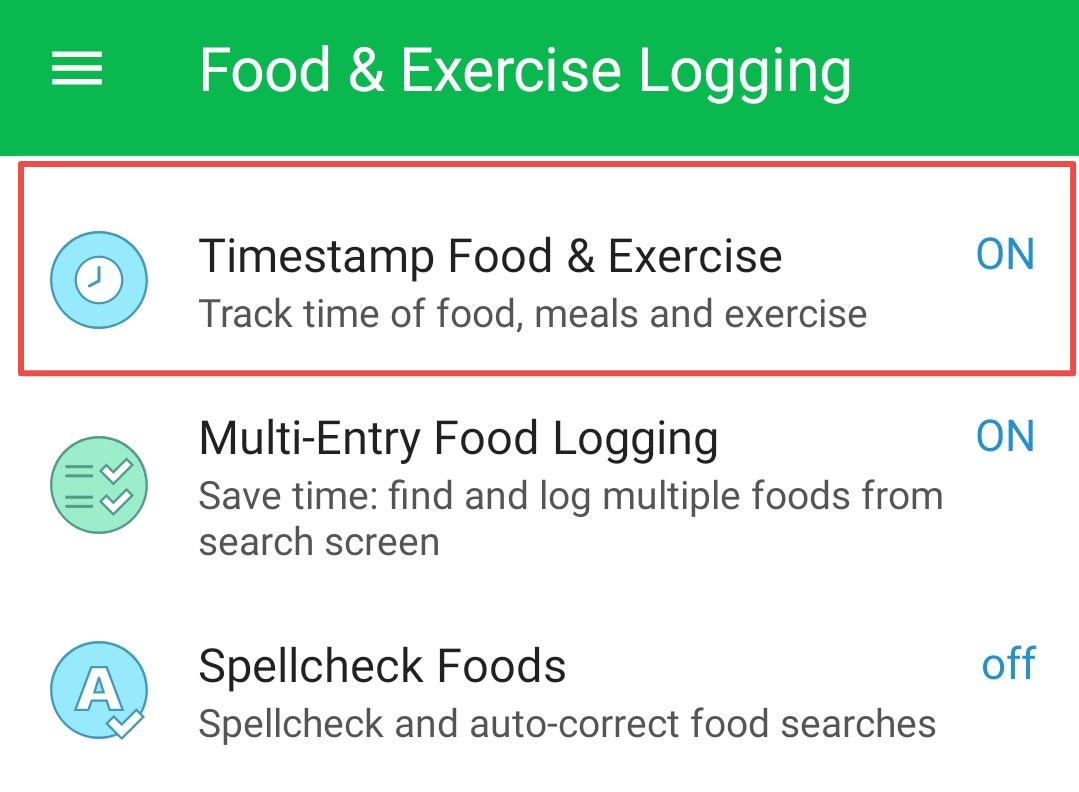
Turn timestamps on in App Settings, under Diet Logging. The time you logged a food then appears next to it in the meal. To change one, tap the record, tap the old timestamp and set a new one. Timestamps need a subscription, and are included in the iOS one-time purchase apps without one.
Timestamps for meals and exercise can be enabled in App Settings > Diet Logging by users with a MyNetDiary Premium or PlateAI subscription. This feature is also available in iOS one-time purchase apps (Keto, Diabetes, and Pro) without a subscription.
iOS:
Android:
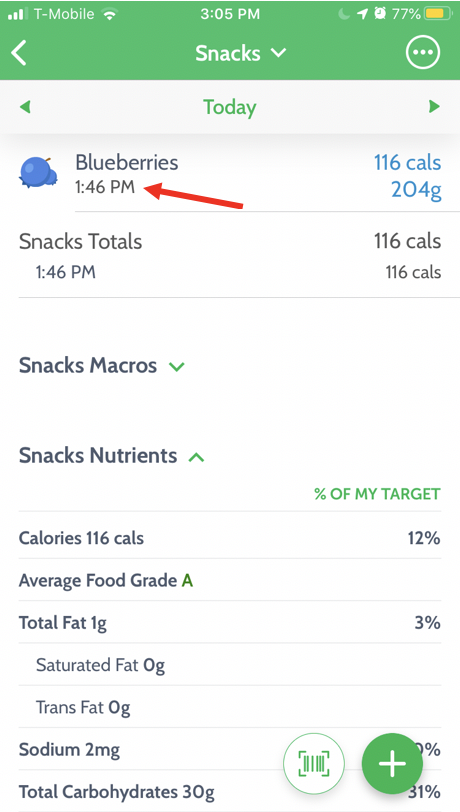
The time you logged a food will appear next to the food:
To change the timestamp of the particular record, tap this record, then tap the old timestamp and set the new one.
Related questions
Who can enable timestamps for meals and exercise?
Timestamping for meals and exercise is available to users with a MyNetDiary Premium or PlateAI subscription. It is also included without a subscription in the iOS one-time-purchase Keto, Diabetes, and Pro apps.
Where do I turn on meal and exercise timestamps?
Open App Settings and choose Diet Logging, then enable meal and exercise timestamps there. Once enabled, the time associated with a logged food appears beside that food entry in the diary.
How do I change the timestamp on one food record?
Tap the food record to open it, then tap its existing timestamp and set the new time. This changes the time for that particular entry rather than changing the timestamp setting for every meal or exercise record.
Was this article helpful?
67% of 24 readers found this helpful.
Did Not Find It?
Email support@mynetdiary.com or send a request from the app under Me, then Support. Most replies within one business day.