Marking a day as complete is a useful feature that helps you confirm that you've logged all your meals, exercise, and other data for the day.
iPhone and Android Apps:
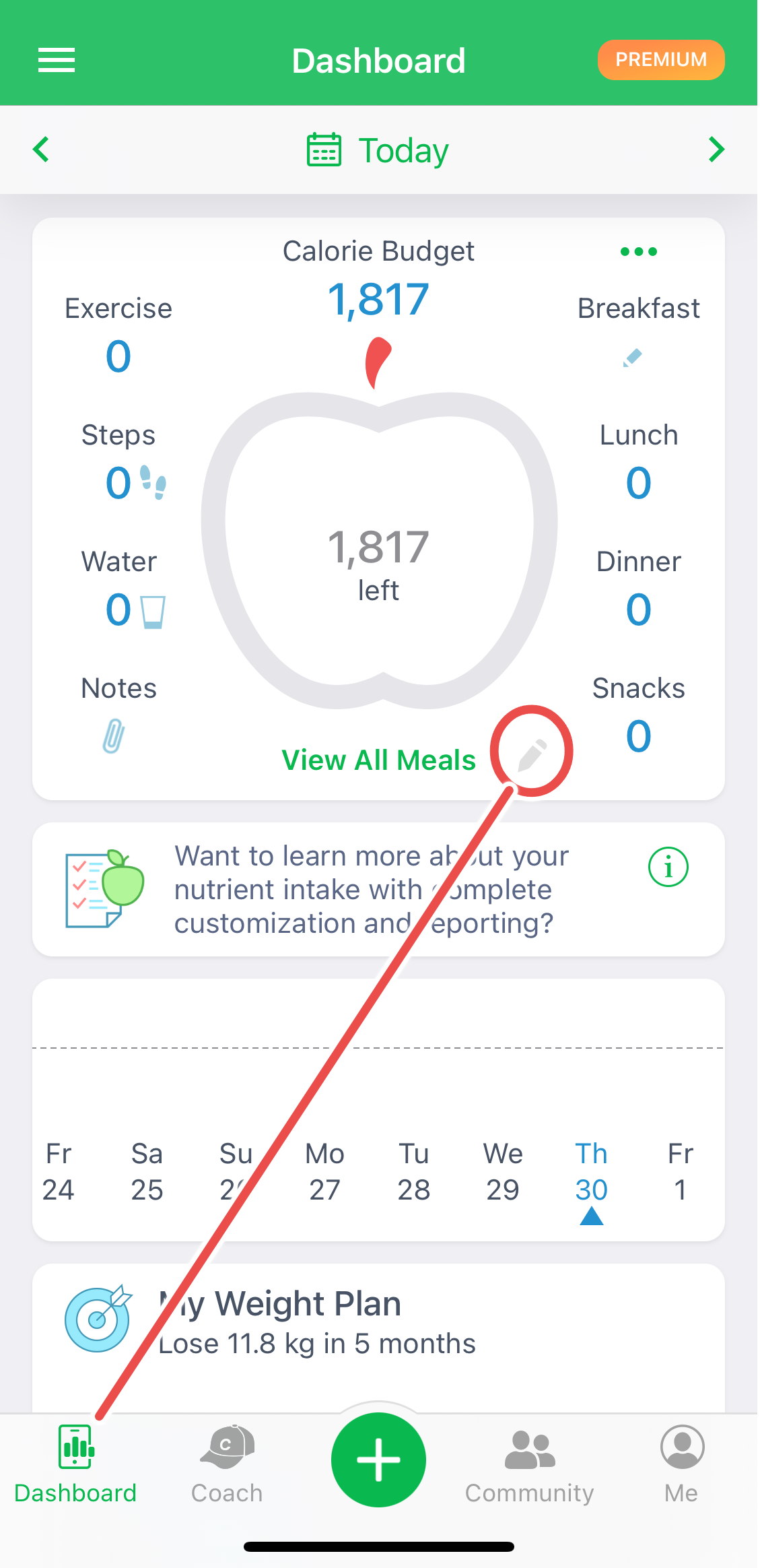
- Tap on the Pencil icon in the lower-right corner of the big apple contour on the Dashboard screen (available in the MyNetDiary and Carb Genius apps).
- Alternatively, tap the All Meals sign located under the big apple contour, scroll down the All Meals screen, and turn the Complete Day Food Log slider to ON (available in all apps).
Website Version:
The option to mark a day as complete is not available on the website version. If you are using our service through a browser, consider using the mobile app to utilize this feature.
Automatically Completed Days:
It is unnecessary to manually mark a day as complete if you have logged food entries in the three main meal sections—Breakfast, Lunch, and Dinner. The app will automatically consider such days as completed by default.
Why Marking a Day as Complete is Important:
If you ate very little or not at all due to fasting, you can still mark the day as complete. This ensures that the analysis includes the data you logged for such days. Note that daily and weekly analysis is not calculated for days with total calories less than 400 unless they are marked as complete.
Cals from Nutrients on iPhone and iPad: This report uses only completed days. If the selected date range has no completed days, its statistics may show zero values or no details. Learn more about Cals from Nutrients statistics.