Premium Recipes include recipes suitable for low-carb, keto, gluten-free, paleo, and other diets. They require Premium Memebership.
MyNetDiary and PlateAI Premium Recipes are created by our team of Registered Dietitians - they are healthy, easy to make, and packed with flavor. The Premium Recipes screen can be accessed via the following:
While Logging Foods
After you tap the green plus button on any meal screen, you will see Premium Recipes as one of the tabs at the top of the screen, represented as the chef's hat.
From Manage My Foods
Another option is to open the Manage My Foods screen, either from the Dashboard menu or from any meal's menu (three--dots button at the top-right corner.)
From Diet Tools Tab
Premium Recipes are available on the Diet Tools tab right under your Diet.Searching for the Recipe
To quickly locate the needed recipe - use the Categories button during premium recipe search.
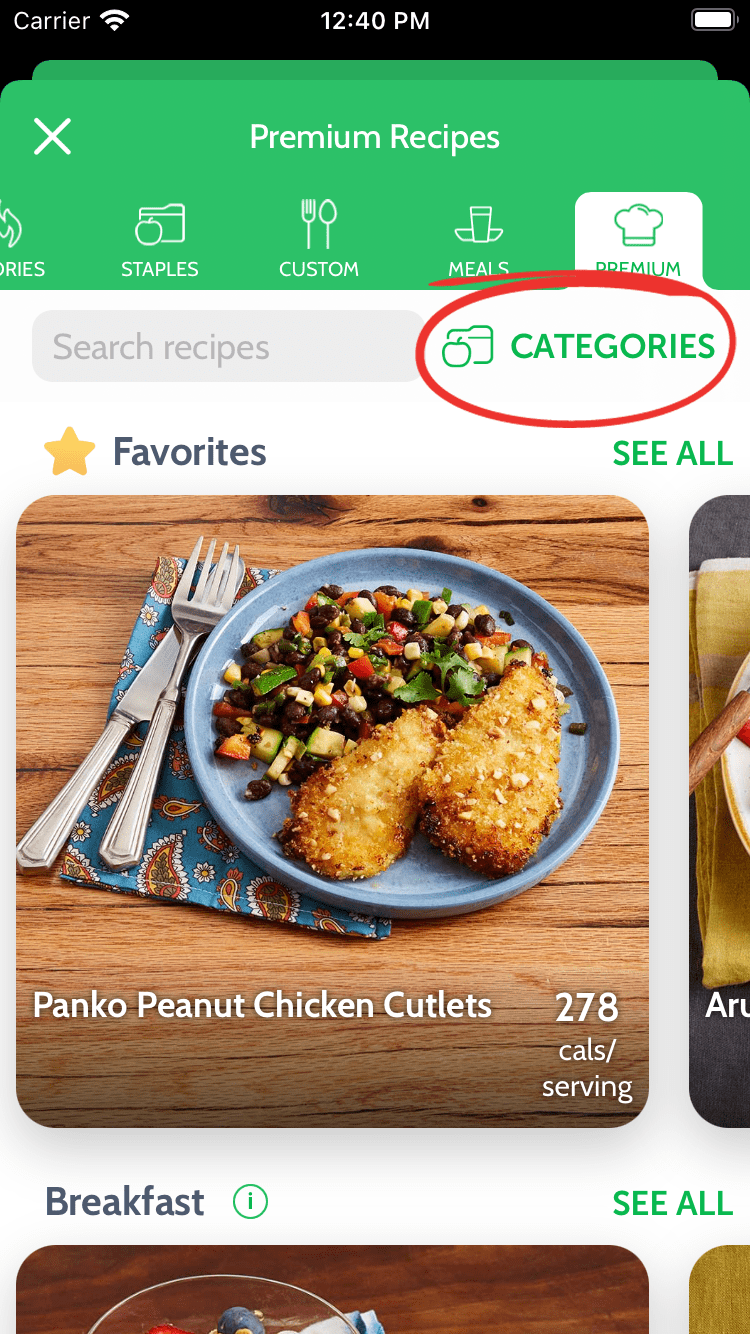
The Categories screen provides many ways to filter recipes, including filtering by ingredients and diet preferences.
Generally, low-carb recipes have less than 15g of carbs per serving, and very low-carb recipes have less than 5g of carbs per serving, making them especially suitable for keto diets.