To view your weight chart, please follow these steps:
- Open the iPhone app.
- On the bottom menu, tap on the 'Diet Tools' tab.
- In the 'Analysis & Insights' section, tap on the 'Charts' option.
- You will then be taken to a screen with various charts. Here, tap on the 'Weight Chart' to view your weight trends.
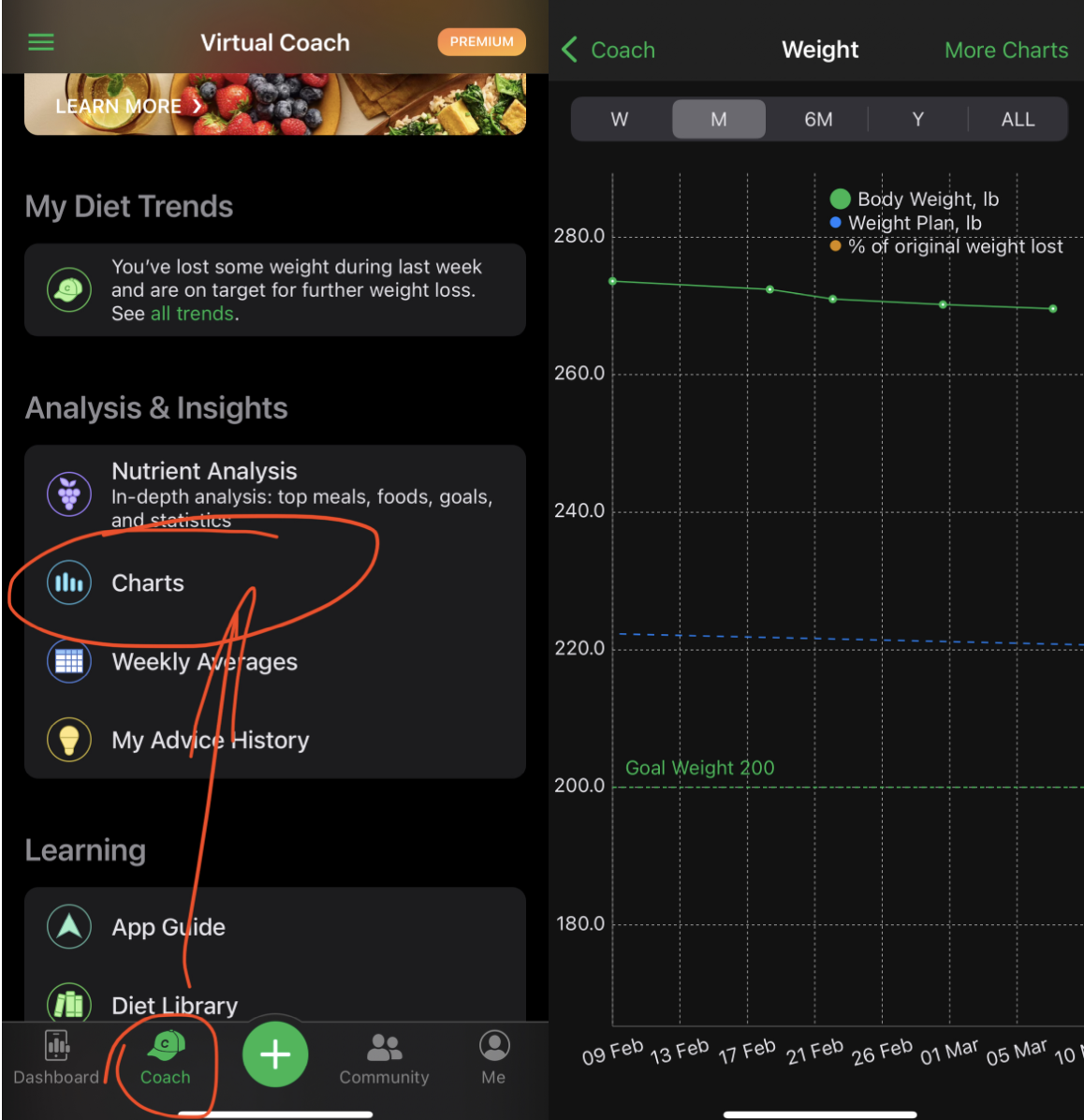
On the iPad app, the 'Chart' option is located in the left-side menu, which is opened by tapping the '<' icon on the top-left corner.
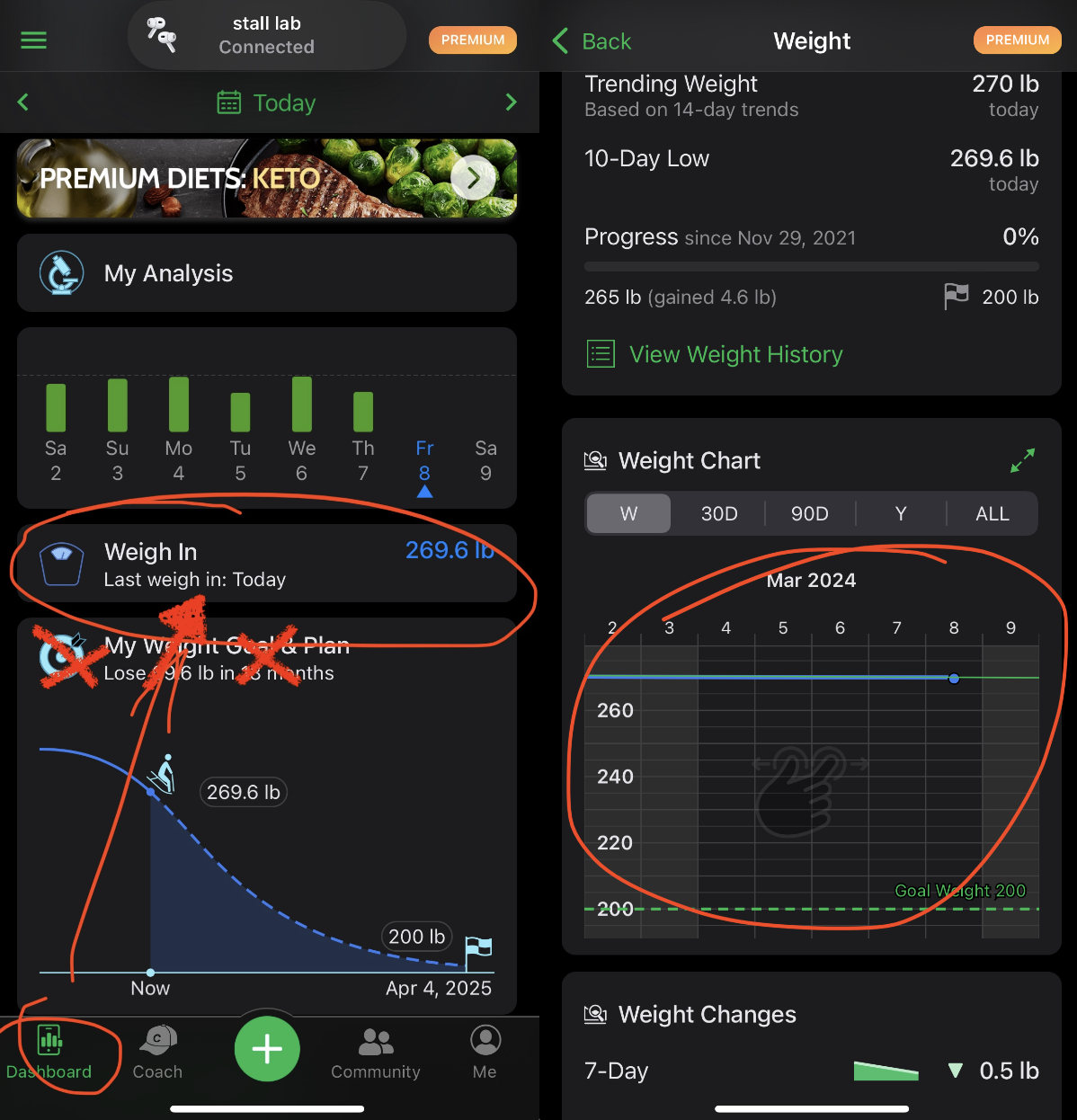
The 'Weigh In' menu of the iPhone, iPad, and Android apps opens the screen to log the last weigh-in. Below, you can access the Weight Chart as well.
On the website, you can view various charts — including two types of weight charts — by visiting the Analysis page.