Creating and sharing PDF reports is free in both the iPhone and Android apps. Generating reports from the website’s Analysis page requires Premium.
Sending reports on iOS
On iPhone, open Diet Tools > Reports & Summary Emails > PDF Reports. Choose the date range and report type, then tap Prepare Report. Tap the Share icon in the generated PDF and choose an available app or destination, such as AirDrop, Messages, Mail, or WhatsApp.
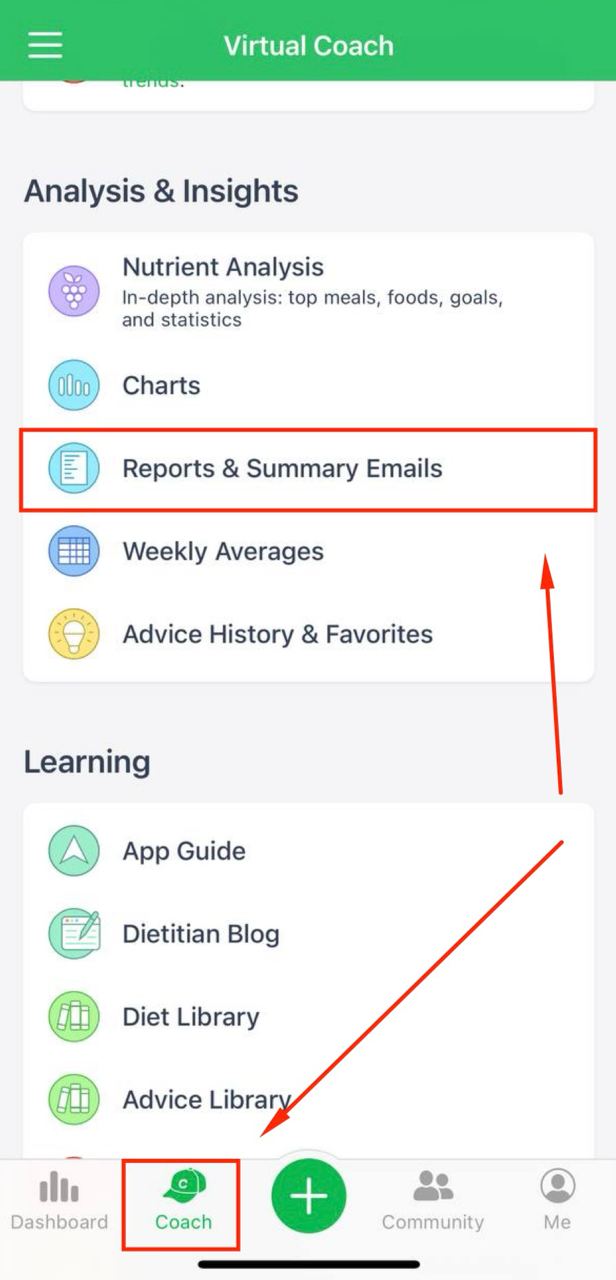
In the iOS version, users who enabled the BG & Diabetes Tracking feature can open the BG Patterns directly from the same menu and use Report Email button located by tapping 3 dots in the upper right corner.
Sending reports on Android
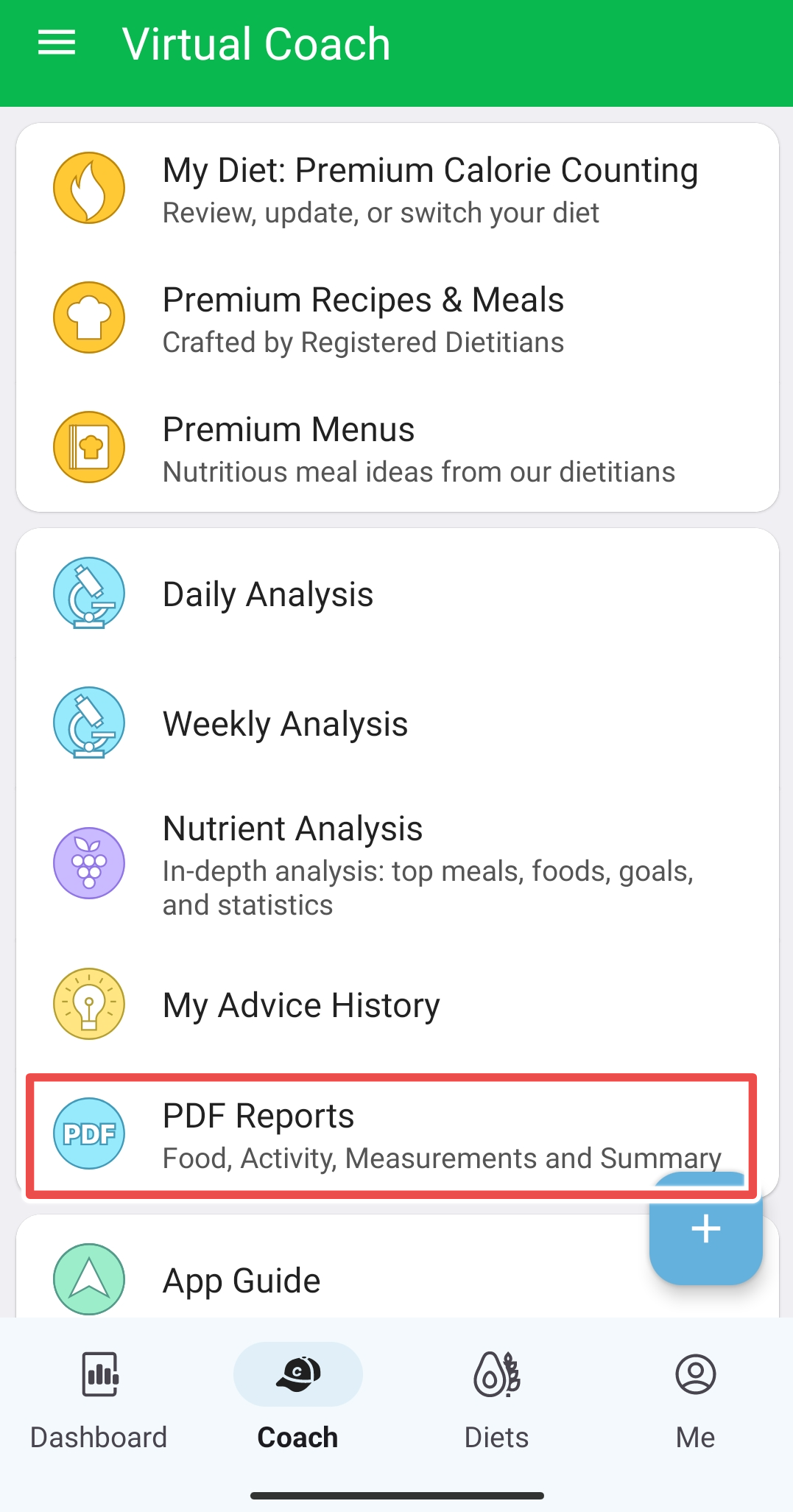
On Android, open Diet Tools > PDF Reports. Choose the date range and report type, then tap Share Report and select an available app or destination, such as Gmail or WhatsApp. To preview the PDF first, tap View Report.
Sending reports with the website
On our website you can save the report as a PDF or Excel file from the Analysis > Multi-Day Reports page or any of the various available reports and charts, including Data Export and email it to someone.