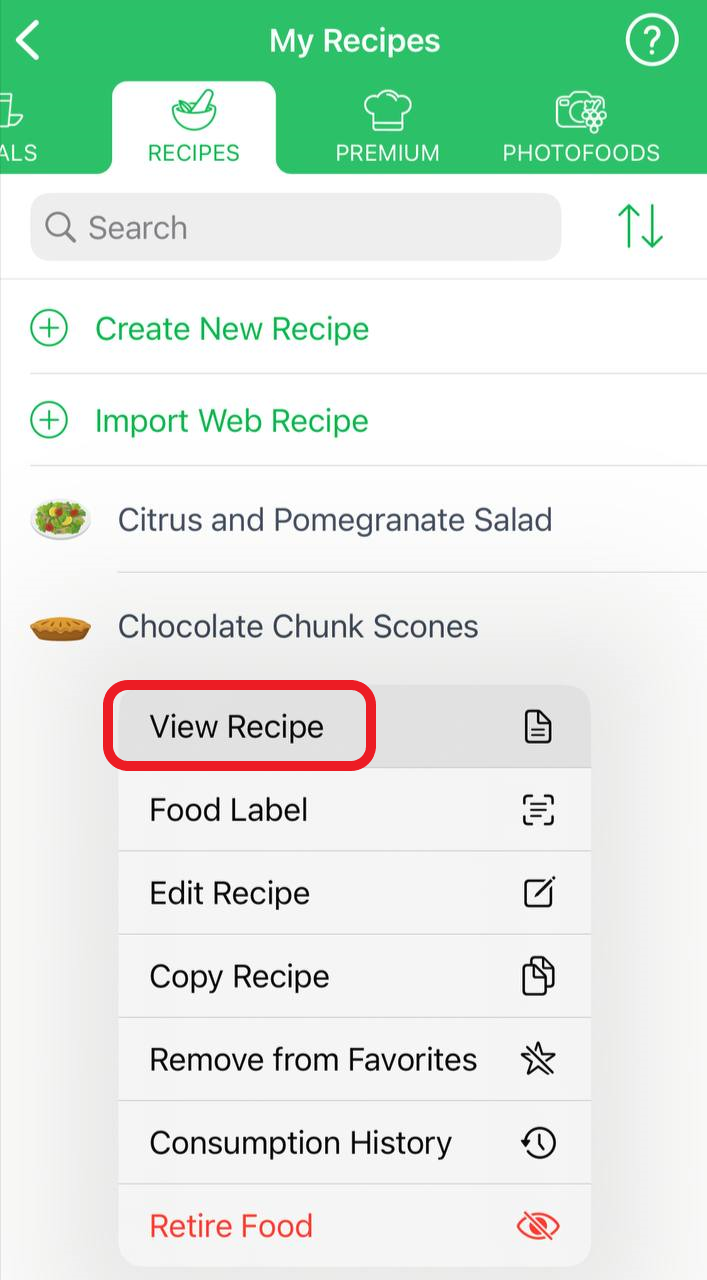
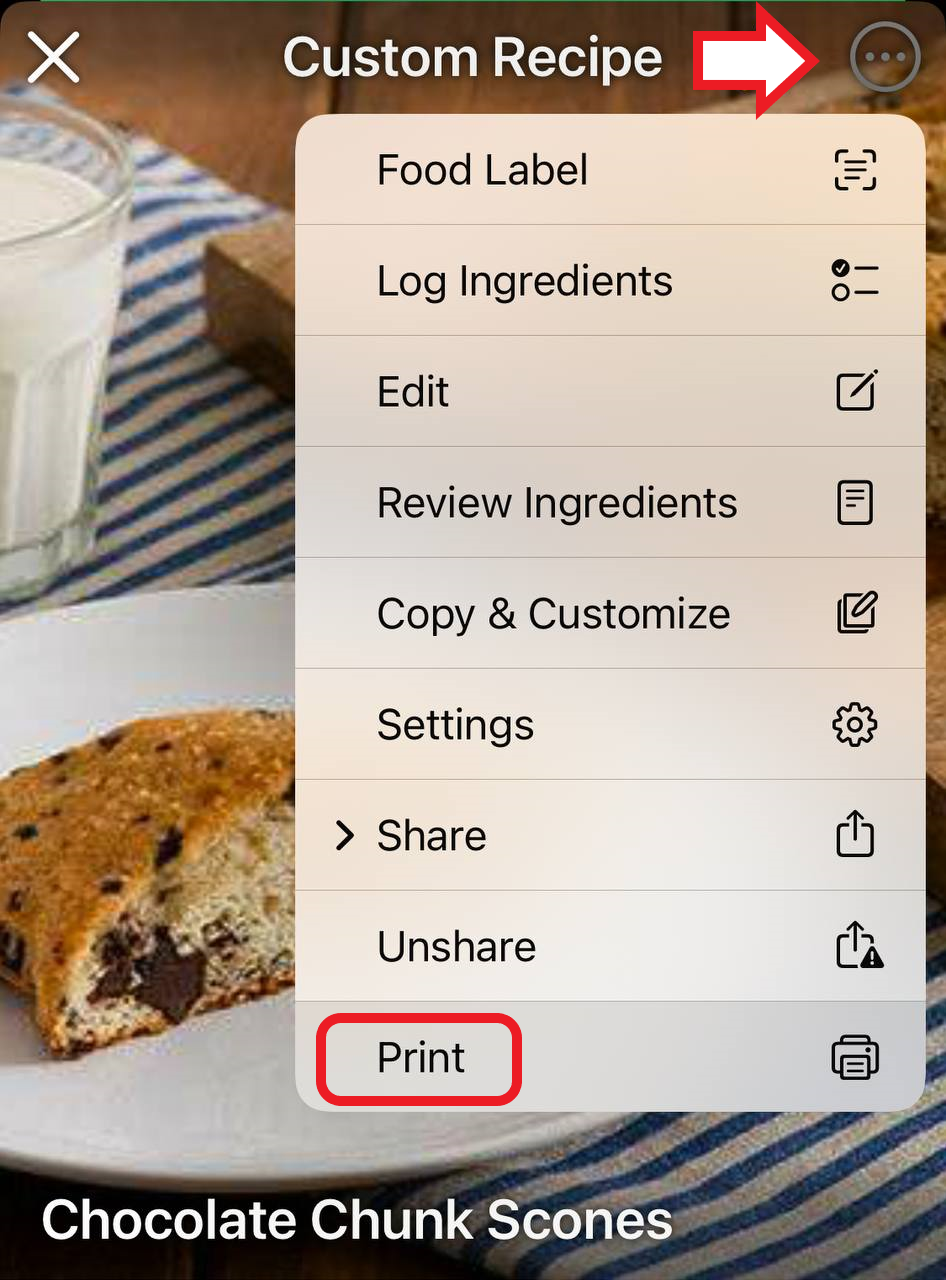
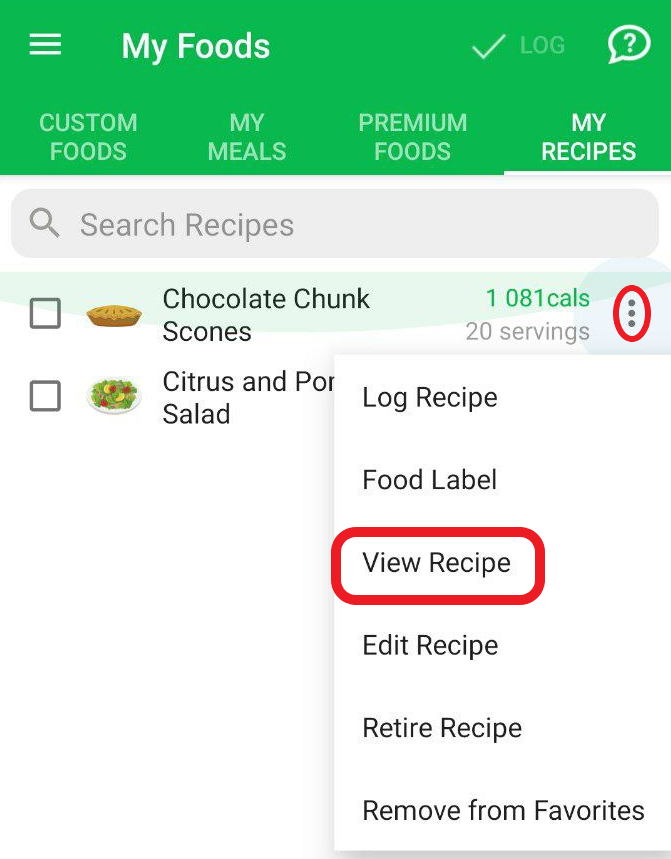
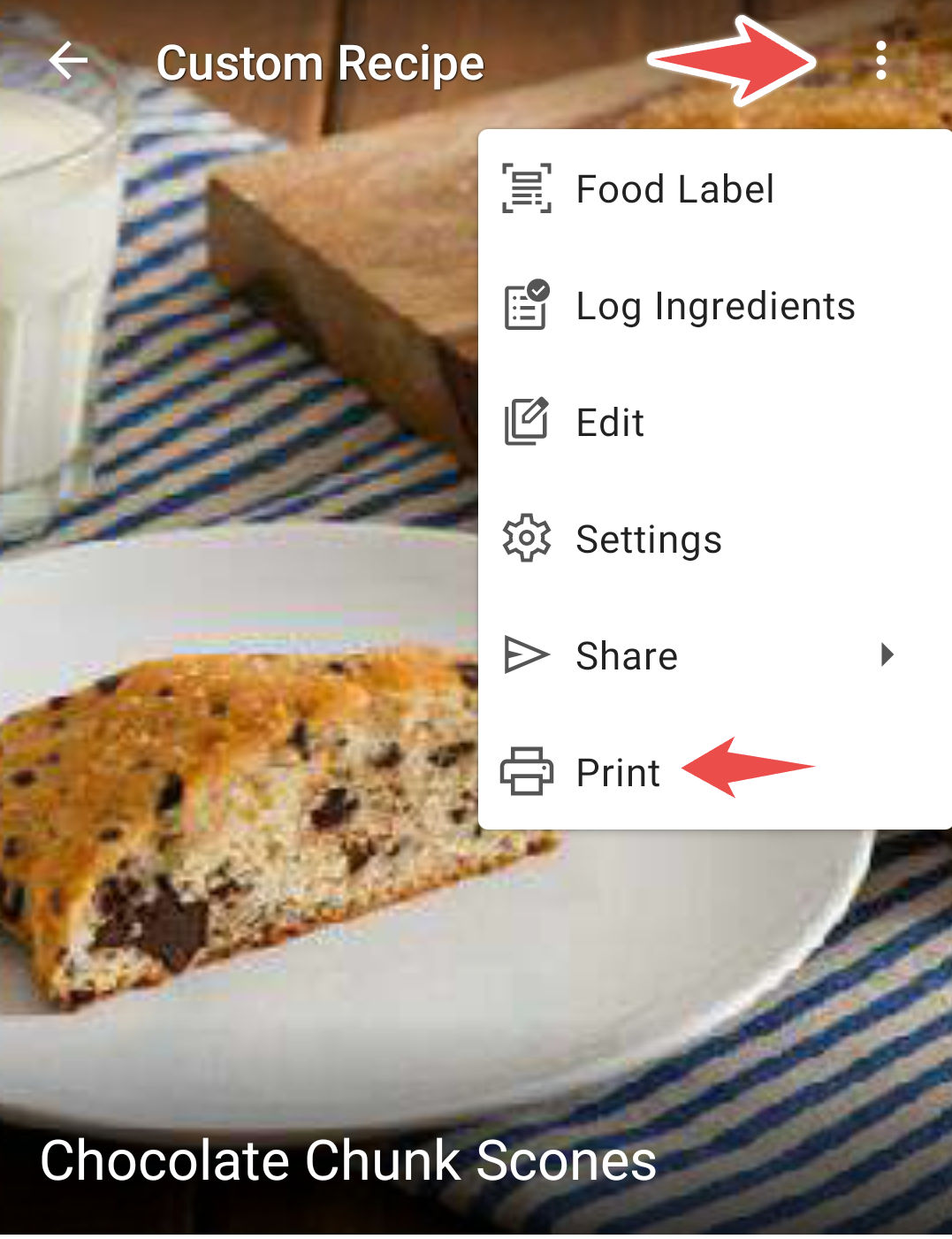
To print a recipe in the mobile apps, open it through Manage My Foods under the Me tab. On the website, go to My Foods from the Food webpage and open the My Recipes catalog. Click the three-dots icon next to the recipe, select View Recipe from the popup menu, then click the Print button.
Mobile apps
To print a recipe, you need to open it through Manage My Foods under the Me tab. Here is how it looks on iOS:
and on the Android version:
Website
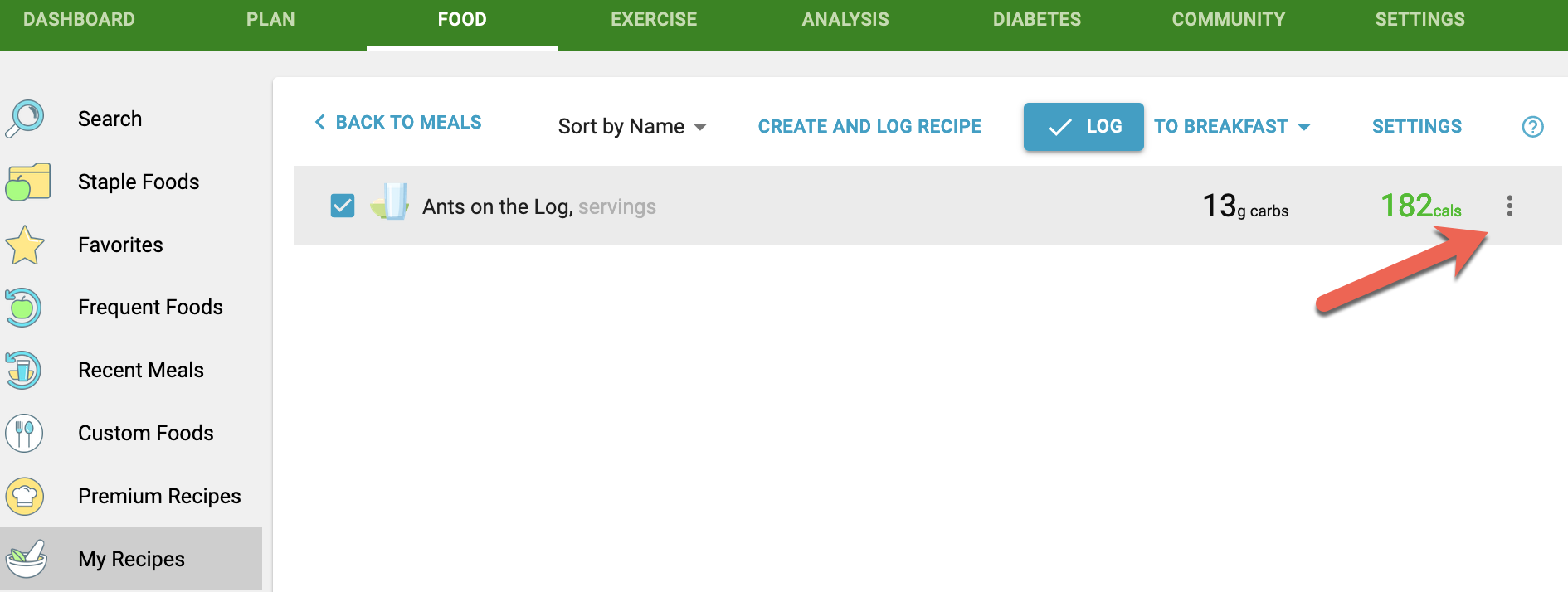
To print a recipe from the computer, go to the website, access My Foods, from the Food webpage and open the My Recipes catalog. Click the three-dots icon next to the particular recipe,
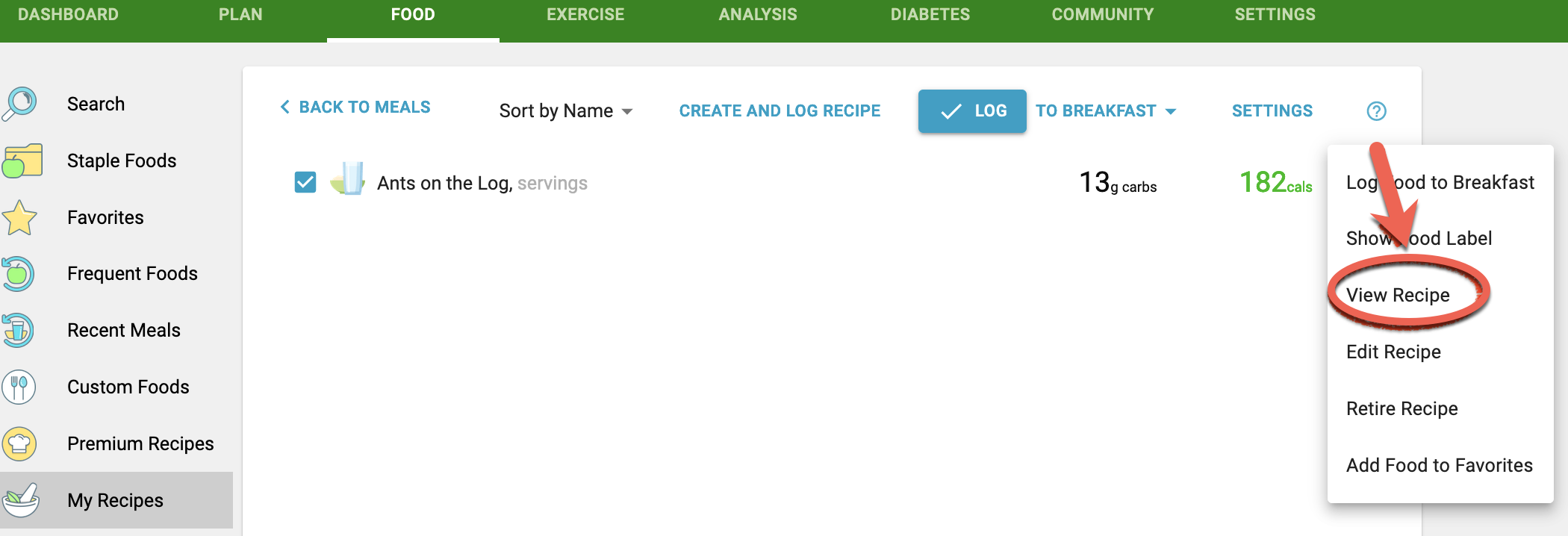
select the View Recipe from the popup menu,
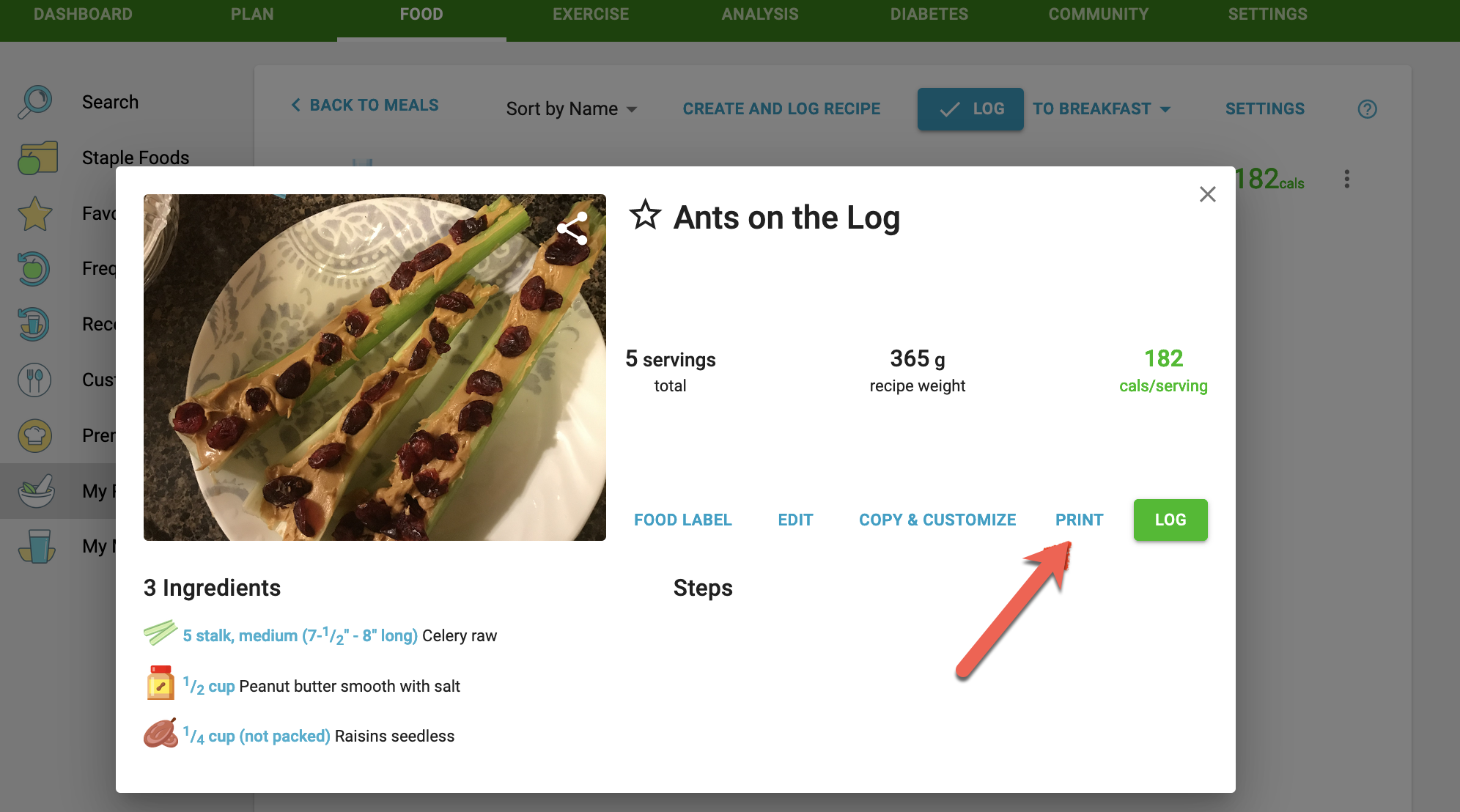
and then click the Print button:
Was this article helpful?
25% of 8 readers found this helpful.
Did Not Find It?
Email support@mynetdiary.com or send a request from the app under Me, then Support. Most replies within one business day.