Users can share their food diary, step count, water intake, and exercise routines with friends within the “Community" tab.
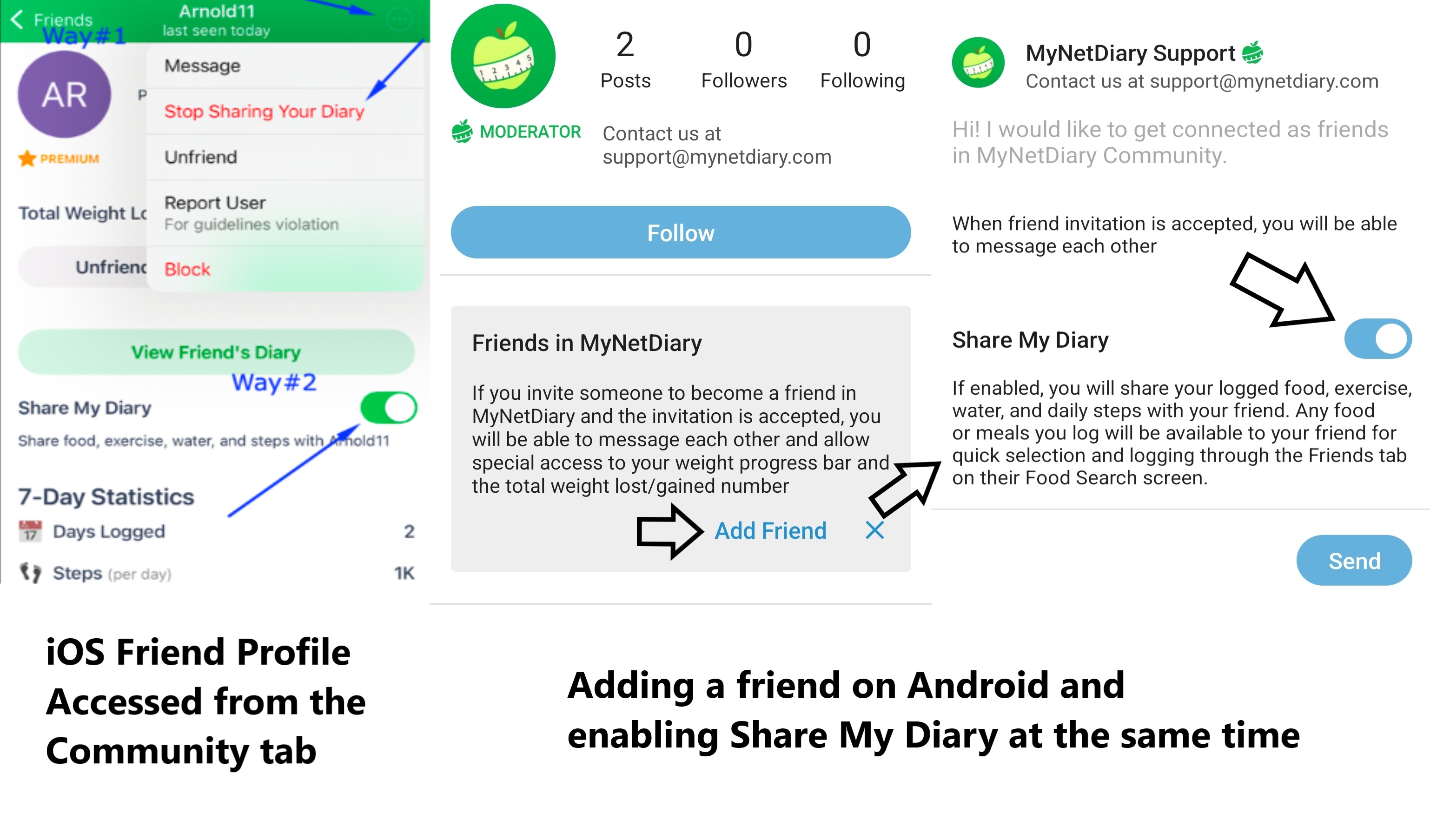
To do this, the user needs to have at least one friend in the Community and enable the "Share Food Diary" setting in their profile and in the profile of their friend. The process is the same on both the Android and iOS versions. Please note you can enable the setting immediately when adding a Friend or later, when the user accepts friendship and appears in your friend list.
Please note that in the food log (Friends tab), your friend's meals are always displayed only for the last 3 days.
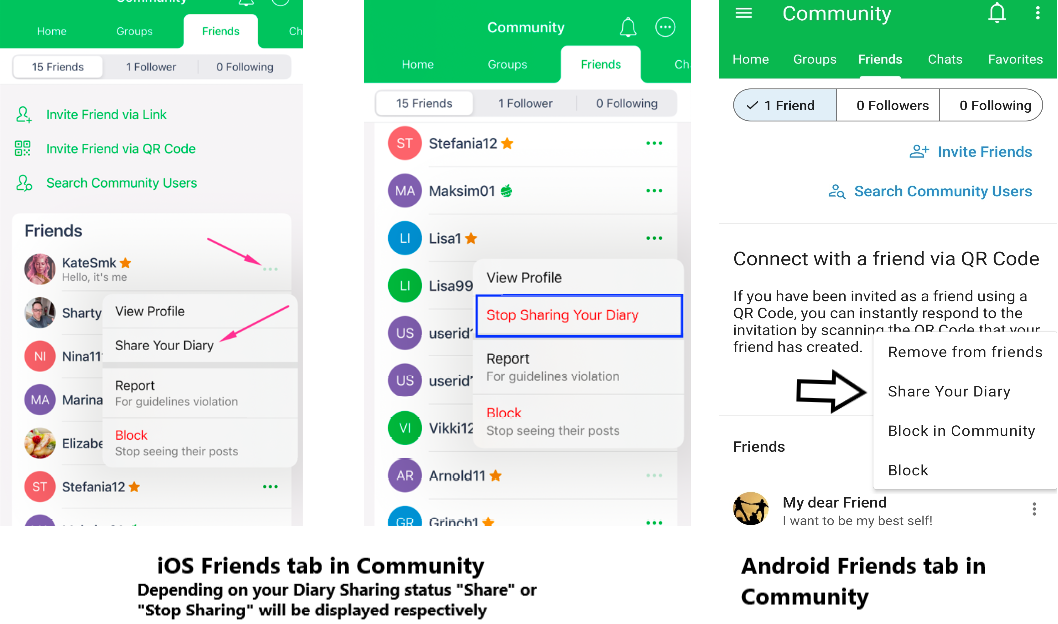
You can also enable and disable meal sharing the same way by tapping on three dots next to your friend's profile.
To view and copy your friend's meals to your food log on iOS version, you can access the Friends" tab during the food search or directly from your friend's Community Profile by tapping View Friend's Diary on their profile screen.
On the Android version - open any meal on your dashboard (Breakfast for example) - tap on the plus button or Find and Log Food - scroll the screen to the right to find the Friends tab.
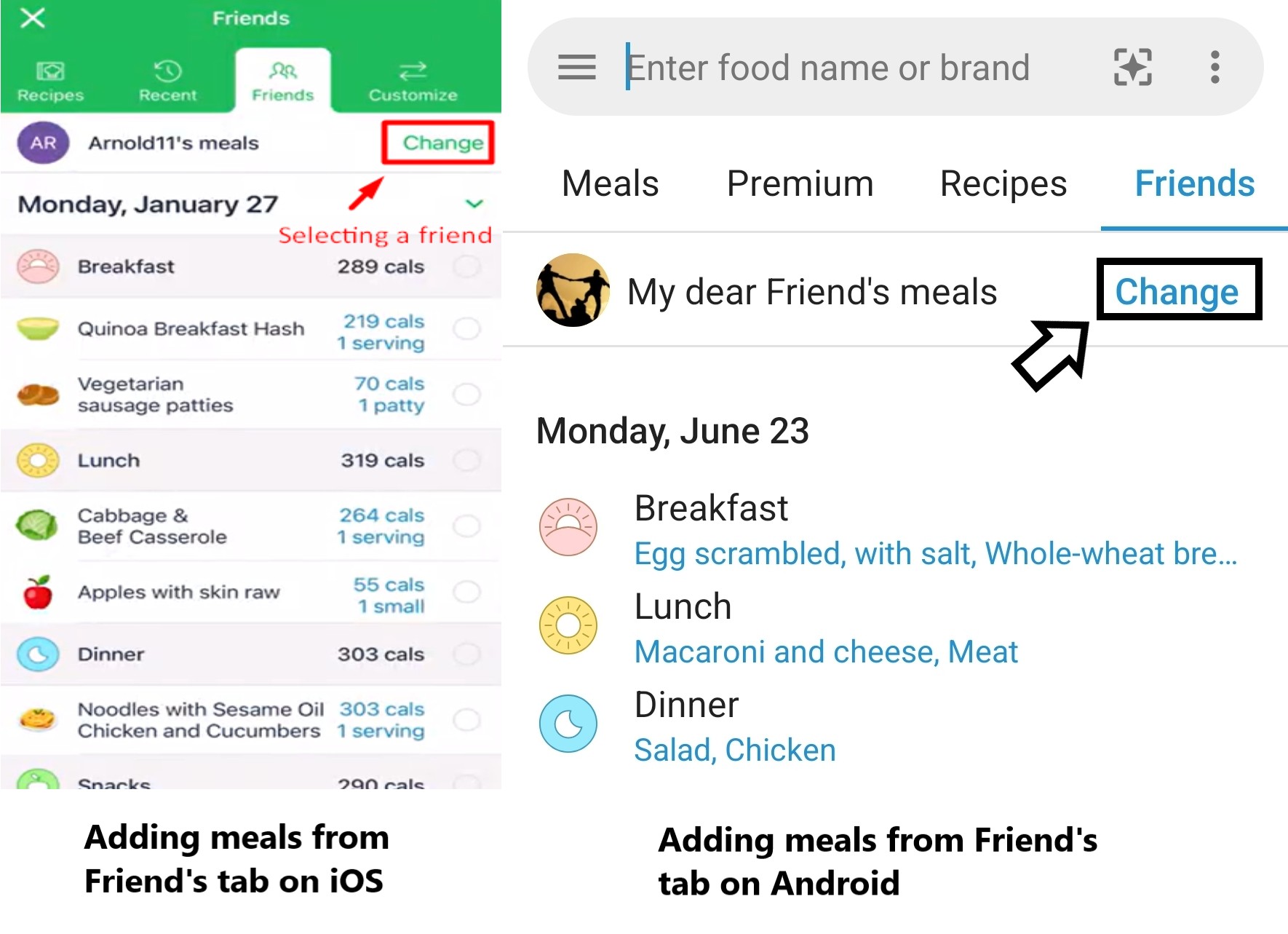
Tap Change when adding meals during the food search to choose a different friend's diary.