Whoop is a popular tracker that allows users to track their performance and training goals.
While there is no way to connect Whoop with MyNetDiary or PlateAI directly, it is possible to establish a one-way connection between the apps via the Apple Health app. Whoop can write data into these apps, which can be subsequently read by our app.
To connect Whoop with Apple Health, please open the Whoop app, open App Settings - Integrations - Select Apple Health at the top of the page, and tap Connect to follow the prompts.
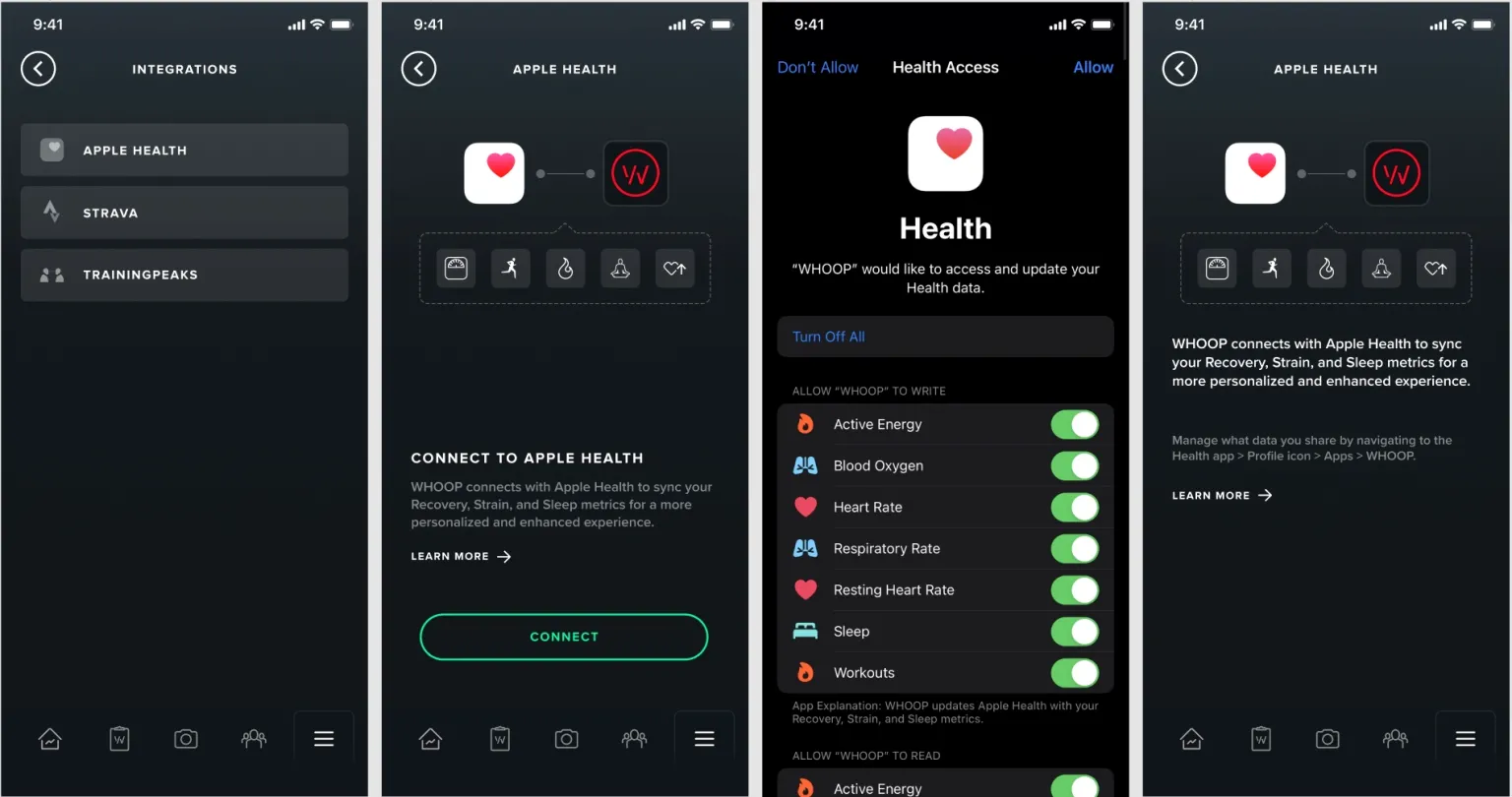
Assuming the connection is established between MyNetDiary or PlateAI and Apple Health you should be receiving the data from Whoop.
Whoop can import the following data to MyNetDiary or PlateAI via Apple Health:
- Workouts (e.g., running, cycling, strength training)
- Active Energy (calories burned)
- Steps (if enabled in WHOOP settings)
- Heart Rate (during activities like Sleep, Running, Tennis, etc.)
- Sleep
For any further questions regarding Whoop functionality and its sync with Apple Health, please reach out to Whoop Support.