Runkeeper is an app popular with people looking to track their walking, running, or cycling activity and improve their performance.
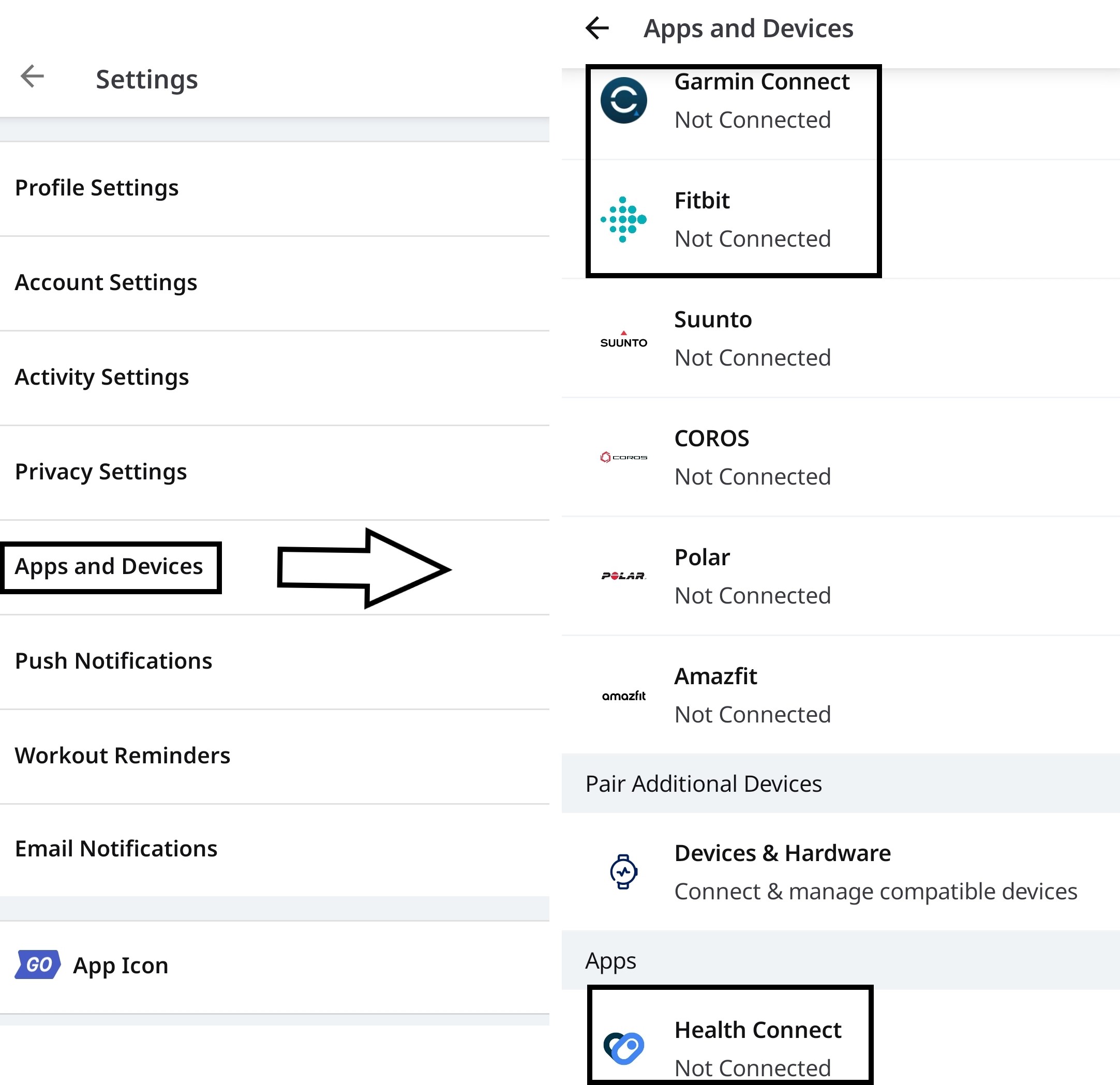
While there is no way to connect Runkeeper with MyNetDiary and PlateAI directly, it is possible to establish a one-way connection between the apps via Health Connect, Garmin or Fitbit. Runkeeper can write data into them which can be subsequently read by our apps.
Please note: Runkeeper will NOT read data added in the apps by any source.
To link Runkeeper with one of the trackers, access the Me tab - tap the 'gear' button (Settings) and choose Apps and Devices - tap Health Connect, Garmin or Fitbit .
Please note: only walking, running, or cycling activity can be synced this way AND only if the workout/activity in question provides a visible amount of calories burned.
For any further questions regarding Runkeeper functionality and its sync with trackers, please reach out to Runkeeper Support.