Our app can "read" the Blood Glucose data from the iOS Health app. Our service does not support direct "reading" with any glucometers yet.
You have an iPhone device
- Try to connect your glucometer app to iOS Health;
- Link our app to iOS Health.
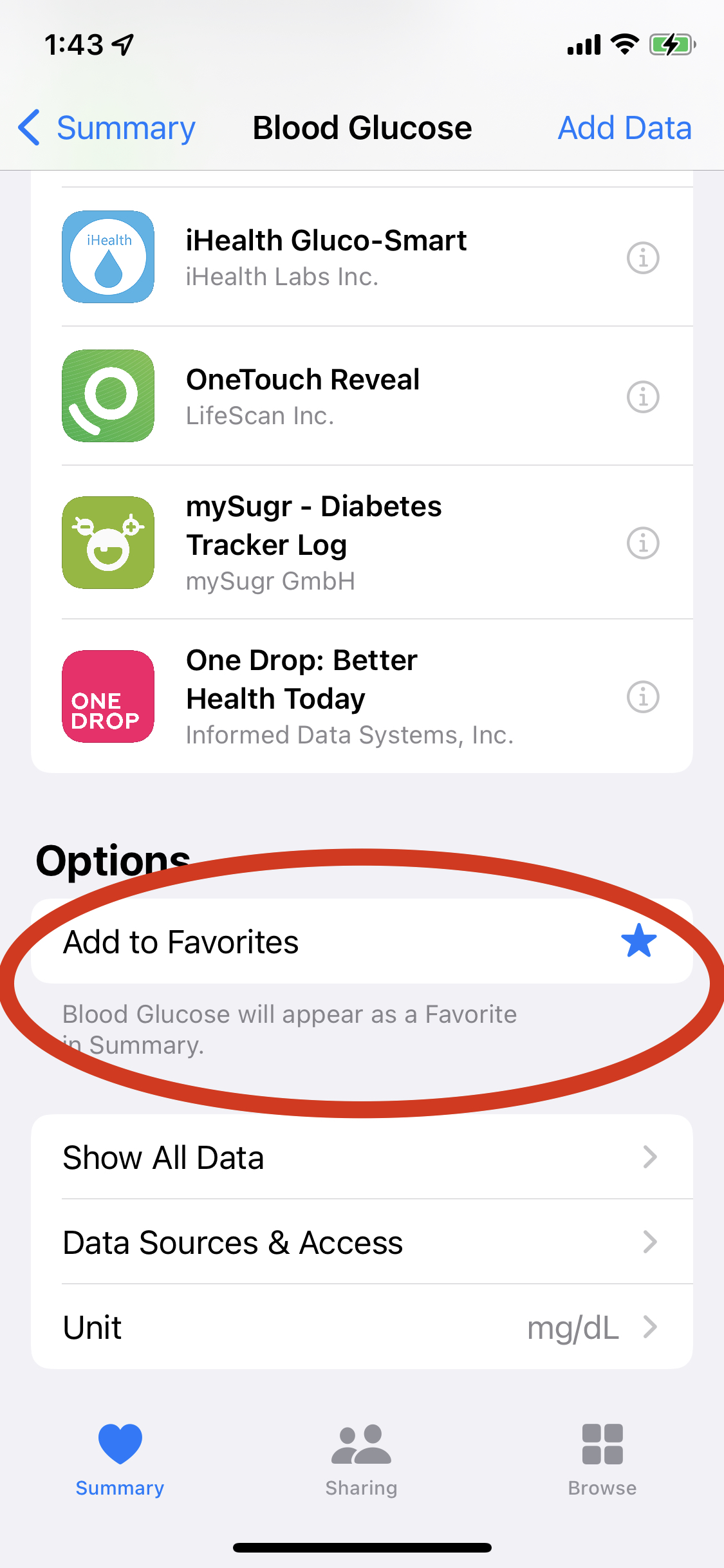
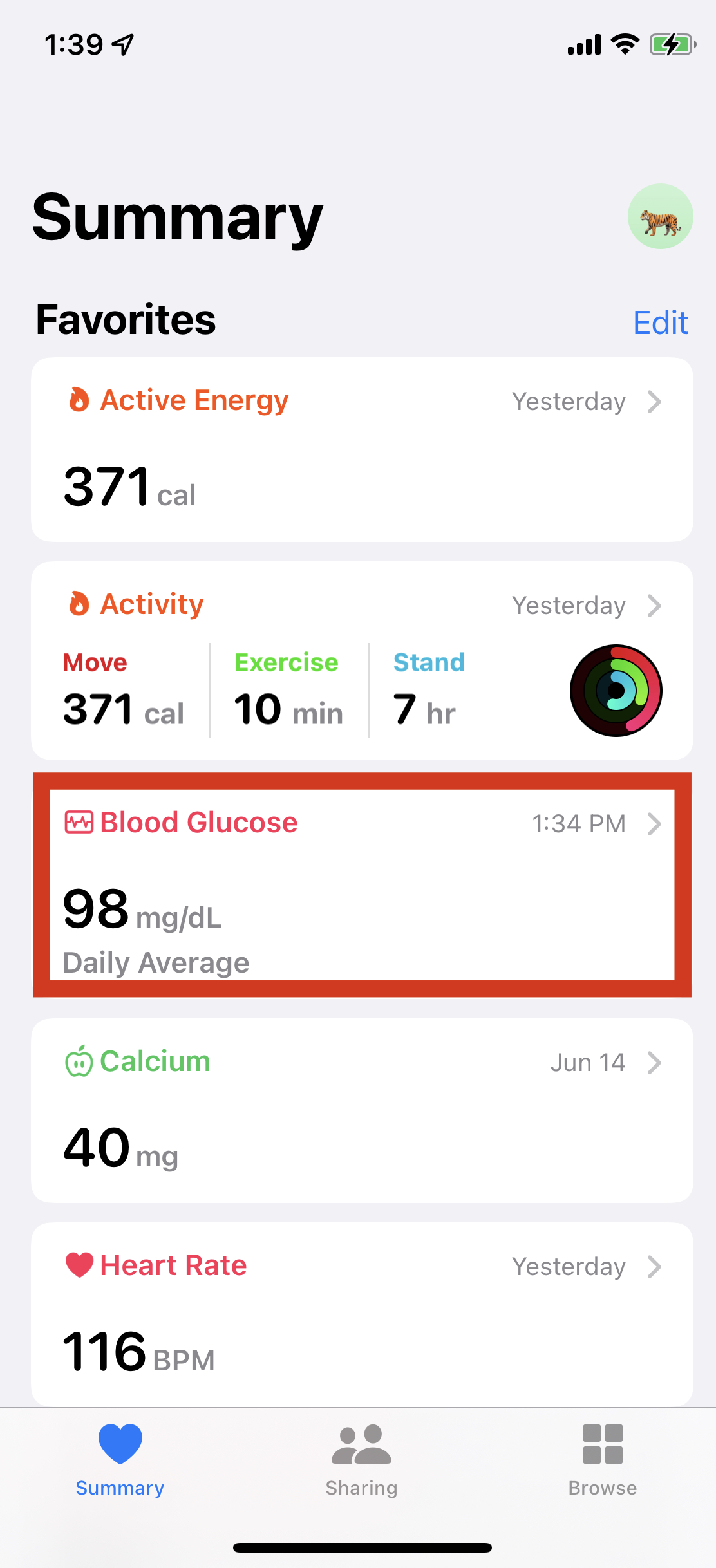
Measure your sugar level a few times and tap the Blood Glucose item from the Summary screen of the Health app:
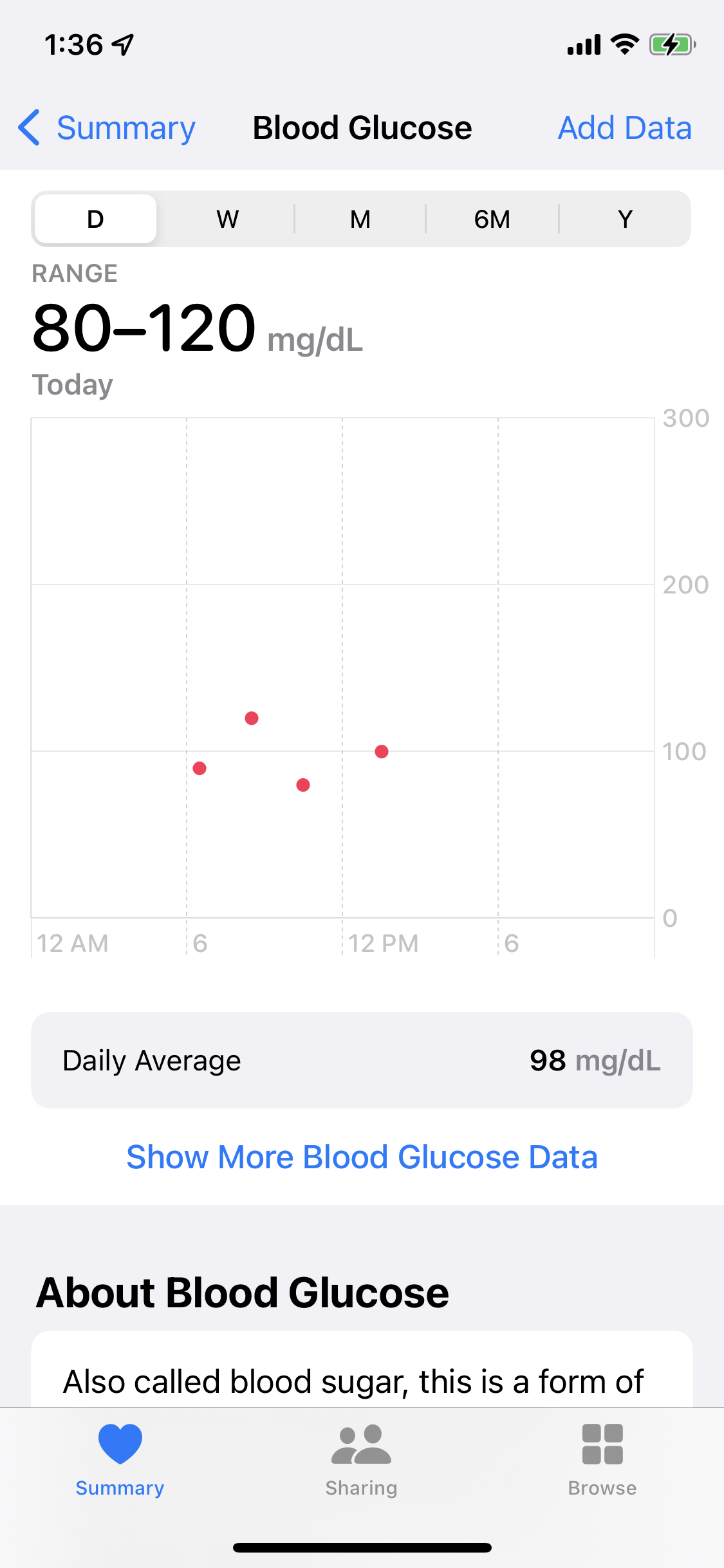
You will see the appropriate dots on the chart of the Blood Glucose screen:
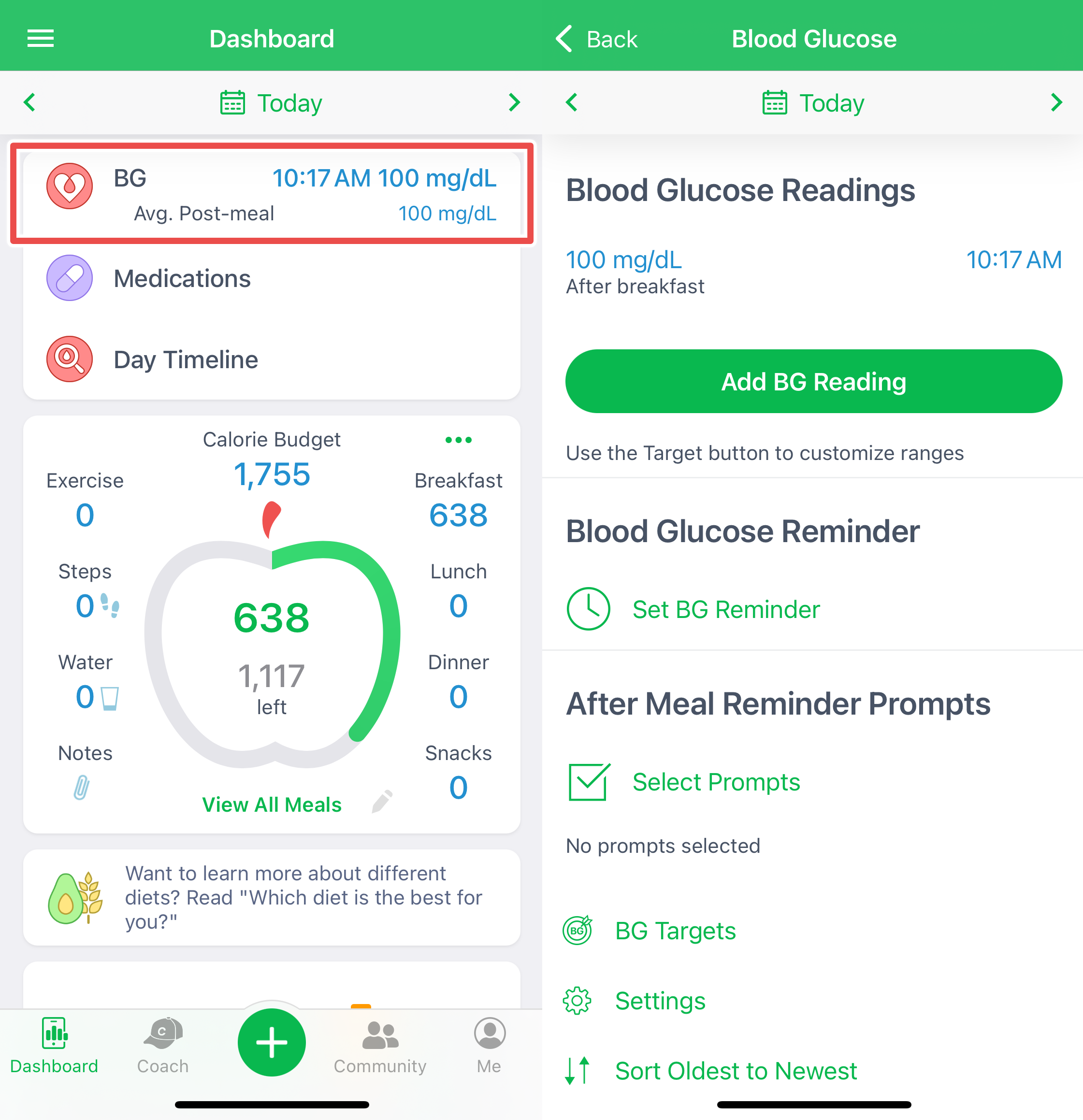
Open our app from the iPhone, and you will see that these records automatically appear on the Blood Glucose screen:
You have an iPad device
Apple now includes the iOS Health app on iPads by default. If it's missing, download it from the App Store. Once installed, link it with our app. If your glucometer app supports Apple Health, you can sync it directly on the iPad—no iPhone needed.
You have an Android smartphone or tablet
Some glucometer vendors may support syncing with the Health Connect hub. Please try to link the third-party app via Health Connect.
For legal reasons, the Insulin Doses tracker is not yet included in the list of trackers available for syncing with Apple Health and Health Connect.