On the Android app, when creating a new custom food, if you choose “Enter nutrients manually before logging the food,” you'll see a limited nutrient list by default — typically including only macros and the vitamins and minerals you currently track.
If some nutrients are missing, it’s because only the ones you’ve enabled for tracking are shown on the Food Nutrients screen. To display the full list of nutrients for manual input, tap the dropdown at the top labeled “Edit: Standard Nutrients” and switch it to “All Nutrients”.
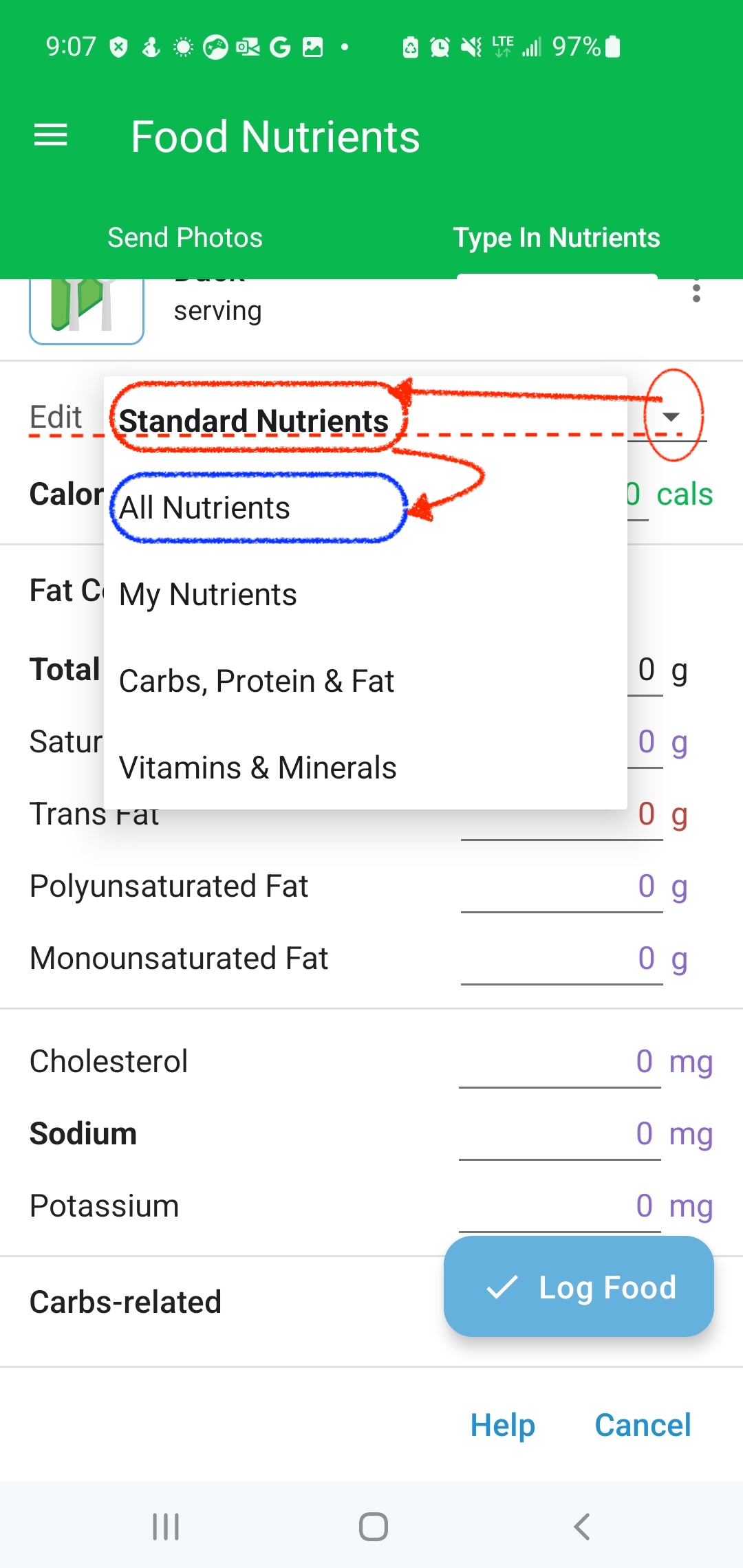
This allows you to enter values for all supported nutrients, even if they aren’t currently selected for tracking.