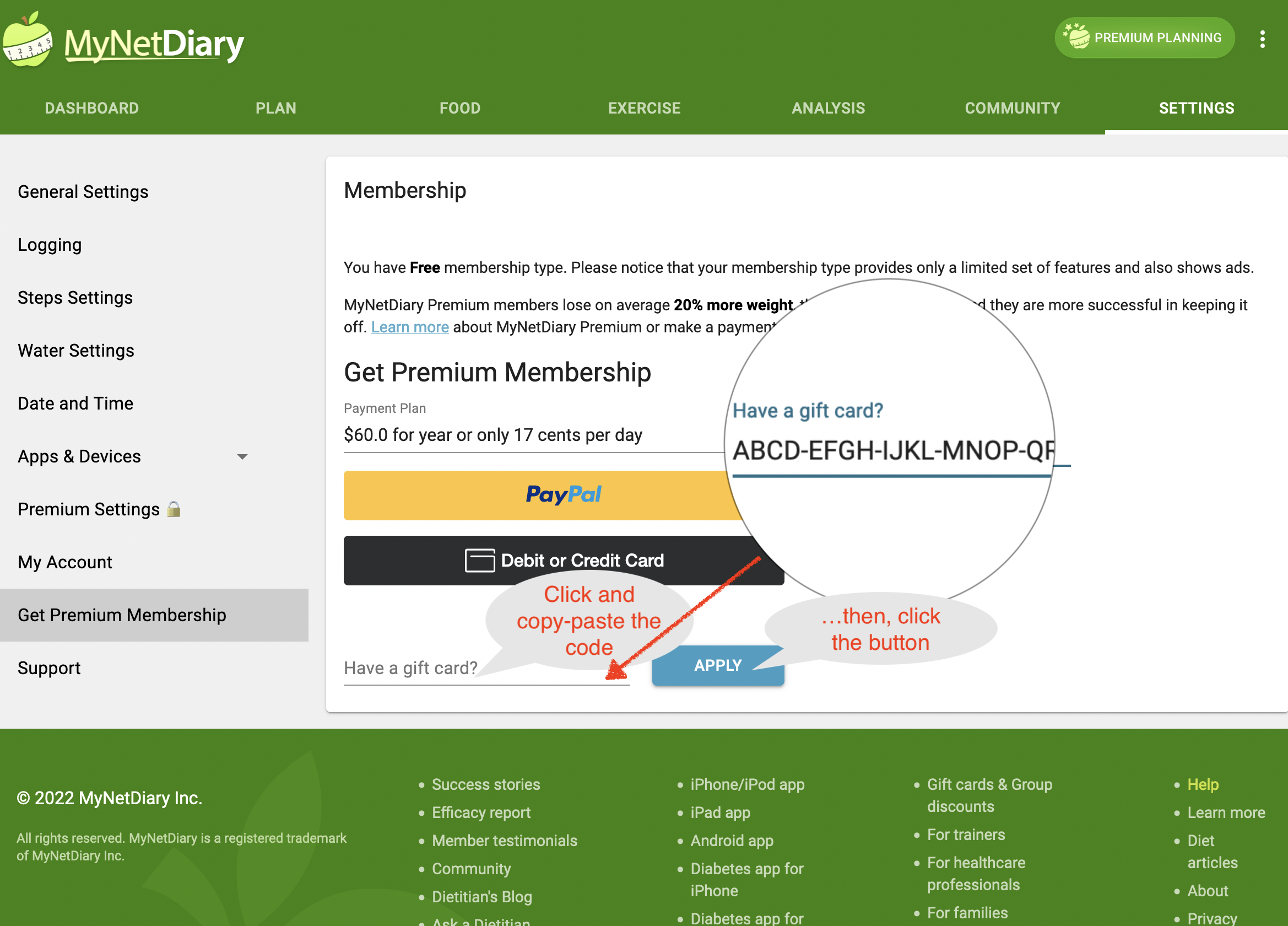
If you have a MyNetDiary Premium Gift Card, you need to apply the code on the www.mynetdiary.com website, as mobile apps are not allowed to process non-Apple/non-Google Play gift cards. You can apply multiple Gift Cards — each one will extend your Premium membership.
1)First, make sure you have created a MyNetDiary account.
Note: When starting with MyNetDiary through a mobile app, creating an account is optional. However, since gift cards must be applied on the website, you’ll need to create an account in the MyNetDiary app, then sign in at www.mynetdiary.com to apply the upgrade. For more details, please refer to the following:
- Article: What is the difference between having the app and having an account?
- Video: Creating MyNetDiary Account
2) Sign in to www.mynetdiary.com with your credentials, then go to Settings > Get Premium Membership. Enter or paste your gift card code into the “Have a Gift Card?” field and click Apply. Your account will be upgraded to Premium both on the website and in the mobile app the next time you open it.