The in-app discounts

On iOS and Android, sometimes, we offer our Premium as an in-app purchase with a discount. The promotional program is working automatically.
Unfortunately, we do not have a technical possibility to tweak discounts for Premium manually for the particular account. The promo appearance depends on many factors (it varies by country, on upcoming holidays of this county, by frequency of using the app, and so on). The offer can show up often, or it may never appear for you.
The website discounts
If you do not wish to wait for the promo to appear in the app, as a workaround, you can purchase a few Gift Card codes via this page. The discount depends on the chosen membership length and the number of Gift Cards for purchase. Use the obtained codes via the mynetdiary.com website, as the mobile app does not have the option to apply them. The user can apply multiple Gift Card codes to the same account; (every time, it will increase the membership length accordingly.) Or he/she may present each Gift Card to friends, family members, coworkers, or clients so that each code will upgrade different accounts to the Premium level.
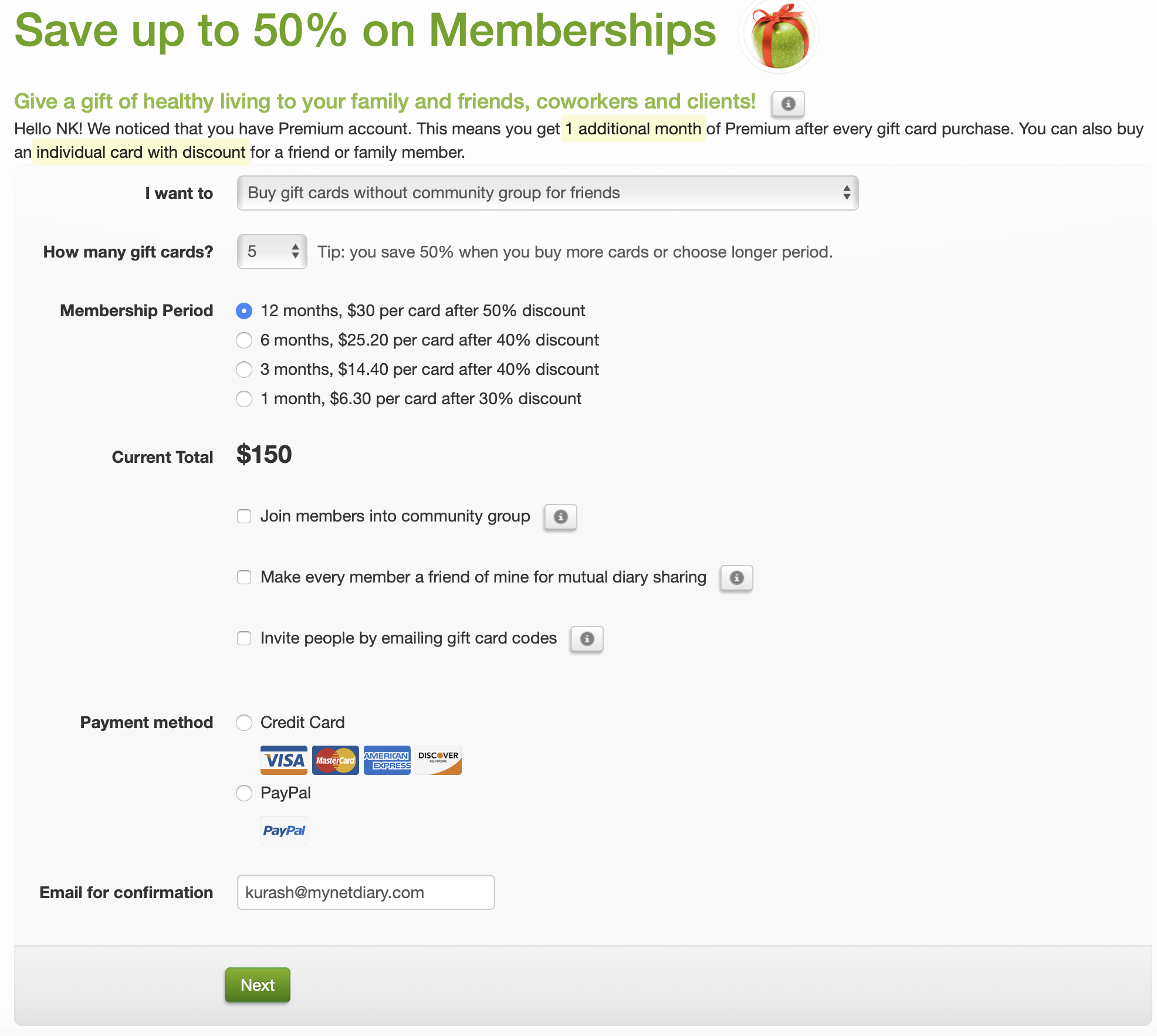
A 50% discount is available while purchasing:
Applying multiple codes to the same account one by one will increase the membership length to the appropriate number of months according to each applied code. Such Premium will automatically downgrade to the Free level at the end of the membership.
To apply the Gift Card code, the user has to:
- Sign-In to the www.mynetdiary.com website with the same credentials as email id and password in the Me section of the mobile app and go to the Settings > Get Premium Membership webpage
- enter (copy-paste) the code into the "Have a Gift Card?" field and click the Apply button. The user will immediately get access to Premium-level features on the mobile app and website. The applied code will adjust the membership length according to the value of the purchase.
Please note we have a special offer available for Healthcare Professionals.
Feel free to reach us at support@mynetdiary.com to discuss other discount opportunities. When you contact us, please include your userid number (found at the bottom of the 'Support & FAQs' screen in the app or at the bottom of the 'Settings' > 'Support' page on the web) and specify the country set in your Google Play or App Store profile, so our support staff can check for any promotions available in your region.