Apple Family Sharing is widely used by many MyNetDiary families. The sharing process depends on Apple confirming subscription access when the family member taps “Restore Subscription”. Once Apple verifies access, our app automatically unlocks Premium.
If Premium does not restore as expected, please review the checklist below:
- Make sure both family members are using the same MyNetDiary app version.
MyNetDiary offers five separate apps: “Calorie Counter Pro,” “Diabetes Tracker,” “Calorie Counter – MyNetDiary,” “Carb Genius – Keto,” and “PlateAI.” Family Sharing works only within the same app version. For example, a subscription purchased in “Pro” cannot be restored inside the “Diabetes Tracker” app. You can confirm which app was originally used by checking your Apple purchase receipt email and matching the app icon.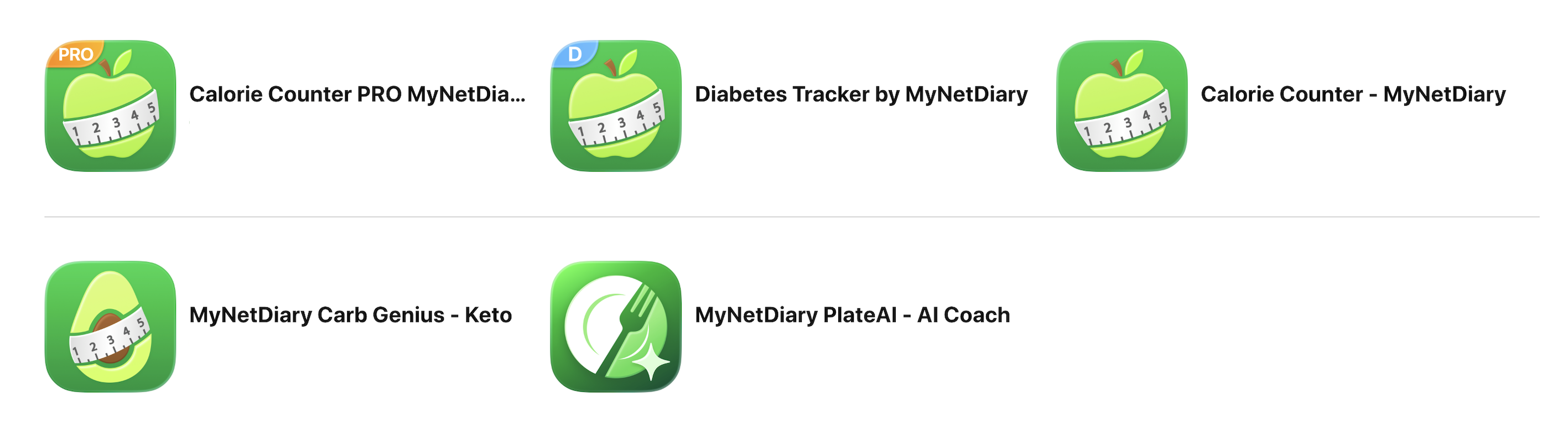
- Family Sharing must be enabled by the purchaser.
The original subscriber must enable Family Sharing in Apple settings and allow subscription sharing. - The family member’s Apple ID must be correctly added and signed in.
The second person’s Apple ID (email) must be listed in the purchaser’s Family Sharing group. Ensure the subscription sharing toggle is enabled and that the correct Apple ID is signed in on the family member’s device. - If the app was originally installed under a different Apple ID, reinstall it.
If the MyNetDiary app was downloaded earlier using a different Apple ID (one that does not have access to the shared subscription), restoring will not work — even if the app version is correct. In this case, the family member should:- Delete the currently installed app
- Sign in to the App Store with the correct Apple ID (the one included in Family Sharing)
- Download the app again
- Open the app and tap “Restore Subscription”
- The subscription must be active.
On the purchaser’s device, go to Settings → Apple ID → Subscriptions. The MyNetDiary subscription must appear in the ACTIVE section. If it appears in the INACTIVE section (even if marked “Expiring…”), it can no longer be restored via Family Sharing. - Both Apple IDs must use the same App Store country.
Important: Apple Family Sharing applies only to the standard recurring MyNetDiary Premium subscription purchased through Apple (monthly or annual).
The following products are separate and are not supported by Apple Family Sharing:
- Lifetime Premium (one-time payment)
- Premium Plus (includes AI-driven features such as AI Coach)
- PlateAI subscription (designed specifically for the PlateAI app)
Standard MyNetDiary Premium purchased through Apple can be shared between family members using the same app version, including: Calorie Counter – MyNetDiary, Diabetes Tracker by MyNetDiary, Calorie Counter Pro, and Carb Genius – Keto.