If you’ve previously used the Lose It! app, you can migrate your workout and weight data into this app using Apple Health (iOS) or Health Connect (Android).
Steps to Enable Data Sharing from Lose It!
- Open the Lose It! app.
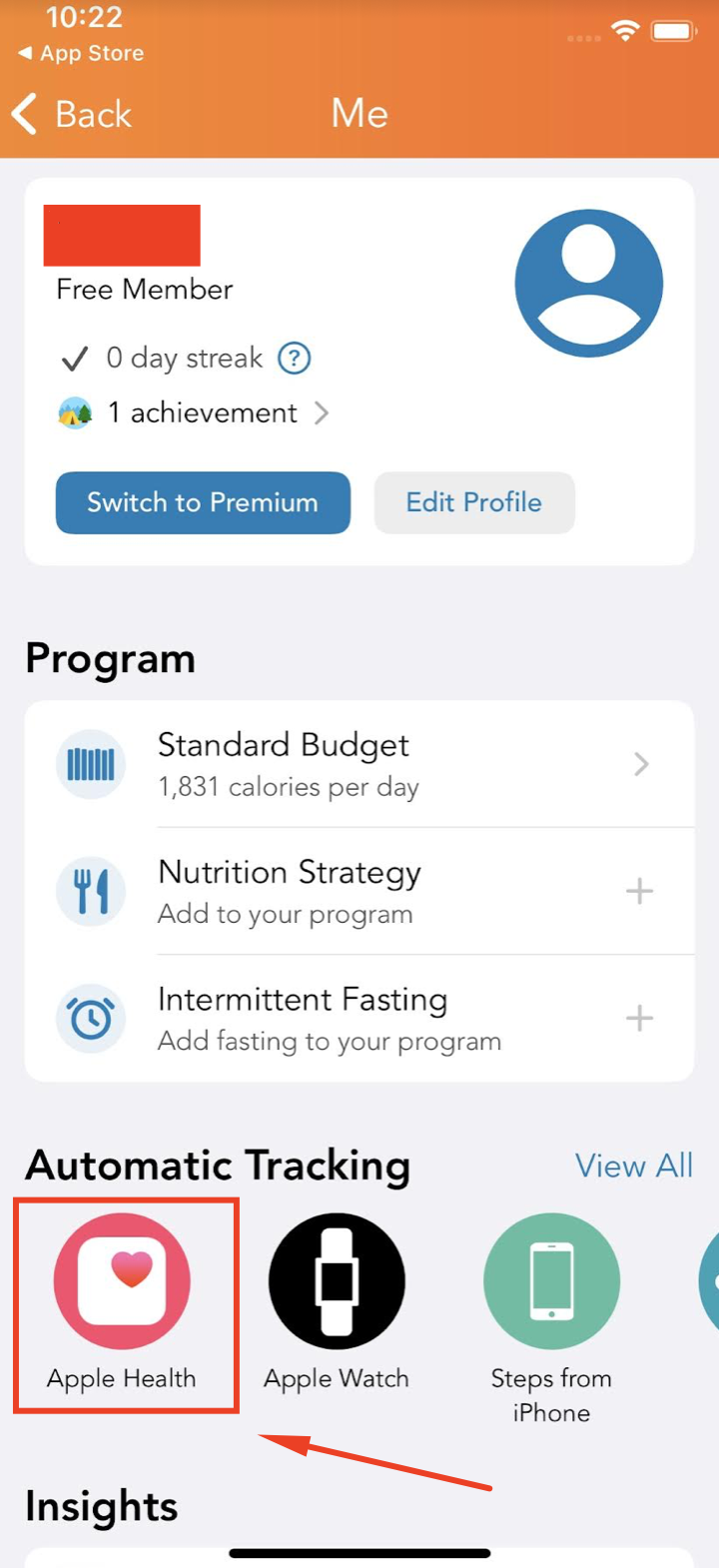
- Go to your Profile (top-right corner).
- In the Automatic Tracking section, select Apple Health (on iOS) or Health Connect (on Android).
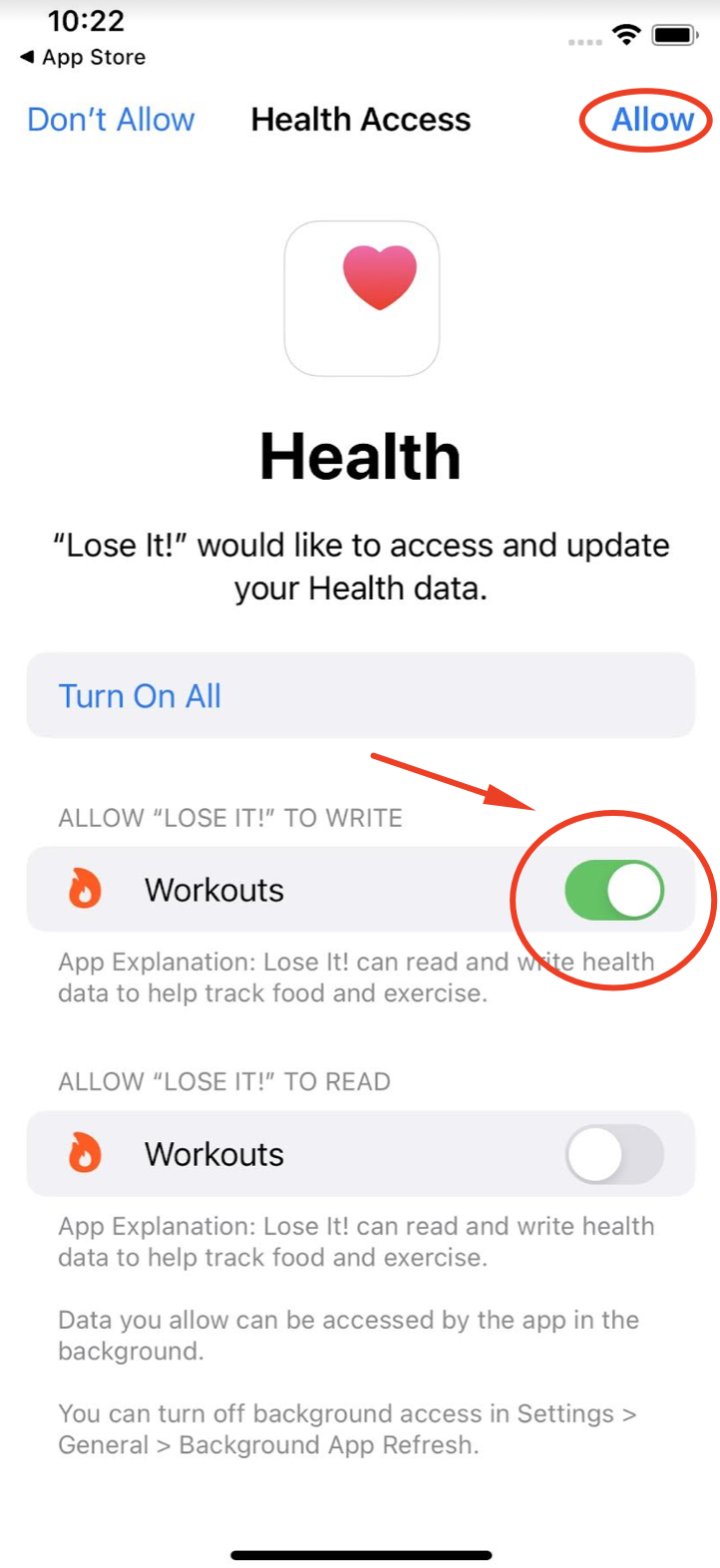
- Allow Lose It! to write data into Apple Health or Health Connect.
It’s recommended to not enable reading data from these services to avoid potential syncing conflicts.
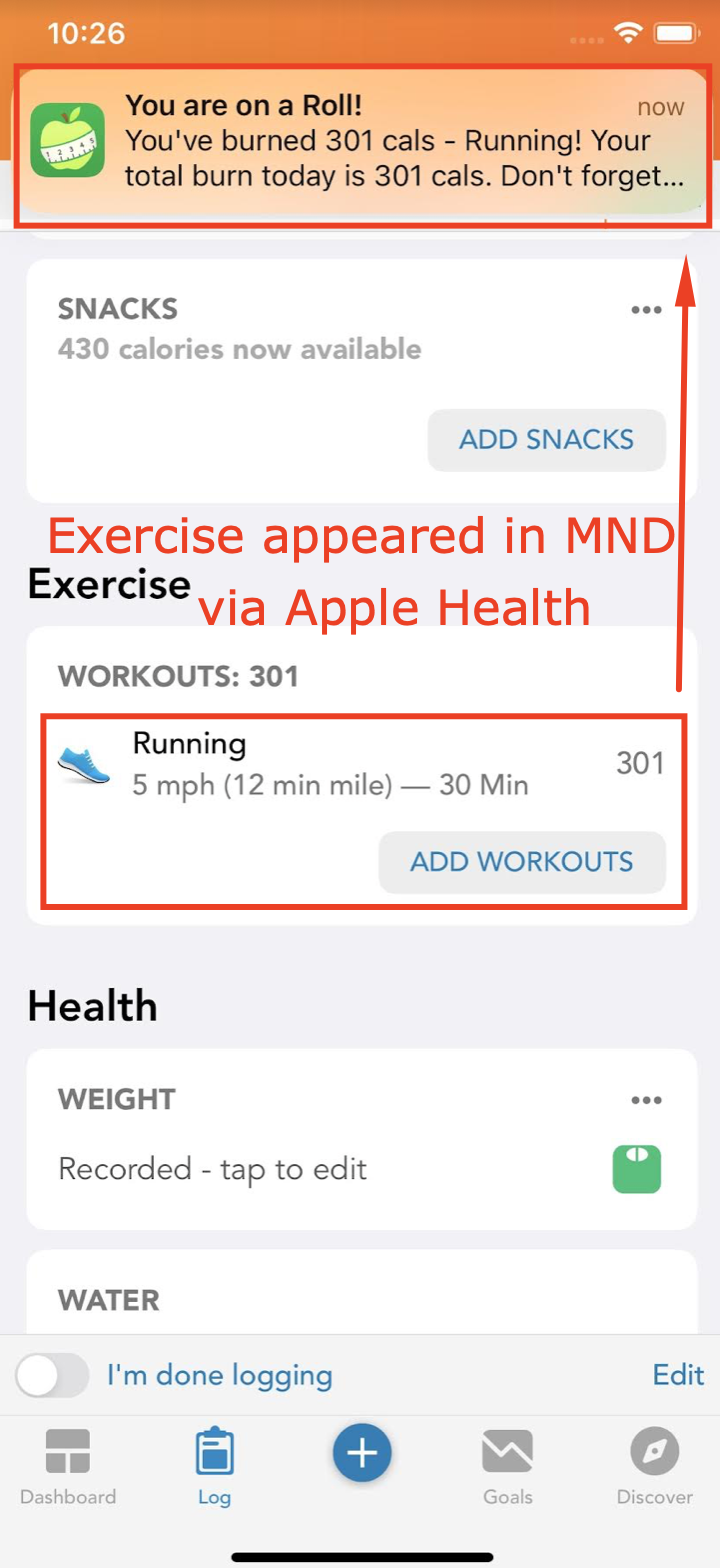
Setting Up the Sync in This App: Once Lose It! is writing data to Apple Health or Health Connect, and you've connected this app to the same health hub, the data should sync automatically. For example, your workouts logged in Lose It! will be imported into your exercise diary here.
Need Help?
- For questions about how Lose It! syncs with Apple Health or Health Connect, please contact Lose It! Support directly.
- If you’re not sure how to connect our app to Apple Health or Health Connect, check out our tutorial video.