If you don't remember your MyNetDiary or PlateAI account, whether you used email or a social sign-in, or if you have an account in the first place, you need to check your app.
Checking Account on iPhone and Android
Unlike other diet apps, MyNetDiary and PlateAI value your privacy and do not require account creation. Account creation does enable important functionality, such as data backup and synchronization with other devices and the mynetdiary.com website, while keeping your data private (MyNetDiary and PlateAI do not share any user data and do not have email "newsletters"). Still, the choice is yours - if you value your privacy more than these features, you can use our apps without an account. See: What is the difference between having the app and having an account?
If you go there and you see the "Create Account" option, that means you haven't created an account yet. It's a great opportunity to create one! See Creating MyNetDiary or PlateAI account for more information.
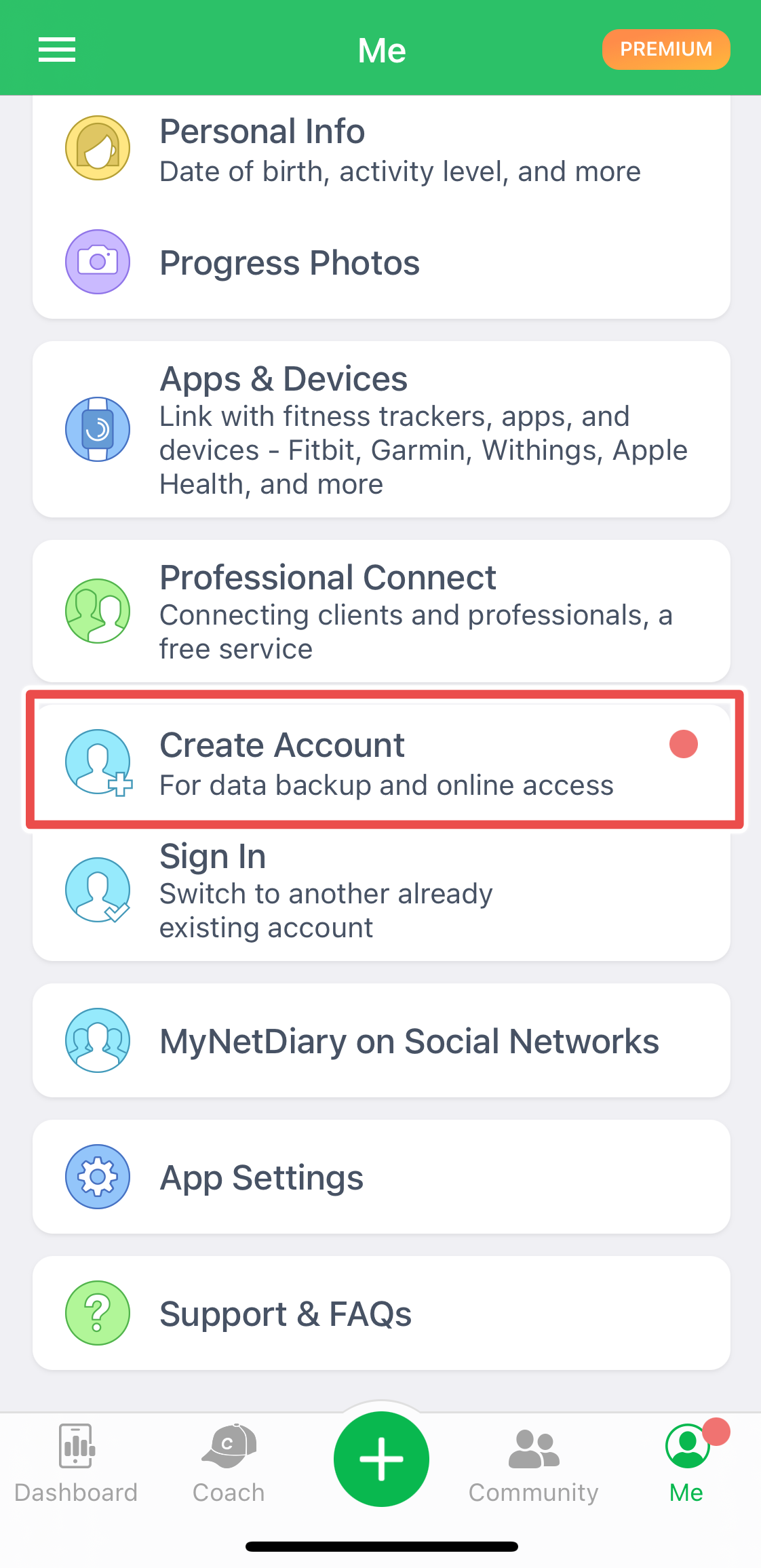
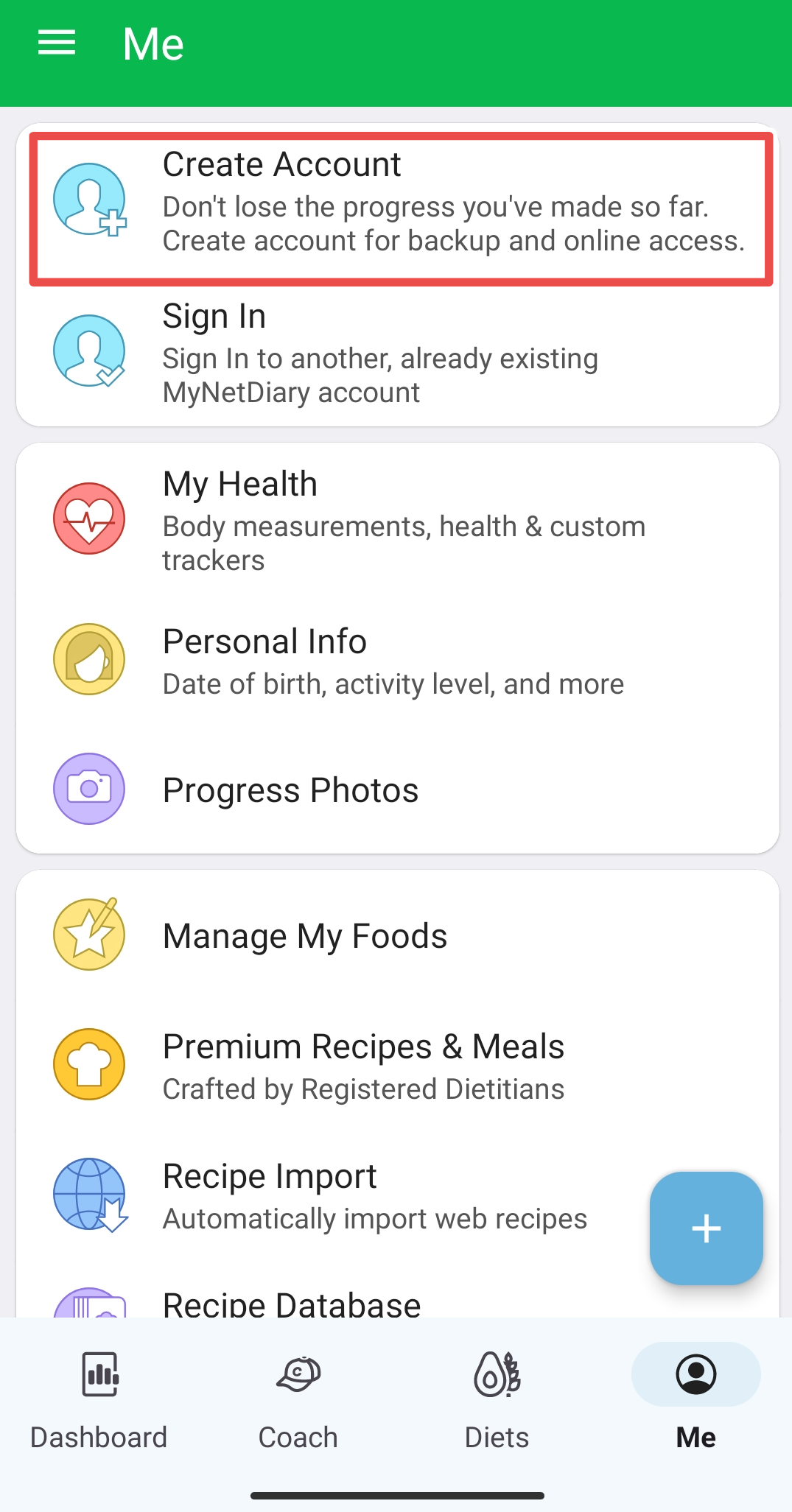
If you don't see such an option, it means you have an account. You will find the email or social service associated with an account in the App Settings - Account under the Me tab.
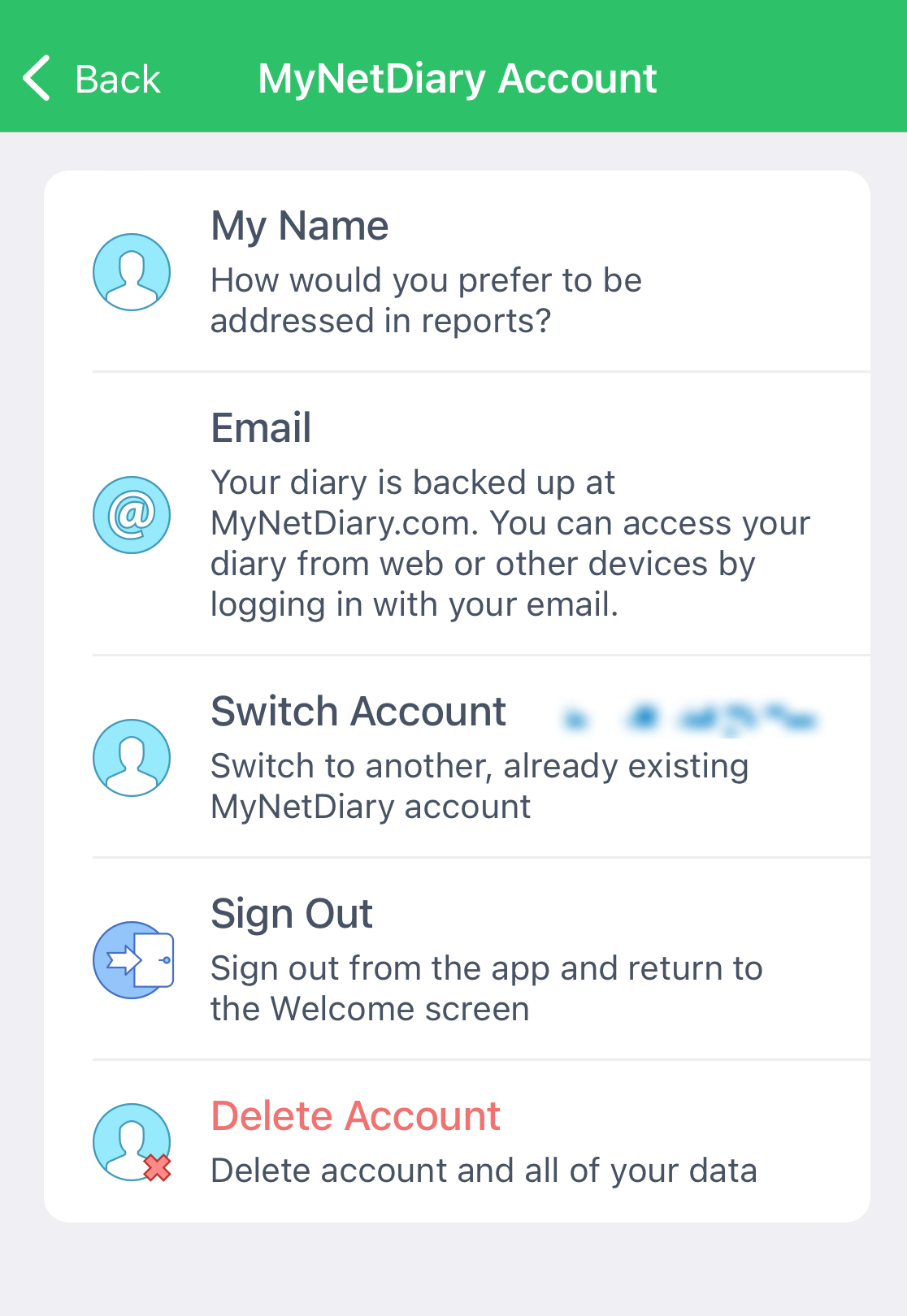
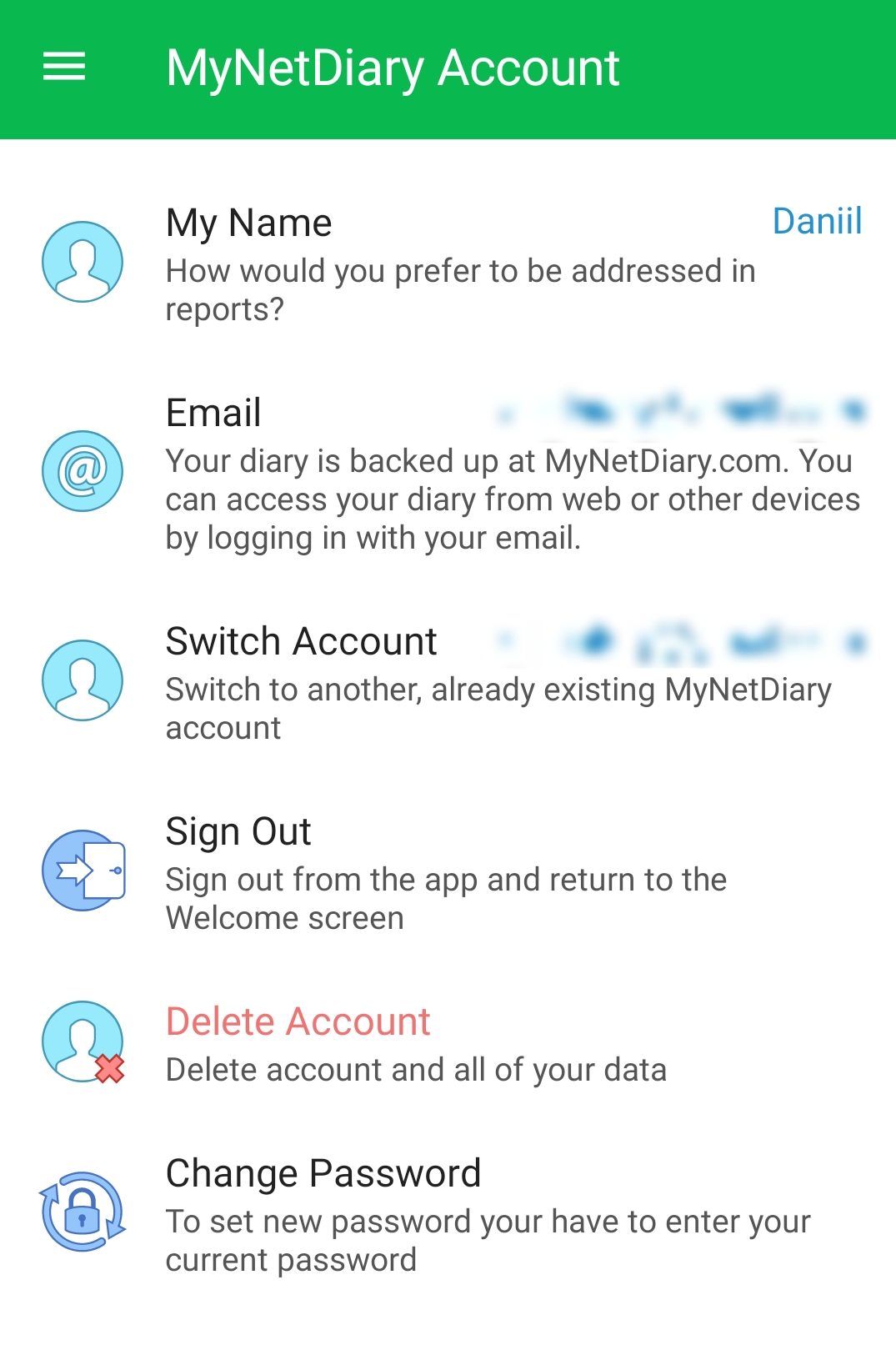
If you use Gmail, make sure to double-check whether you used an email account from Gmail or used Sign In with Google. These are different things! See Sign In with Google vs. Email support article.
Checking Account on iPad
On the iPad, you can see your account name and/or email on the App Settings screen, next to "Switch Account". You can find App Settings screen in the left side menu.
Checking Account on the mynetdiary.com Website
On the website, you use it to sign in to MyNetDiary or PlateAI app; it is also displayed if you go to the Settings - My Account tab.
Account Found, But Password Forgotten?
If you found your account or the email address you used, but you have forgotten your password, you can reset your password via email. Please see Forgotten Password for detailed instructions.
Please note that if you used a social sign-in, you must use the same social sign-in method with your regular password for this social service. MyNetDiary and PlateAI do not have access to your social sign-in information or your social password.